

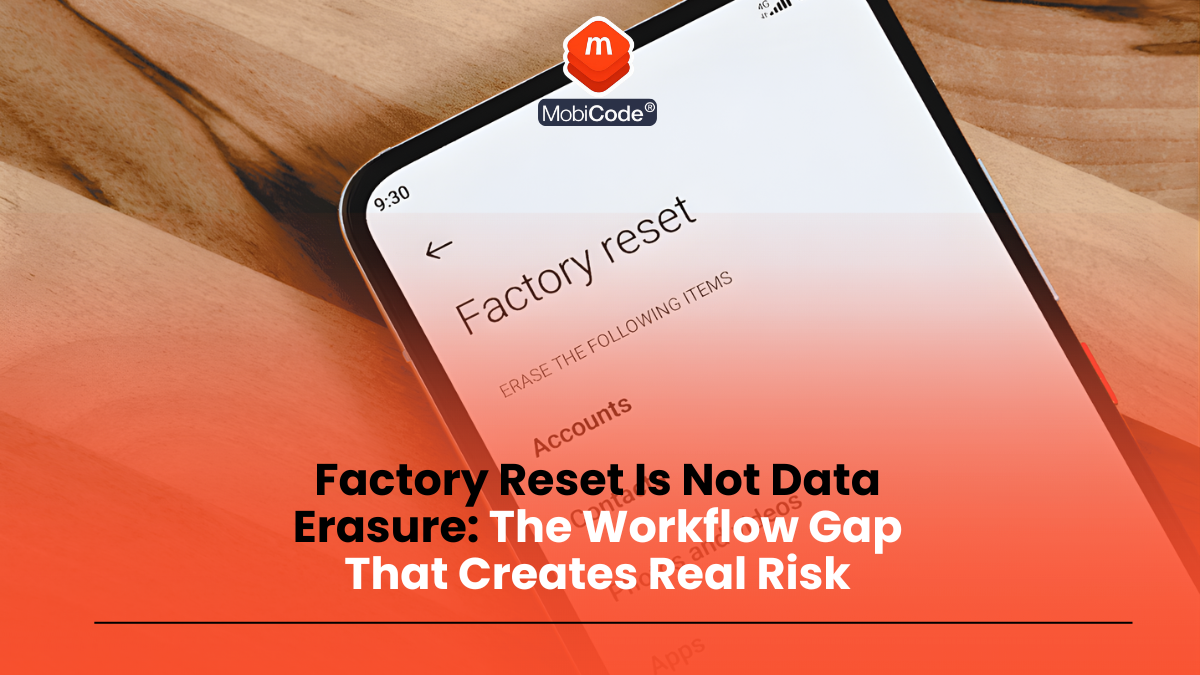
Factory reset is not the same thing as data erasure in a business process. For device traders, refurbishers and repair teams, that distinction matters because customer trust, dispute handling and compliance assurance all depend on being able to show what happened to the data before a device left your control.
This guide explains the workflow gap that causes problems, why a reset-only process is risky, and how to build a repeatable erasure process with evidence. The aim is practical risk reduction, not legal jargon.
Why this matters in real operations
In day-to-day trade and refurb workflows, teams are under pressure to process devices quickly. That is exactly when bad habits creep in: a reset is treated as “good enough”, records are skipped, and the device moves on because the next queue is waiting.
The problem is not just technical. It creates commercial and operational risk:
- Customer complaints: buyer alleges personal data was still present or recoverable
- Dispute delays: no evidence of what process was actually used
- Compliance exposure: weak evidence of secure handling and data deletion practices
- Internal inconsistency: each operator handles erasure differently
What a factory reset does (and what it does not prove)
A factory reset is a device function that removes user settings and restores the device to a default state. It may be a necessary operational step, but on its own it does not provide the same level of assurance as a documented erasure process with audit evidence.
For a business workflow, the key issue is proof: if someone asks what process was used, when it was run, and what the outcome was, a reset alone often leaves a gap.
Businesses need a process that produces evidence, not just a device that appears reset.
The workflow gap that creates risk
Most “factory reset is enough” problems come from one of these gaps:
- No clear erasure stage: reset happens informally at different points
- No recorded outcome: no certificate/reference or pass/fail result
- No failure route: devices that cannot be erased cleanly still move forward
- No retrieval process: evidence exists somewhere but cannot be found quickly
Once the device has left the building, those gaps become expensive.
A practical data-erasure workflow (trade/refurb version)
Step 1: Tie the device to a record before erasure
- Record IMEI/serial (or other unique identifier) before running erasure.
- Ensure the device record is the place where erasure results will be stored.
- Avoid ad hoc notes or separate lists that break traceability.
Step 2: Run your approved erasure process
- Use the business-approved erasure workflow/tool for that device type.
- Do not treat manual reset steps as equivalent evidence of secure erasure.
- Record the pass/fail outcome for the process used.
The practical goal is consistency: same process, same output, same record standard.
Step 3: Handle failures and exceptions properly
- Quarantine any device where erasure does not complete cleanly.
- Do not release it to resale or customer return pathways until the issue is resolved.
- Route irrecoverable failures into a documented exception path (for example, further technical review or physical destruction route under your policy and legal obligations).

Step 4: Store the evidence where support and ops can find it
- Store the erasure result/certificate reference against the device record.
- Make sure another team member can retrieve it quickly.
- Use a standard naming/filing convention so records do not disappear into inboxes or desktops.
This is what turns erasure from a technical task into a defensible business process.
Where MobiCode makes secure wiping easier to evidence
In secure erasure, the real value is not only completing the wipe. It is being able to show that it was completed properly. A stronger process gives your team something they can retrieve and review later, rather than relying on memory or scattered notes.
That is where MobiCode helps. Instead of treating wiping as a standalone task, the platform supports a more connected workflow, so the outcome is easier to trace as part of the device record. :contentReference[oaicite:1]{index=1}
-
Certificated data erasure: MobiWIPE is designed to securely wipe used devices and provide a clearer record of the erasure step.
See: MobiWIPE -
Connected workflow records: MobiONE brings device lookup, diagnostics and secure data erasure into one process, making it easier to keep check, test and wipe stages tied to the same device journey.
See: MobiONE
The key operational benefit is not just wiping data. It is being able to prove what was done later.
Current practical compliance context (UK GDPR and accountability)
ICO guidance on UK GDPR principles emphasises accountability and data minimisation/storage limitation. For device businesses, that means your data-handling process should not rely on assumptions. You need a process that is proportionate, repeatable and evidenced.
This article is not legal advice, but from a workflow perspective the direction is clear: evidence-based erasure is stronger than reset-only habits.
Common mistakes that create avoidable risk
- Treating reset as final evidence: no proof of erasure process or result
- No failure route: problem devices continue through the workflow
- No retrieval process: evidence exists but cannot be found during a dispute
- Inconsistent operator practice: erasure quality varies by staff member
Erasure Takeaway
Factory reset may be part of the process, but it is not the same thing as a documented erasure workflow with evidence. If you want to reduce risk, standardise the erasure step, record the outcome, and quarantine failures until they are resolved properly.
A reset-only failure that creates real risk
A common bad workflow looks like this: a returned handset is factory-reset, the home screen appears, and the device is marked “cleared”. The problem is that the business still has no proper evidence of what erasure method was used, who performed it, whether it completed successfully, or what happened if the process failed. That is an evidence gap, not just a technical shortcut.
If a device cannot complete a proper wipe because of storage errors, board failure or a dead state that prevents software erasure, the right response is not to keep trying random resets. It is to move the unit into an exception route and decide whether storage destruction or controlled downstream disposal is required. The exception handling is just as important as the successful wipe path.
FAQ: factory reset vs data erasure
Is a factory reset ever useful in the workflow?
Yes, but as an operational step it should not be treated as the sole proof of secure erasure in a business process.
What matters most in a dispute?
A retrievable record showing what erasure process was run, when it was run, and the outcome.
What should we do if erasure fails?
Quarantine the device and route it through your documented exception process. Do not release it without a resolved outcome.
Current source check: ICO guidance continues to emphasise accountability and data protection by design. In practice, that supports a documented erasure process with retrievable evidence rather than a reset-only habit that cannot be demonstrated later.