

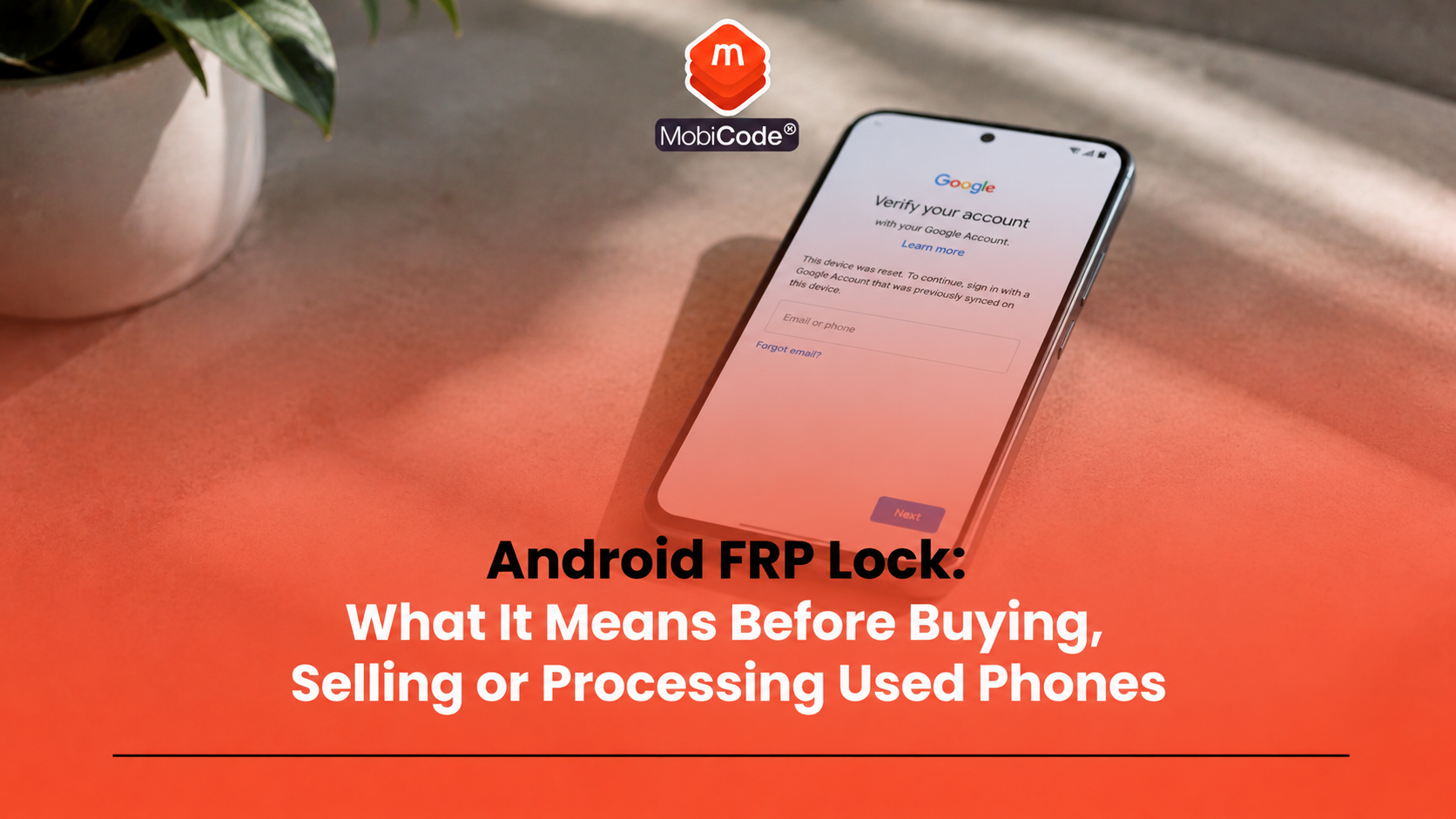
What is an Android FRP lock?
An Android FRP lock is a security feature linked to Factory Reset Protection. It helps stop someone from resetting an Android phone and using it without the previous authorised account. FRP usually appears after a device has been reset without first removing the Google account or completing the proper owner handover. During setup, the phone may ask for the Google account that was previously synced to the device. In simple terms, the phone may look wiped, but it is not ready for a new user until the correct verification step has been completed.
Why Factory Reset Protection exists
Factory Reset Protection exists to reduce the value of stolen or unauthorised Android devices. Without a protection step, someone could reset a phone and try to use or sell it as if it were clean. FRP adds a barrier. If the phone resets in a way Android treats as unauthorised, the setup process may require the previous Google account or lock-screen credentials. That protection helps rightful owners, but it also creates a practical problem in the used-device market. If a legitimate seller forgets to remove their account before reset, the next buyer or processor may face a lock screen during setup. As a result, trade teams need to treat FRP as a normal intake risk, not a rare edge case.
Android FRP lock vs normal screen lock
An Android FRP lock is not the same as a normal screen lock. A screen lock protects the phone while the current setup remains active. It may use a PIN, pattern, password, fingerprint or face unlock. An FRP lock usually appears after a reset. It asks for previous account verification before the phone can complete setup. A phone can have:
- a screen lock but no FRP issue yet;
- an FRP lock after reset;
- both a screen lock and account risk;
- neither issue if the owner prepared it correctly.
Therefore, trade-in teams should not confuse a phone that unlocks today with a phone that will set up cleanly after erasure.
Android FRP lock vs MDM lock
FRP also differs from mobile device management, or MDM. An Android FRP lock usually relates to Google account verification after reset. By contrast, MDM relates to organisational management by a business, school or public-sector body. A used Android phone may have:
- Google account verification after reset;
- a work profile or managed device policy;
- enterprise enrolment controls;
- both FRP and MDM concerns;
- neither issue after proper release and erase.
This distinction matters because the resolution route differs. A previous personal user may need to remove their Google account, while an organisation may need to retire or release a managed device.
Why FRP appears on used Android phones
FRP often appears because the handover process was incomplete. In many cases, the seller or previous user did not intend to create a problem. They simply reset the device before removing their account. Common causes include:
- the owner factory reset the phone before removing their Google account;
- a trade-in customer did not know about FRP;
- staff reset a device without checking account status;
- a device came from a bulk batch with incomplete records;
- an ex-business Android phone still had managed settings;
- the supplier tested power-on condition but not post-reset setup.
Because of this, FRP checks should happen early. Otherwise, the issue may appear only after the device has already been priced, graded or listed.
How to spot an Android FRP lock
The clearest sign appears during setup after reset. The phone may say that the device was reset and ask the user to sign in with a Google account that was previously synced on the device. Other signs may include:
- setup cannot continue without previous account details;
- the phone rejects a new Google account during setup;
- the device asks for previous lock-screen credentials;
- staff cannot reach the normal home screen after reset;
- the seller cannot provide the correct previous account verification;
- the device repeatedly returns to account verification.
For trade teams, the practical test is simple: can the phone complete setup cleanly after the approved erasure workflow? If not, it should move into review rather than normal resale.
Can a factory reset cause FRP problems?
Yes. A factory reset can trigger the problem if the previous user did not prepare the device correctly first. This is why “factory reset” does not automatically mean “ready for resale”. A phone can look wiped and still require the previous account during setup. Before selling, trading in or processing an Android phone, the previous user should remove accounts properly, follow the device’s handover steps and then reset the phone. For businesses, staff should also record the result after reset. In a professional workflow, the key question is not only whether the phone has been reset. The more important question is whether it reaches a clean setup state without previous-owner verification.
Can you bypass Android FRP?
Used-device businesses should not rely on bypass tools, shortcuts or unofficial methods. Those routes can create legal, security, resale and operational risk. They may also leave the device in an unclear state that buyers, marketplaces or business customers will not accept. The safer approach is to resolve the issue through legitimate ownership and account routes. That may mean:
- asking the previous owner to remove the device from their Google account;
- asking the seller to complete the account verification in person;
- checking supplier paperwork and ownership evidence;
- asking a business client to release a managed device properly;
- routing the phone to review if legitimate release cannot be confirmed;
- rejecting or returning devices that cannot be cleared properly.
What private buyers should check before paying
Private buyers should check Android phones before handing over money. A phone that powers on is not enough. A simple buyer checklist includes:
- Ask the seller to unlock the phone in front of you.
- Check that the device has no screen lock blocking inspection.
- Ask the seller to remove their Google account before reset.
- Factory reset only after the account has been removed.
- Confirm that the phone reaches the normal setup screen.
- Try setting it up far enough to confirm no previous-account prompt appears.
- Check IMEI and device status before paying where possible.
If a seller refuses these checks, treat that as a warning sign. A genuine seller should understand why account removal matters.
What trade-in teams should check at intake
Trade-in teams need a repeatable process because they cannot rely on customer explanations alone. Staff should check Android account status before pricing or routing the device. A stronger intake process should include:
- capture IMEI, serial, make, model and storage;
- confirm the phone can unlock for inspection;
- check whether a Google account remains on the device;
- ask the customer to remove the account where needed;
- complete the approved reset or erase workflow;
- confirm that setup continues without previous-account verification;
- record the outcome against the device record;
- route unresolved devices to review.
This process protects the business from accepting phones that later fail setup. It also helps staff explain price changes or rejection decisions.
What recyclers and refurbishers should do with FRP devices
Recyclers and refurbishers often receive large batches of Android devices from many sources. Some phones may come from consumers, while others may come from businesses, insurers, repair channels or ITAD providers. In that environment, FRP needs a clear routing rule. A useful workflow should separate:
- clear Android devices ready for testing;
- devices needing customer or supplier account removal;
- devices needing MDM or enterprise review;
- devices suitable for return to supplier;
- devices suitable for parts recovery;
- devices unsuitable for normal resale.
MobiONE can help teams link checks, tests, wipe results and device records into one operational workflow.
- Connected device processing: MobiONE
Why FRP affects grading and resale value
FRP status should affect grading because it changes the device’s resale route. A phone that cannot complete setup does not belong in the same grade as a tested, clear and resale-ready device. An Android phone with unresolved FRP may:
- fail setup;
- trigger a customer return;
- require supplier contact;
- need ownership evidence;
- move to parts rather than resale;
- lose commercial value;
- sit in unresolved stock for too long.
Therefore, staff should not grade only on cosmetic condition. They should treat setup status, account status and erase outcome as part of the device grade.
FRP and data erasure are separate issues
FRP and data erasure often appear together, but they do not answer the same question. Data erasure asks: has previous user or business data been removed from the device? FRP asks: can the device complete setup without requiring previous account verification? A phone may appear erased but still have FRP. Equally, a phone may have no FRP issue but still need proper data-erasure evidence before resale. MobiWIPE supports controlled data-erasure workflows before devices move to resale, reuse or recycling.
- Secure data erasure: MobiWIPE
For professional teams, the safest approach is to record both the erase result and the setup status.
FRP is not the only Android resale check
An Android phone can clear FRP and still carry other risks. It may have a network lock, blacklist indicator, battery issue, screen fault, camera problem, microphone fault or MDM restriction. A complete Android intake workflow should check:
- IMEI and serial number;
- lost, stolen and blacklist indicators;
- network lock status;
- FRP or Google account status;
- MDM or work profile status;
- screen and touch response;
- battery health or performance;
- camera, audio and charging functions;
- Wi-Fi, Bluetooth and NFC where supported;
- data-erasure result;
- final grade and route.
MobiCHECK, MobiCode TEST, MobiWIPE and MobiONE each support a different part of that workflow.
- IMEI and status checks: MobiCHECK
- Mobile phone testing: MobiCode TEST
- Used-device due diligence: MobiCode CHECK

How MobiCode supports Android device workflows
MobiCode helps businesses process used Android phones with clearer checks, tests, wipe records and routing decisions.
- MobiONE: helps link checks, tests, wipe results and device records in one operational workflow. See: MobiONE
- MobiWIPE: supports controlled data-erasure workflows before devices move to resale, reuse or recycling. See: MobiWIPE
- MobiCHECK: helps teams check IMEI and device status before buying, processing or reselling stock. See: MobiCHECK
- MobiCode TEST: helps teams run structured diagnostics and functional testing before resale. See: MobiCode TEST
- MobiCode CHECK: supports broader used-device due diligence before phones move further through the business. See: MobiCode CHECK
- MobiUNLOCK: supports professional unlocking workflows where teams need to handle network restrictions. See: MobiUNLOCK
MobiCode should not be positioned as a tool for bypassing Android FRP. Instead, the value is workflow control: identify account-lock issues early, record outcomes, route unclear devices correctly and protect resale decisions.
Common mistakes with Android FRP lock
Most FRP problems come from rushing the handover or treating reset as the final step. Common mistakes include:
- factory resetting before removing the Google account;
- checking only whether the phone powers on;
- pricing a trade-in before confirming setup status;
- confusing FRP with network lock;
- confusing FRP with MDM;
- trying to bypass previous-owner verification;
- selling a phone before completing setup checks;
- not recording FRP review outcomes.
A clear workflow prevents many of these errors and gives staff a safer route when a locked Android phone appears.
Commercial takeaway: Android FRP lock
An Android FRP lock can stop a used phone from completing setup after reset. For buyers, it can turn a second-hand phone into a problem device. For recyclers, refurbishers, ITAD providers and trade-in teams, it can create blocked stock, returns and supplier disputes. The safest approach is to handle FRP before resale. Ask the previous owner to remove their Google account, confirm clean setup after reset, avoid bypass tools and record the result against the device. MobiCode supports the wider Android processing workflow by helping teams connect IMEI checks, diagnostics, data erasure, lock review, grading and final routing.
A practical example for a trade-in desk
A customer brings in an Android phone for trade-in. The phone powers on and looks clean, so the customer expects a full-value quote. Before accepting it, staff capture the IMEI, check device status and ask the customer to remove their Google account. Then they complete the approved reset process and confirm that setup continues without asking for the previous account. The phone passes FRP review, so the team moves it into diagnostics, data-erasure recording and grading. If the phone had asked for the previous account, staff would have routed it to review rather than normal resale stock.
FAQ: Android FRP lock
What is an Android FRP lock?
An Android FRP lock means the phone may require the previous Google account or lock-screen credentials after a factory reset before setup can continue.
What does FRP stand for?
FRP stands for Factory Reset Protection. It is an Android security feature designed to reduce unauthorised reuse after a reset.
Does factory reset remove FRP?
No. A factory reset can trigger FRP if the previous account was not removed correctly before reset. The phone may then ask for previous-owner verification.
Can a used Android phone be sold with FRP?
A phone with unresolved FRP should not move into normal resale stock. The previous owner or authorised organisation should resolve the account issue first.
Is FRP the same as MDM?
No. FRP relates to Google account verification after reset. MDM relates to organisational management, restrictions and enrolment.
How does MobiCode help with Android FRP workflows?
MobiCode supports the wider Android processing workflow with connected device records, IMEI checks, diagnostics, data erasure, lock review and routing decisions.
References and Further Reading
- Android Developers: Security and enterprise factory reset protection
- Android Open Source Project: Device management overview
- Samsung Support: Google Device Protection on Galaxy devices
- Google Android Help: Reset your Android device to factory settings
- NCSC: Buying and selling second-hand devices
- MobiONE
- MobiWIPE
- MobiCHECK
- MobiCode TEST
- MobiCode CHECK
- MobiUNLOCK
- MobiCode for Recyclers