

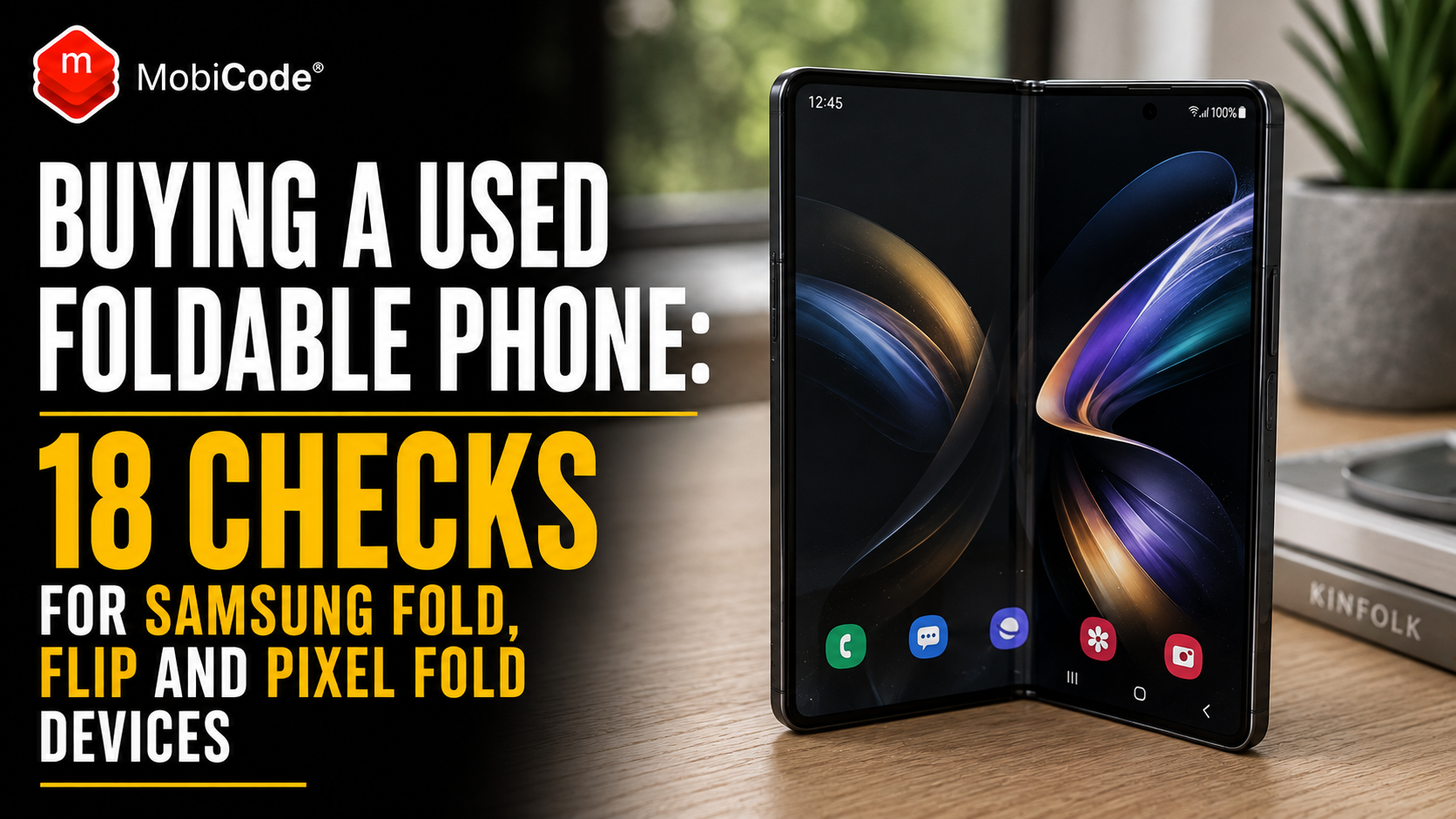
Check the phone’s IMEI with MyMobiCheck before buying a used foldable phone, then inspect the inner display, hinge, protective film, battery and repair history carefully.
A second-hand Samsung Fold, Galaxy Z Flip, Pixel Fold or Motorola Razr can provide flagship features for considerably less than its original price. However, a foldable phone has more potential failure points than a conventional handset.
It has at least two displays, a mechanical hinge, a flexible inner panel, multiple display layers and software that must respond correctly as the phone opens and closes. A device can look excellent while folded but reveal dead pixels, lifting film, touch problems or hinge damage as soon as it opens.
Repair costs can also change the value of the purchase quickly. A worn battery or marked frame may justify a modest reduction. By contrast, a failing inner display or damaged hinge can make an apparently cheap phone commercially unviable.
This guide explains how private buyers and UK phone shops should inspect a used foldable phone before payment. It also covers grading, IMEI checks, account locks, diagnostics, repair history and the warning signs that should reduce the offer—or stop the purchase entirely.
What is a foldable phone?
A foldable phone uses a flexible display or connected screen design that allows the handset to change shape.
Most modern foldables fall into two categories:
- Book-style foldables: devices such as the Samsung Galaxy Z Fold and Google Pixel Fold families open into a larger, tablet-like inner display.
- Clamshell foldables: devices such as the Samsung Galaxy Z Flip and Motorola Razr fold into a smaller, more compact shape.
Both designs normally have an external cover screen and a larger flexible display inside.
Why used foldable phones need extra checks
A standard used-phone inspection usually covers the screen, battery, cameras, charging, IMEI and account status.
A foldable needs all those checks plus an examination of:
- the flexible inner display;
- the factory-fitted protective film;
- the central crease;
- the hinge mechanism;
- the device frame when open and closed;
- the transition between inner and outer screens;
- software features linked to the folding position;
- possible dust or debris around the hinge;
- previous inner-screen or hinge repairs.
These parts are closely connected. A damaged hinge may place pressure on the inner display. A lifting screen protector may trap debris. A bent frame may prevent the handset from closing correctly.
Therefore, the phone should be inspected as one folding system rather than as two ordinary screens joined together.
Are used foldable phones worth buying?
A good used foldable phone can offer strong value when:
- both displays work correctly;
- the hinge moves smoothly;
- the protective film remains secure;
- the IMEI and ownership position are clear;
- the battery performs acceptably;
- the phone has a credible repair history;
- the price reflects its age and condition;
- the seller provides a suitable warranty or returns route.
However, buyers should not assume that every cosmetic mark is minor.
A small dent close to the hinge, a dark spot at the crease or a section of lifted film can indicate a more serious risk than a scratch on the back housing.
1. Confirm the exact model and regional version
Begin by confirming precisely which phone you are inspecting.
Record:
- manufacturer;
- full model name;
- model number;
- regional version;
- storage capacity;
- colour;
- serial number;
- IMEI 1 and IMEI 2 where available.
This matters because two devices may look similar while having different:
- storage capacities;
- network-band support;
- SIM and eSIM configurations;
- water and dust-resistance ratings;
- repair options;
- software-support periods;
- replacement-part costs.
Do not identify the phone from the seller’s description or box alone. Confirm the information shown by the handset itself.
2. Record and check every IMEI
Many foldable phones support dual SIM, physical SIM plus eSIM, or multiple eSIM profiles. As a result, the device may have IMEI 1 and IMEI 2.
Capture both where available.
You can usually find the IMEI by:
- opening the device-information section in Settings;
- dialling *#06#;
- checking the setup information screen;
- reviewing the original box, provided it belongs to the same handset.
Compare the identifiers with the seller’s paperwork and packaging. Investigate any mismatch rather than assuming the box is correct.
For a single phone, use MyMobiCheck to review the submitted IMEI before payment.
Phone shops, recyclers and higher-volume trade-in businesses can use MobiCHECK within a professional checking workflow.
An IMEI check may help identify a blocked or reported device. However, it does not replace checks for physical faults, account locks, repair history or seller authority.
3. Check Apple, Google, Samsung and business-account locks
A used foldable phone should not remain tied to the previous owner or an organisation.
Check for:
- Google Factory Reset Protection;
- Samsung account restrictions;
- Find My Device controls;
- MDM or Remote Management;
- work profiles;
- company enrolment;
- network restrictions;
- an active previous-owner eSIM.
The seller should remove their accounts through the normal device process before completing the transaction.
After a reset, the phone should reach a clean setup state without requesting the previous owner’s credentials or showing an organisation’s management screen.
Do not accept a promise that the account will be removed later. Resolve it while the seller still controls the account and remains present.
4. Inspect the phone while it is closed
Before opening the handset, examine the outside carefully.
Look for:
- a bent or twisted frame;
- uneven gaps between the two halves;
- one side sitting higher than the other;
- dents close to the hinge;
- cracked outer glass;
- damaged camera lenses;
- lifting back panels;
- missing or marked screws;
- signs that the device has been opened previously.
The closed phone should match the expected design for that exact model. Some foldables close with a visible shape or gap by design, while others close more tightly.
Compare the handset with official product images rather than assuming every gap indicates damage.
5. Test the cover screen fully
The outer display should receive the same attention as the inner screen.
Test:
- brightness;
- touch response across the full panel;
- dead pixels;
- screen burn or image retention;
- flickering;
- colour consistency;
- automatic brightness;
- proximity and ambient-light behaviour;
- the front-facing or cover-screen camera where fitted.
Open several apps and type across the keyboard. A short swipe test may not reveal a narrow dead zone.
Also inspect the cover display with the screen switched off and angled under bright light. This makes scratches, cracks and pressure marks easier to see.
6. Open the phone slowly and listen to the hinge
Do not snap the phone open immediately.
Open it gradually and pay attention to:
- smoothness;
- resistance;
- grinding or crunching sounds;
- sudden loose movement;
- uneven resistance on one side;
- clicks that differ from normal hinge behaviour;
- whether the frame twists as it opens.
A foldable hinge contains moving parts and may have some normal sound or resistance. The important question is whether its movement is even, repeatable and appropriate for that model.
Be cautious when:
- the phone stops before reaching its expected open position;
- one half sits higher than the other;
- the hinge feels loose;
- the device opens with a harsh grinding sensation;
- the frame visibly flexes;
- the screen changes colour as the hinge moves.
7. Check whether the phone opens to the expected position
Not every foldable behaves identically, so compare the phone with the manufacturer’s intended design.
When fully open, check whether:
- the two halves align correctly;
- the frame appears twisted;
- the inner display sits evenly;
- the phone opens as far as the model should;
- the hinge holds intermediate positions where supported;
- the device closes again without additional force.
A phone that no longer opens correctly may contain hinge damage or trapped debris. It may also place additional stress on the flexible display.
Do not force a resistant hinge. Additional pressure can turn an uncertain device into a broken one.
8. Inspect the inner display while switched off
The inner screen is easier to inspect for physical damage when it is dark.
Angle it under a bright, diffuse light and look for:
- scratches;
- dents;
- puncture marks;
- bubbles beneath the protective film;
- lifting along the crease;
- lifting around the edges;
- cracks in the top layer;
- marks caused by objects trapped between the two halves;
- pressure damage.
Flexible displays can be softer than conventional glass screens. Damage may appear as a small indentation rather than a familiar crack.
Pay close attention to the centre crease, corners and the area immediately beside the hinge.
9. Understand what a normal foldable-screen crease looks like
A visible crease does not automatically mean that a foldable screen is faulty.
On many models, a central crease is a normal result of the display folding repeatedly. Its visibility can change with the viewing angle, background colour and lighting.
However, distinguish an ordinary crease from warning signs such as:
- a black line through the centre;
- green, white or coloured lines;
- a widening dark patch;
- dead pixels around the fold;
- touch failure across the crease;
- cracking or flaking of the top layer;
- bubbles spreading along the fold;
- a clicking sensation beneath the screen;
- the display switching off when the phone reaches a certain angle.
10. Do not peel off the factory-fitted inner-screen protector
Many foldable phones have a specially designed protective film fitted to the flexible inner display.
Samsung advises users to keep the protective film attached on applicable Galaxy foldables and to seek appropriate support when it needs replacement. Google also warns owners of applicable Pixel Fold devices not to remove or peel back the pre-installed screen protector.
During inspection, check whether the film is:
- present;
- secure around the edges;
- lifting at the crease;
- bubbling;
- scratched deeply;
- replaced with an unsuitable third-party product;
- missing entirely.
A small bubble may relate only to the protector. However, it still needs assessment because dirt can enter beneath lifted film and place pressure on the flexible display.
Do not peel the film back to see what is underneath. That may cause further damage and make the device harder to assess.
11. Test the entire inner screen with solid colours
Switch the screen on and display several full-screen colours.
Useful test backgrounds include:
- white;
- black;
- red;
- green;
- blue;
- mid-grey.
Look for:
- dead or stuck pixels;
- lines through the crease;
- uneven brightness;
- flicker;
- screen burn;
- colour patches;
- dark areas that grow as the hinge moves;
- one half appearing different from the other.
Repeat the test at low and high brightness. Some faults become visible only under a particular brightness setting.
12. Test touch response across the crease
A foldable display may show a normal picture while having a failed touch layer.
Test touch response by:
- drawing continuous lines across the full panel;
- dragging icons over the crease;
- typing on both sides of the keyboard;
- pinching and zooming;
- using multi-touch gestures;
- testing the corners;
- checking touch while the phone is partly folded where supported.
The line should continue smoothly across the crease without gaps or sudden jumps.
A narrow touch failure can be easy to miss during normal navigation but frustrating in daily use.
13. Test the screen while opening and closing the phone
Keep a bright image or video on screen and move the hinge slowly through its range.
Watch for:
- flickering at one angle;
- the inner display turning off unexpectedly;
- colour changes near the crease;
- lines appearing only during movement;
- the wrong screen remaining active;
- delayed switching between displays;
- apps failing to resize correctly;
- unexpected restarts.
This test can reveal faults that do not appear when the phone remains completely open or closed.
14. Test Flex Mode and folding-position sensors
Many foldables change their interface when held partly open. Camera controls, video layouts and other supported apps may move to different parts of the screen.
Test whether the phone:
- recognises when it is open;
- recognises when it is closed;
- responds to supported intermediate angles;
- switches correctly between inner and outer displays;
- keeps the intended screen active;
- rotates and resizes apps correctly.
A failure may involve software, a hinge-position sensor or previous repair damage.
Restart the phone and update supported software before concluding that the hardware is faulty.
15. Inspect for dust, sand and liquid exposure
Do not assume that every foldable phone provides the same resistance to dust and water.
Ratings differ by model and generation. In addition, water resistance can deteriorate after impact, age or repair.
Look for:
- grit around the hinge;
- scratching close to moving parts;
- corrosion in the charging port;
- condensation beneath camera glass;
- distorted speakers;
- discoloured liquid-contact indicators where visible;
- lifting back panels;
- unexpected hinge resistance.
A seller may say that the phone is waterproof. That description is too broad.
Check the official rating for the exact model and remember that a manufacturer rating does not prove the used handset remains undamaged.
16. Check the battery and charging system
A foldable phone may power two displays and a large inner panel, so battery complaints can become more noticeable as the device ages.
Check:
- battery-health information where available;
- charging through the cable;
- wireless charging where supported;
- unexpected shutdowns;
- rapid percentage drops;
- excessive heat;
- battery or parts warnings;
- lifting panels that could indicate swelling.
Use the phone with the inner display active for a reasonable test period. A two-minute inspection will not reveal meaningful battery endurance.
Samsung provides battery diagnostics through the Samsung Members app on supported Galaxy devices. Google also provides diagnostic and device-health tools for supported Pixel phones.
MobiCode TEST helps used-device businesses apply a consistent battery and functional testing process across mixed stock.
- Structured mobile diagnostics: MobiCode TEST
17. Test cameras, speakers, microphones and connectivity
Do not allow the unusual display to distract from normal handset checks.
Test:
- every rear camera lens;
- the cover-screen camera;
- the inner-screen camera where fitted;
- autofocus;
- flash;
- video recording;
- earpiece and loudspeakers;
- all microphones;
- Wi-Fi;
- Bluetooth;
- NFC;
- GPS;
- SIM and mobile signal;
- fingerprint and face recognition;
- buttons and vibration.
Test cameras with the device folded and unfolded. Some models use the cover display or folding position for different camera modes.
18. Investigate the repair and warranty history
Ask whether the phone has previously had:
- an inner-screen replacement;
- a hinge repair;
- a screen-protector replacement;
- a battery replacement;
- a logic-board repair;
- liquid-damage treatment;
- a manufacturer warranty replacement;
- an insurance replacement.
Request invoices or repair reports where available.
Previous repair does not automatically make a foldable unsuitable. A properly completed manufacturer or authorised repair may be preferable to an original but failing component.
However, unclear repair history should affect the buying price and warranty decision.
Be particularly cautious when:
- the seller says the inner screen was replaced but has no record;
- the frame and screen colours do not match correctly;
- the phone displays component warnings;
- the hinge movement differs on each side;
- the device has visible tool marks;
- the seller refuses to explain previous work.
Check the remaining manufacturer warranty
Where possible, confirm:
- the original purchase date;
- the regional warranty position;
- whether proof of purchase is available;
- whether an authorised repair changed the coverage;
- whether accidental damage is excluded;
- whether the warranty transfers to another owner;
- whether the exact device is covered in the UK.
Do not promise that a manufacturer will repair a used foldable without first checking the applicable terms.
Physical damage, dents, liquid exposure or unauthorised work may affect the outcome of a warranty assessment.
Get a current repair quote before buying a faulty foldable
A damaged foldable can look attractive at a large discount. However, the price only makes sense when the buyer understands the repair cost.
Before buying a phone with inner-screen, hinge or frame damage:
- identify the exact model;
- confirm which parts need replacement;
- request a current repair estimate;
- check whether parts are available;
- ask whether the repair includes the frame, battery or hinge assembly;
- check the repair warranty;
- include shipping and diagnostic charges;
- compare the final cost with a working used device.
Repair prices change by model, damage and service provider. Do not rely on an old forum post or a price quoted for another generation.
How should a phone shop grade a used foldable phone?
A foldable-phone grade should cover both cosmetic appearance and folding-system condition.
A practical record might include:
- Outer cosmetic grade: cover screen, frame, back and cameras;
- Inner-display grade: protector, crease, marks, pixels and touch;
- Hinge grade: movement, alignment and opening position;
- Battery grade: diagnostic outcome and practical performance;
- Functional grade: cameras, audio, connectivity and sensors;
- Identity status: IMEI, locks and ownership checks;
- Repair-history status: known, documented, unclear or repaired.
A phone should not receive a high overall grade simply because its outer housing looks clean.
For example, a visually excellent Fold with a lifting inner protector and inconsistent touch response requires a lower commercial grade or repair route.
How to describe a used foldable phone honestly
A good listing should disclose the features a buyer cannot assess from one photograph.
Include:
- exact model and storage;
- network status;
- inner and outer cosmetic condition;
- protector condition;
- whether the normal crease is visible;
- hinge behaviour;
- battery information where available;
- known repair history;
- included accessories;
- warranty or returns information.
A useful description might say:
“Used Galaxy Z Fold in good condition. Both displays and touch functions tested. Hinge opens smoothly and holds supported positions. Normal central display crease visible. Factory-fitted inner protector remains attached with no lifting. Light marks on outer frame, shown in photographs.”
That description is more useful than simply saying “Grade B foldable phone”.
Should you buy a foldable with a lifting screen protector?
It depends on the extent of the lifting and the condition of the panel underneath.
A small protector issue may be repairable through an appropriate service route. However, buyers should not assume that every bubble is harmless.
Before buying:
- check whether the manufacturer supports protector replacement;
- do not peel it back;
- test pixels and touch around the affected area;
- check for clicking or movement beneath the film;
- obtain a current replacement price;
- confirm that the inner panel itself is not damaged;
- reduce the offer to reflect risk and downtime.
If the seller has already removed the protector, inspect the inner screen with particular care and ask why it was removed.
Should you buy a foldable that does not open fully?
Do not treat this as a minor cosmetic issue.
A phone that no longer reaches its intended open position may have:
- hinge wear;
- impact damage;
- debris inside the hinge;
- a bent frame;
- damage caused by a previous repair;
- internal resistance that may worsen.
The reduced opening angle can also place stress on the display or stop software features working correctly.
Obtain a professional assessment before buying it as anything other than repair-grade stock.
Should you buy a foldable with a black line down the crease?
A black or coloured line through the folding area usually requires much more caution than a normal visible crease.
It may indicate:
- display-panel failure;
- damage to internal display layers;
- dead pixels;
- impact or pressure damage;
- a fault that may spread.
Test touch response on both sides, but do not apply pressure to the damaged area.
Unless the purchase price and confirmed repair cost support a repair-grade transaction, the safest decision is normally not to buy it as a working phone.
How much should you pay for a used foldable phone?
Start with the realistic resale value of a fully working device in the same model, storage and grade.
Then deduct:
- required repair costs;
- diagnostic costs;
- parts and shipping;
- warranty risk;
- expected depreciation;
- selling fees;
- VAT implications where relevant;
- the required profit margin.
Use:
A discounted foldable is not automatically cheap. The purchase becomes expensive when the inner display fails shortly afterwards and the margin cannot absorb the repair.
A used foldable phone checklist for private buyers
- Confirm the exact model, storage and regional version.
- Record IMEI 1, IMEI 2 and the serial number.
- Check device and blacklist status.
- Confirm that personal, Google and business accounts are removed.
- Inspect the frame while the phone is closed.
- Test the full cover screen.
- Open the hinge slowly and listen for unusual sounds.
- Confirm that it reaches the expected open position.
- Inspect the inner screen while switched off.
- Check the protector and centre crease.
- Test solid colours and brightness.
- Test touch response across the crease.
- Move the hinge while the display remains active.
- Test screen switching and Flex Mode.
- Check the battery and charging system.
- Test cameras, audio, NFC, Wi-Fi and mobile signal.
- Review previous repairs and warranty evidence.
- Compare the price with the cost of a working alternative.
A foldable-phone intake checklist for shops
Phone shops and trade-in teams should create a consistent intake record rather than relying on a technician’s general impression.
Identity and status
- IMEI 1 and IMEI 2 captured;
- serial number captured;
- model, storage and region confirmed;
- device-status check completed;
- Google, Samsung, MDM and network locks reviewed.
Folding system
- closed-frame alignment checked;
- hinge movement assessed;
- fully open position checked;
- intermediate positions tested where supported;
- dust, debris and liquid signs recorded.
Displays
- cover screen tested;
- inner screen inspected while off;
- protective film recorded;
- crease condition recorded;
- solid-colour test completed;
- touch checked across the whole panel;
- display transition tested while folding.
Wider device condition
- battery and charging tested;
- cameras and audio tested;
- connectivity and sensors tested;
- repair history recorded;
- grade, route and maximum offer recorded.
Run structured diagnostics before resale
Manual inspection remains important because software cannot feel hinge resistance or see lifting film in the way a technician can.
However, structured diagnostics provide consistency across:
- touchscreens;
- battery;
- cameras;
- speakers and microphones;
- SIM and mobile network;
- Wi-Fi and Bluetooth;
- NFC;
- sensors;
- buttons and vibration.
Samsung provides diagnostics through Samsung Members on supported Galaxy devices. Google also provides diagnostic tools and device-health support on supported Pixel phones.
MobiCode TEST helps multi-brand phone shops and refurbishers apply a more consistent test process across their stock.
- Structured mobile diagnostics: MobiCode TEST
- Connected device processing: MobiONE
Erase personal data before the phone enters resale stock
Once the business has accepted the device and recorded its identity, it should remove the previous owner’s personal data through an appropriate controlled process.
Before erasure:
- capture all identifiers;
- confirm that accounts have been removed;
- check eSIM profiles;
- record the intake test;
- retain authority for the transaction.
After erasure:
- confirm that the phone reaches a clean setup state;
- check that no previous account lock returns;
- repeat the functional tests;
- record the final resale grade.
MobiWIPE supports controlled mobile data-erasure workflows, while MobiONE helps connect the result to the correct handset.
Respect the buyer’s rights when selling a refurbished foldable
A shop should not use “used”, “refurbished” or “foldable” as a reason to remove a customer’s statutory rights.
Goods sold by a UK trader must meet applicable legal requirements, including being as described and of satisfactory quality when factors such as age, price and disclosed condition are considered.
Therefore:
- describe the protector and inner-screen condition accurately;
- show significant cosmetic marks;
- disclose known repairs;
- do not describe a faulty hinge as normal wear;
- provide clear warranty and returns information;
- retain the test and grading record;
- handle genuine faults fairly.
A clear, evidence-based listing reduces disputes while helping the shop defend itself when damage occurs after sale.

How MobiCode supports used foldable-phone checks
MobiCode helps phone shops, refurbishers, recyclers and trade-in teams connect the physical inspection of a foldable phone with its wider device record.
-
MyMobiCheck supports individual IMEI checks for private buyers and occasional device sellers.
See: MyMobiCheck -
MobiCHECK supports professional IMEI and device-status checks before buying or reselling stock.
See: MobiCHECK -
MobiCode TEST helps teams run repeatable functional diagnostics across foldable and conventional phones.
See: MobiCode TEST -
MobiONE connects identifiers, tests, erase results, grades and device routes in one workflow.
See: MobiONE -
MobiCode CHECK supports wider due diligence when a device needs additional review.
See: MobiCode CHECK -
MobiWIPE supports controlled data erasure before accepted stock enters resale.
See: MobiWIPE
Software does not replace physical hinge and screen inspection. However, it helps the business connect those observations to consistent identity, testing and processing records.
Common mistakes when buying a used foldable phone
- Checking only the cover screen.
- Opening the phone quickly without feeling the hinge.
- Assuming every crease is damage.
- Assuming every bubble is harmless.
- Peeling back the inner-screen protector.
- Testing touch on only one side of the crease.
- Ignoring a phone that does not open fully.
- Failing to test the display while moving the hinge.
- Recording only one IMEI on a dual-SIM device.
- Trusting the box instead of the handset’s identifiers.
- Buying before account and MDM locks are removed.
- Assuming an old water-resistance rating still applies after repair.
- Using the price of a conventional screen repair to estimate a foldable repair.
- Grading the phone from its outer cosmetics alone.
Commercial takeaway
A used foldable phone can be a strong purchase, but it requires a more detailed inspection than an ordinary second-hand handset.
Start by confirming the exact model, IMEIs, account status and repair history. Next, inspect the frame, hinge, cover screen, inner protector and crease. Test every part of the flexible display while the device opens and closes.
Do not assume that a visible crease is a fault. Equally, do not dismiss dark lines, dead pixels, spreading bubbles, touch failures or restricted hinge movement as ordinary wear.
For phone shops, the final buying price should reflect repair cost, warranty exposure and the risk that an inner-display or hinge problem will worsen.
A detailed inspection, structured diagnostic result and clear device record allow the business to buy more confidently, grade accurately and describe the phone honestly to its next owner.
A practical used Samsung Fold example
A customer offers a Samsung Galaxy Z Fold to a UK phone shop. The outer screen and back housing look excellent, and the seller describes the phone as “like new”.
Staff confirm the model, storage and both IMEIs. The device-status checks are clear, and the customer removes their Google and Samsung accounts correctly.
However, the technician opens the phone slowly and notices that the hinge becomes unusually stiff near the fully open position. The handset stops slightly short of its expected alignment.
The inner display works, but a solid white test reveals a small dark patch beside the centre crease. Touch also fails intermittently across the same area when the phone is moved through different angles.
The seller had demonstrated only the cover screen and was unaware of the inner-display problem.
Instead of pricing the phone as high-grade stock, the shop records the fault, obtains a current repair estimate and offers a repair-grade value. The customer can then accept the revised offer or keep the device.
By opening, moving and testing the entire folding system, the shop avoids paying a working-device price for a handset with a potentially expensive display and hinge problem.
Frequently asked questions
Are used foldable phones worth buying?
They can offer good value when both screens, the hinge, battery, IMEI and account status are clear. The price should also reflect the phone’s age, repair history and the higher cost of some foldable-screen repairs.
Is the crease on a Samsung Fold or Flip normal?
A visible central crease can be normal on many foldable displays. Black lines, dead pixels, touch failure, cracking, colour changes or spreading bubbles around the crease require further investigation.
Should I remove a foldable phone’s inner-screen protector?
Do not peel off the factory-fitted protective film merely to inspect the screen. Manufacturers may recommend leaving it attached and using an appropriate service route when it needs replacement.
Should I buy a foldable phone that does not open fully?
Not as a normal working device without a professional assessment. Restricted movement may indicate hinge wear, trapped debris, frame damage or a previous repair problem, and it may place additional stress on the display.
How can I test a used Samsung Fold or Flip?
Check both IMEIs, remove account locks, test both displays, inspect the protector and crease, move the hinge slowly, test touch across the fold and check the battery, cameras, audio, network and sensors.
What causes a black line down a foldable screen?
A black line may indicate failed pixels or damage to the flexible display layers. It is different from a normal visible crease and may require an inner-display replacement.
Why does a foldable phone have two IMEI numbers?
Many foldable phones support dual SIM or physical SIM plus eSIM, so they may have IMEI 1 and IMEI 2. Record and check both identifiers where available.
How does MobiCode help phone shops process foldable phones?
MobiCode helps businesses connect IMEI checks, diagnostics, erasure, grading and processing records to the correct foldable phone. Physical inspection of the hinge and inner display should remain part of the workflow.
References and further reading
- Samsung UK: Foldable display, hinge and protector guidance
- Samsung UK: Protective film on Galaxy Fold and Flip devices
- Samsung UK: Samsung Members diagnostics
- Samsung UK: Check Galaxy battery status
- Samsung UK: Certified Re-Newed phones
- Samsung UK: Certified Re-Newed Fold and Flip programme
- Google: Pixel Fold safety and screen-protector guidance
- Google: Pixel foldable care guidance
- Google Pixel Help: Repair diagnostics
- Google Pixel Help: Device health and support
- Motorola UK: Foldable-screen protector considerations
- GOV.UK: Accepting returns and giving refunds
- GOV.UK: Buying second-hand goods
- GSMA Device Check: IMEI and device-status information
- MyMobiCheck: Single-device IMEI check
- MobiCHECK
- MobiCode TEST
- MobiONE
- MobiCode CHECK
- MobiWIPE