

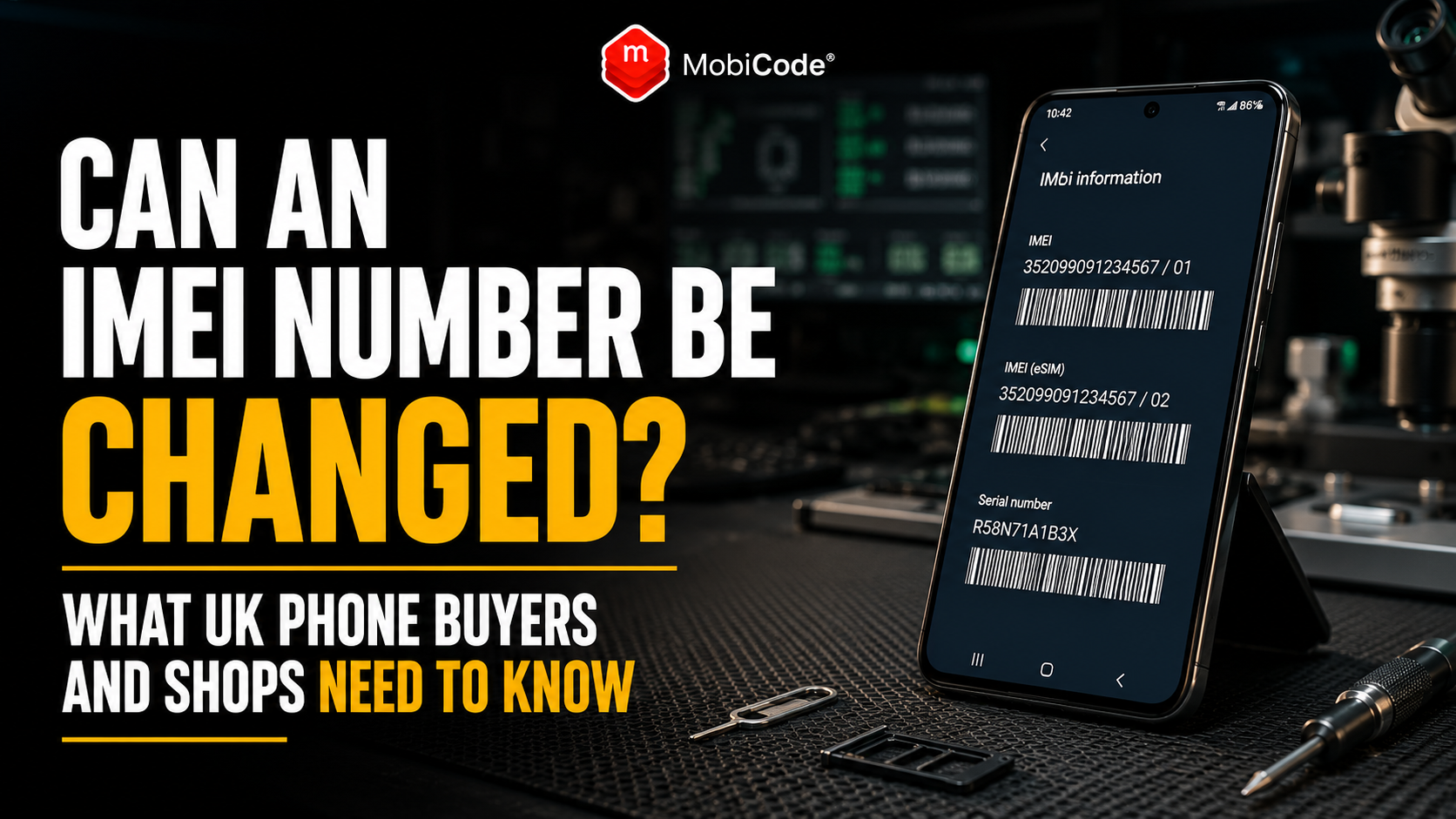
What is an IMEI number?
IMEI stands for International Mobile Equipment Identity. It is normally a unique 15-digit identifier assigned to mobile equipment by the manufacturer. The IMEI identifies the handset’s cellular equipment. By contrast, it does not identify the customer’s telephone number, mobile contract or SIM card. Mobile networks and device-checking services may use the IMEI to:
- identify the type of device;
- recognise the handset on a mobile network;
- record lost or stolen reports;
- apply network blocks;
- connect a device to status information;
- support trade-in and resale checks.
For phone shops, the IMEI also links the physical handset to its intake record, diagnostics, data erasure, grading and eventual resale route.
Can an IMEI number be changed legally in the UK?
UK law does not treat changing an IMEI as an ordinary phone repair service. The Mobile Telephones (Re-programming) Act 2002 created offences relating to changing or interfering with a mobile phone’s unique electronic identifier. Later legislation also addressed offering or agreeing to provide this type of service. Therefore, a UK phone shop should never offer IMEI-changing services or use tools designed to disguise a handset’s original identity. This article provides general information rather than legal advice. However, the practical rule for a legitimate device business is straightforward:
Why would someone try to alter an IMEI?
There are several reasons why someone might attempt to hide or change a phone’s original identity. For example, they may want to:
- disguise a stolen handset;
- avoid an existing network block;
- make a counterfeit device look genuine;
- hide the history of a phone;
- present one model as another;
- resell a device that would otherwise be rejected;
- avoid checks linked to the original identifier.
These are exactly the risks that phone shops need to control. However, businesses should focus on detecting and routing questionable devices—not on trying to understand or reproduce the technical method used to alter them.
Does a factory reset change the IMEI?
No. A normal factory reset should not create a new IMEI. A factory reset may remove:
- customer accounts;
- installed apps;
- photos and messages;
- local settings;
- saved Wi-Fi networks;
- other user data.
However, the equipment identity should remain connected to the handset. Consequently, a seller’s claim that “the factory reset changed the IMEI” should not be accepted without further investigation. The phone may instead be displaying IMEI 1 and IMEI 2, showing an incorrect identifier, or revealing evidence of a previous major repair.
Does a software update change the IMEI?
A normal manufacturer software update should not assign a different IMEI. Operating-system updates may change:
- software features;
- security settings;
- the modem software version;
- the user interface;
- network compatibility.
Nevertheless, they should not replace the device’s unique equipment identity. If an IMEI appears different after an update, first check whether the user is comparing different identifiers, such as IMEI 1, IMEI 2, the serial number or the EID.
Does changing the SIM card change the IMEI?
No. Changing the SIM should not change the phone’s IMEI. The SIM identifies the mobile subscription, while the IMEI identifies the handset’s cellular equipment. For example, a person can move the same phone between compatible mobile networks. The phone number, account and SIM information may change, but the handset’s IMEI should remain the same. This distinction matters because buyers sometimes confuse:
- IMEI;
- telephone number;
- ICCID;
- EID;
- serial number;
- model number.
Phone shop intake systems should therefore label each identifier clearly.
Why does my phone have two IMEI numbers?
Many modern phones support dual SIM, eSIM or two cellular connections. As a result, the device may legitimately show:
- IMEI 1;
- IMEI 2;
- an EID associated with eSIM functions;
- different identifiers for separate cellular capabilities.
This does not mean that someone changed the IMEI. Instead, the phone may have one identifier for each supported mobile connection. When processing a dual-SIM phone, staff should:
- record IMEI 1;
- record IMEI 2;
- label each number correctly;
- compare both with the available device information;
- complete the relevant device checks.
Checking only one IMEI may leave the device record incomplete.
Why might an IMEI appear to have changed?
An IMEI may appear different even when nobody deliberately altered it. Possible explanations include:
- the phone has IMEI 1 and IMEI 2;
- the seller compared the IMEI with the serial number;
- the box belongs to another device;
- the SIM tray was replaced;
- staff copied the wrong number;
- historic paperwork relates to another handset;
- a major internal component was replaced;
- the original device was replaced through a warranty or insurance claim.
Therefore, do not accuse the seller of tampering based on one mismatch alone. Instead, compare the evidence carefully and decide whether the explanation is credible.
Can a motherboard replacement affect the IMEI?
The device’s main board contains critical components linked to its cellular identity. If a manufacturer or authorised repair provider replaces the main board—or replaces the entire handset—the identifier reported by the repaired or replacement device may differ from the original paperwork. In that situation, legitimate evidence may include:
- a manufacturer repair report;
- a warranty replacement document;
- an insurer’s replacement record;
- a network repair receipt;
- an updated purchase or device record.
However, an unexplained board replacement should still affect the buying decision. The shop should run checks against the IMEI currently reported by the handset rather than relying on the old box or receipt.
How can you tell whether an IMEI may have been tampered with?
No single visual sign proves that an IMEI has been altered. Nevertheless, several inconsistencies together may justify further investigation. Warning signs include:
- Settings and *#06# show unexplained different numbers;
- the reported model does not match the housing;
- the first part of the IMEI does not match the expected device type;
- the IMEI is missing, invalid, null or unknown;
- several devices display the same identifier;
- the phone’s IMEI differs from all available physical records;
- the software interface looks counterfeit or heavily modified;
- the seller refuses to allow proper inspection;
- the seller gives conflicting explanations;
- the device cannot connect normally to a mobile network.
A phone showing one of these signs should move into review rather than normal resale stock.
What does an invalid or unknown IMEI mean?
Some phones may display messages such as:
- invalid IMEI;
- unknown IMEI;
- null IMEI;
- IMEI unavailable;
- no device identifier.
Possible causes include:
- hardware failure;
- modem or baseband problems;
- serious software corruption;
- an incomplete board repair;
- counterfeit hardware;
- deliberate interference;
- incorrect manufacturing.
Whatever the cause, the phone should not enter ordinary resale stock until the issue is understood. An invalid IMEI can affect network connectivity, status checks, warranty handling and the ability to identify the device correctly.
Can two phones have the same IMEI?
Legitimate mobile devices should normally have their own unique identifiers. Therefore, two unrelated phones showing the same IMEI is a serious warning sign. It may indicate:
- identifier cloning;
- counterfeit manufacturing;
- incorrect production data;
- deliberate tampering;
- a record-keeping or scanning error.
First, rule out an intake mistake. Staff may have scanned one device twice or copied a spreadsheet row incorrectly. However, if both physical phones genuinely report the same IMEI, isolate them from normal stock and seek appropriate technical or legal guidance.
What is the Type Allocation Code?
The first eight digits of an IMEI form the Type Allocation Code, commonly called the TAC. The TAC identifies the approved device type, including information associated with the manufacturer and model family. The remaining digits distinguish the individual device within that allocation, with the final number acting as a check digit. For phone shops, the TAC can help identify situations where:
- the IMEI does not match the claimed model;
- a counterfeit device imitates another phone;
- the handset’s software information appears misleading;
- the device record contains a typing error.
However, staff should use reliable lookup information rather than guessing from the digits.
Can changing an IMEI remove a blacklist?
A blacklist or blocklist entry is normally linked to the device identifier that was reported. Someone may therefore attempt to disguise a blocked device by interfering with its identity. However, that does not make the handset a legitimate or safe device to buy. It may instead create additional risks:
- criminal-law concerns;
- network problems;
- duplicate identifiers;
- failed device checks;
- resale disputes;
- marketplace account action;
- police or insurer enquiries.
A phone shop should never try to “fix” a blacklist problem by rewriting the IMEI. Instead, the shop should establish why the device has been flagged and route it according to its legal and commercial procedures.
Can phone unlocking change the IMEI?
A legitimate network unlock should not change the IMEI. Network unlocking removes or resolves a restriction that limits the phone to one mobile network. It does not require the handset to receive a new identity. Therefore, a seller should not claim that an ordinary carrier unlock changed the IMEI. MobiUNLOCK supports professional network-unlocking workflows without changing the handset’s unique equipment identity.
- Professional network unlocking: MobiUNLOCK
Should you buy a phone with a changed IMEI?
A phone with a suspected deliberately changed IMEI should not enter a normal buying or resale workflow. Private buyers should avoid paying until the device’s identity can be established. Meanwhile, phone shops should:
- pause the purchase;
- capture the numbers currently shown;
- compare Settings and *#06#;
- record IMEI 1 and IMEI 2 where relevant;
- compare the box, tray and paperwork;
- check the model and storage;
- run a device-status check;
- ask for repair or replacement evidence;
- route the phone for manager review;
- reject it if the identity remains unclear.
A cheap price should not override an unresolved identity problem.
Check the IMEI reported by the phone itself
When possible, begin with the identifier reported electronically by the device. Common routes include:
- opening Settings and the device information screen;
- dialling *#06#;
- viewing the setup-screen information button;
- using an appropriate connected diagnostic process.
Next, compare that number with:
- the SIM tray where shown;
- the device housing on supported models;
- the original packaging;
- the seller’s receipt;
- the supplier manifest;
- the shop’s intake record.
If the box differs, check the handset’s IMEI—not the box number.
Use MyMobiCheck before buying one phone
For a private buyer, seller or small shop checking a single device, MyMobiCheck offers a straightforward way to submit an IMEI and receive a device-check result. This can help when:
- buying a phone from a marketplace seller;
- checking a handset before paying cash;
- selling a personal device;
- reviewing a phone with mismatched packaging;
- considering a customer trade-in;
- checking whether a device needs further investigation.
Use the IMEI reported by the phone itself wherever possible. Run a single-device IMEI check with MyMobiCheck.
What can an IMEI check tell you?
The exact result depends on the service and the data available. An IMEI check may help confirm:
- the submitted identifier;
- device make or model information;
- whether the identifier matches the claimed phone;
- lost or stolen indicators where available;
- network block or blacklist information;
- whether the device needs additional review.
However, an IMEI check cannot prove every part of the transaction. For example, it may not establish:
- that the seller owns the phone;
- that the device has no Apple or Google account lock;
- that the screen and battery work correctly;
- that the phone has not suffered liquid damage;
- that the packaging is original;
- that the seller’s story is accurate.
Therefore, combine IMEI results with seller, lock and functional checks.
Use MobiCHECK for professional device checking
Phone shops, refurbishers, recyclers and trade-in businesses may process too many devices for an occasional single check. These businesses often need:
- repeatable IMEI checking;
- multiple staff accounts;
- batch or manifest processing;
- linked device records;
- testing and erasure workflows;
- clear review routes;
- management reporting.
MobiCHECK supports trade device-status checks, while MobiONE connects identity information to the wider processing workflow.
Test the physical phone as well as the IMEI
A valid-looking IMEI does not guarantee that the physical handset is genuine or working properly. Therefore, phone shops should also test:
- screen and touch response;
- battery condition;
- front and rear cameras;
- speaker and microphones;
- charging;
- Wi-Fi and Bluetooth;
- NFC where supported;
- SIM and mobile signal;
- sensors and biometric features.
MobiCode TEST helps teams run consistent functional checks and connect the outcome to the correct device.
- Structured phone diagnostics: MobiCode TEST
Testing also helps identify counterfeit phones that report unexpected specifications or do not support the features expected from the claimed model.
Record the IMEI before data erasure
The device identity should be captured before staff erase or reset the handset. A sensible sequence is:
- record IMEI 1 and IMEI 2;
- record the serial number;
- check device status;
- review account and MDM locks;
- run functional diagnostics;
- complete the accepted transaction;
- erase data;
- retest and grade the phone;
- route it to resale, repair or recycling.
MobiWIPE supports controlled data erasure, while MobiONE helps connect the result to the correct IMEI and device record.
If staff record the wrong identifier, the wipe evidence may later become attached to the wrong phone.
Create a review route for suspicious IMEIs
Staff need to know what to do when a device does not pass the normal identity checks. Useful statuses include:
- clear: required identifiers and checks are consistent;
- dual IMEI confirmed: both legitimate identifiers recorded;
- packaging mismatch: phone identity clear but box differs;
- repair evidence required: major component replacement suspected;
- invalid IMEI: device identifier unavailable or malformed;
- possible tampering: serious unexplained inconsistencies;
- rejected: identity risk remains too high.
Review devices should remain physically and digitally separate from resale-ready stock. Otherwise, an uncertain phone may accidentally appear in a customer listing.
Train staff not to make accusations
An IMEI mismatch is a reason to investigate—not a reason to accuse the seller immediately. There may be an innocent explanation, such as:
- dual-SIM support;
- an incorrect box;
- a warranty replacement;
- a repaired main board;
- a replacement SIM tray;
- a staff data-entry error.
Staff should remain factual and explain the process calmly. For example:
This protects the customer experience while still controlling risk.

How MobiCode supports IMEI risk checks
MobiCode helps private buyers, phone shops, recyclers and refurbishers make clearer decisions about used-device identity and status.
- MyMobiCheck: supports individual IMEI checks for buyers and sellers. See: MyMobiCheck
- MobiCHECK: supports professional IMEI and device-status checks before purchase or resale. See: MobiCHECK
- MobiONE: helps connect IMEI information, tests, wipe results and device records. See: MobiONE
- MobiCode TEST: helps teams verify device functions and compare the handset with its claimed specification. See: MobiCode TEST
- MobiCode CHECK: supports broader used-device due diligence where further investigation is required. See: MobiCode CHECK
- MobiWIPE: supports controlled data-erasure workflows connected to the correct device. See: MobiWIPE
The goal is not to declare every unusual IMEI fraudulent. Instead, the goal is to identify inconsistencies before the business pays for, processes or resells the phone.
Common IMEI-change mistakes
Buyers and phone shops often make these mistakes:
- believing that a factory reset changes the IMEI;
- confusing IMEI 2 with an altered identifier;
- checking the box number instead of the handset;
- trusting a valid-looking IMEI without testing the phone;
- assuming network unlocking changes device identity;
- accepting an invalid or missing IMEI as a minor fault;
- buying a suspicious device because the price is low;
- mixing identity-review phones with clear resale stock;
- offering or requesting an IMEI-changing service.
A clear intake process prevents most of these errors.
Commercial takeaway: can an IMEI number be changed?
Can an IMEI number be changed? Specialist interference may alter how a device reports its identifier, but this is not a normal reset, repair or unlocking process. In the UK, deliberately changing or interfering with a phone’s unique identifier can also be a criminal offence. However, an apparent change does not always prove tampering. Dual-SIM devices, replacement packaging, warranty swaps and major repairs can create legitimate differences. Therefore, start with the identifier reported by the phone itself. Compare Settings, *#06#, the box, tray and paperwork. Then run a device check, verify the model, review account locks and test the handset before paying. For an individual phone, MyMobiCheck provides a convenient IMEI check. For trade and higher-volume workflows, MobiCHECK and MobiONE support more connected device processing.
A practical example for a UK phone shop
A customer offers a recent Android phone to a UK repair and trade-in shop. The handset looks genuine and works normally, but the seller says its IMEI “changed after a software update”. Staff do not accept that explanation immediately. First, they open the device information screen and find IMEI 1 and IMEI 2. They then dial *#06# and confirm that the same two identifiers appear. The number on the box matches IMEI 1, while the customer had been comparing the box with IMEI 2. The shop runs the relevant device-status checks, confirms that the model and storage are correct, checks the Google account position and completes a functional test. In this case, nobody changed the IMEI. The phone simply supported two cellular connections. By following a structured process, the shop avoids rejecting a legitimate device while still protecting itself from genuine identity tampering.
FAQ: can an IMEI number be changed?
Can an IMEI number be changed?
Specialist interference may change how a phone reports its IMEI, but this is not a normal repair, reset or unlocking process. Deliberately interfering with a mobile phone’s unique identifier can be illegal in the UK.
Does factory reset change the IMEI?
No. A normal factory reset removes user data and settings, but it should not assign a new equipment identity to the phone.
Why does my phone have two IMEI numbers?
Dual-SIM and eSIM phones may have IMEI 1 and IMEI 2, with one identifier for each supported cellular connection.
Can changing the SIM card change the IMEI?
No. The SIM identifies the mobile subscription, while the IMEI identifies the handset’s cellular equipment.
Should I buy a phone with an invalid IMEI?
An invalid, missing or unexplained IMEI is a serious warning sign. Buyers should not pay until the device’s identity, history and network status have been investigated.
Where can I check a phone’s IMEI?
You can use MyMobiCheck for a single-device IMEI check. Phone shops and higher-volume device businesses can use MobiCHECK as part of a professional checking workflow.
References and Further Reading
- MyMobiCheck: Single-device IMEI check
- Mobile Telephones (Re-programming) Act 2002: Explanatory Notes
- Violent Crime Reduction Act 2006: Mobile device identifiers
- GSMA: IMEI Database
- GSMA Device Check: IMEI and device identifiers
- Ofcom: Lost or stolen phones and IMEI numbers
- Apple Support: Find an iPhone IMEI
- Google Pixel Help: Find IMEI 1 and IMEI 2
- MobiCHECK
- MobiONE
- MobiCode TEST
- MobiCode CHECK
- MobiWIPE
- MobiUNLOCK