

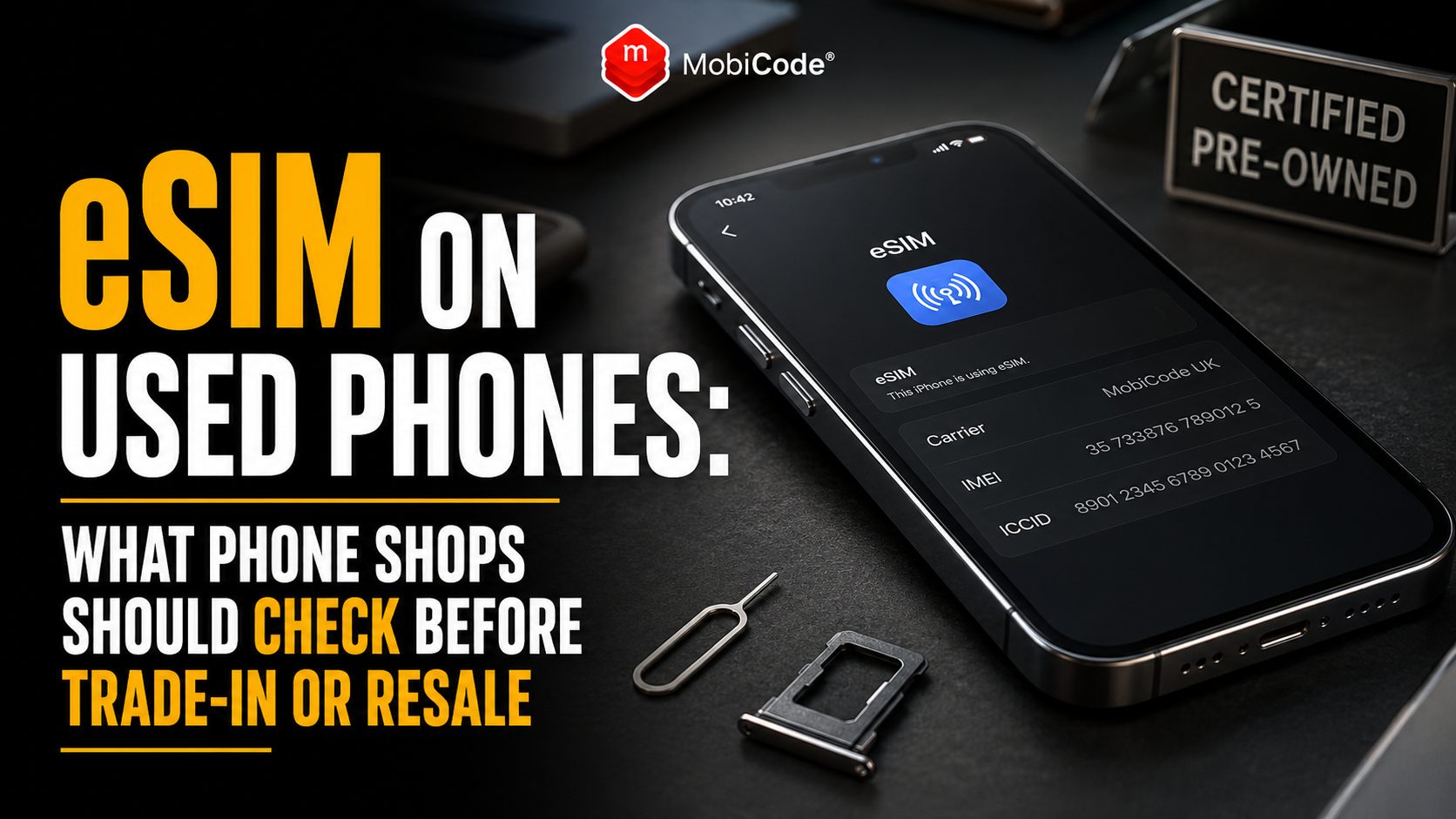
What is an eSIM?
An eSIM is a digital SIM profile that allows a compatible device to connect to a mobile network without relying only on a removable plastic SIM card. The “e” stands for embedded. Instead of inserting a physical card, the customer downloads or transfers a network profile to a secure component inside the phone. Depending on the model and provider, customers may activate an eSIM by:
- scanning a QR code;
- using a mobile-network app;
- following a provider link;
- entering activation details manually;
- transferring a plan from another phone;
- using an automatic setup process during a device upgrade.
Once active, the eSIM can provide calls, texts and mobile data in much the same way as a physical SIM.
Why eSIM matters for used-phone businesses
With a physical SIM, staff can usually see whether the previous owner left the card inside the device. They can remove it before the phone moves further through processing. An eSIM is less visible. Therefore, staff need to check the phone’s mobile settings rather than relying on the empty SIM tray. An unresolved eSIM can create several problems:
- the previous mobile plan may still appear in Settings;
- the phone may offer to preserve the plan during reset;
- the former owner may believe their service remains active;
- the new buyer may see an unfamiliar network label;
- staff may confuse the eSIM with a network lock;
- the device record may include only one of two IMEIs;
- testing may use the wrong mobile profile;
- customer setup may take longer.
Consequently, eSIM status should form part of the normal trade-in checklist.
Does a factory reset remove an eSIM?
The answer depends on the phone and the option selected during erasure. On compatible iPhones, the user may be offered a choice between keeping the eSIM and deleting it while erasing the device. Therefore, selecting “Erase All Content and Settings” does not always mean that staff have definitely removed the mobile plan. On compatible Android phones, eSIM profiles may also have their own deletion or erasure control. Again, the precise wording varies by manufacturer and software version. As a result, phone shops should not rely on the reset screen alone. After erasure, staff should confirm that:
- no previous mobile plan appears in Settings;
- the phone does not display the former customer’s network profile;
- the device reaches a clean setup state;
- the correct IMEI or IMEIs have been recorded;
- the handset is ready for a new customer to activate.
Does deleting an eSIM cancel the mobile contract?
No. Removing the eSIM profile from the phone does not necessarily cancel the underlying mobile contract. The eSIM profile allows the device to access the service. However, billing and contract status remain with the network provider. Therefore, a customer who wants to cancel their service may still need to contact their provider. Before selling or trading in the phone, the customer should decide whether they want to:
- transfer the number and plan to a new phone;
- keep the contract but request a replacement eSIM;
- move the number to another provider;
- cancel the mobile service;
- remove an unused secondary plan.
Phone shop staff should avoid promising that deleting the profile will stop future bills. Instead, explain that the customer must manage the contract through their network provider.
Transfer the eSIM before erasing the old phone
Customers upgrading to another phone should normally transfer or reactivate their mobile service before giving up access to the old device. Depending on the provider and phone, the customer may be able to:
- use an automatic eSIM transfer process;
- transfer the plan during new-phone setup;
- use the network’s mobile app;
- scan a new QR code;
- contact the provider for replacement activation details;
- convert a physical SIM to eSIM on the new device.
The safest sequence is:
- back up the old phone;
- set up the replacement device;
- transfer or reactivate the mobile plan;
- confirm calls, texts and mobile data work on the new phone;
- remove the eSIM from the old phone;
- erase and inspect the old device;
- complete the trade-in.
This reduces the chance that the customer loses mobile access after leaving the shop.
What should iPhone sellers do with an eSIM?
Before selling or trading in an iPhone, the customer should transfer anything they need to the replacement phone and sign out of the relevant accounts. For an eSIM-enabled iPhone, the process should also address the mobile plan. The seller should:
- confirm that the new phone has working mobile service;
- remove payment cards and personal accounts where appropriate;
- disable Find My and Activation Lock through the normal process;
- choose to erase the eSIM when preparing the old phone for sale;
- complete the full device erasure;
- confirm that the iPhone reaches the initial setup screen.
During erasure, an iPhone may offer options that preserve or delete the eSIM. For resale, the previous owner’s mobile profile should not remain on the handset.
What should Android sellers do with an eSIM?
Android eSIM controls vary between manufacturers and software versions. Nevertheless, the same principle applies: transfer the service first, then remove the previous profile before resale. On a compatible Android phone, the customer may find eSIM controls within:
- Network and Internet;
- Connections;
- SIMs;
- SIM Manager;
- Mobile Network;
- the network provider’s app.
The seller should confirm that the old device no longer shows an active personal plan after erasure. In addition, Android sellers should remove their Google account correctly before reset. Otherwise, Factory Reset Protection may stop the next user from completing setup. Therefore, eSIM removal and Google account removal should both sit inside the handover process.
eSIM removal is not the same as account-lock removal
An eSIM profile and an account lock perform different jobs. The eSIM connects the phone to a mobile service. By contrast, an Apple or Google account lock helps protect the device and previous owner. A phone may have:
- no eSIM but still have Activation Lock;
- no eSIM but still have Android FRP;
- an eSIM profile but no account lock;
- both an eSIM and an account lock;
- neither issue after correct preparation.
Consequently, deleting the eSIM does not remove Apple Activation Lock, Google Factory Reset Protection or MDM. Likewise, removing the customer’s account does not prove that every eSIM profile has been deleted. Phone shops need separate checks for each area.
eSIM removal is not the same as network unlocking
An eSIM-capable phone may still have a network restriction. Deleting the existing eSIM does not automatically unlock the handset for another provider. Instead, network lock status depends on the device, original seller, provider and relevant unlocking process. Therefore, staff should check:
- whether the phone is network locked;
- whether another compatible SIM or eSIM can be activated;
- whether the device asks for a network unlock code;
- whether the provider must unlock it;
- whether the lock affects the offer or resale route.
MobiUNLOCK supports professional workflows where a business needs to resolve network restrictions.
- Professional network unlocking: MobiUNLOCK
Why an eSIM phone may have two IMEI numbers
Many eSIM-enabled devices support two cellular connections. For example, a phone may support:
- one physical SIM and one eSIM;
- two active eSIM profiles;
- two physical SIMs on some regional models;
- several stored eSIM profiles with one or two active at a time.
As a result, the phone may show IMEI 1 and IMEI 2. This is normal for many dual-SIM devices. However, phone shops should record both identifiers where available. A complete intake record may include:
- IMEI 1;
- IMEI 2;
- EID;
- serial number;
- make and model;
- storage and colour;
- network-lock status;
- eSIM status.
MobiCHECK can support professional device-status checks against the relevant IMEI information.
- Trade IMEI and device checks: MobiCHECK
What is an EID?
EID stands for Embedded Identity Document. It is a long identifier connected to the embedded SIM hardware within a compatible device. Networks and device systems may use it when activating or managing eSIM service. The EID is not the same as:
- the IMEI;
- the telephone number;
- the serial number;
- the ICCID;
- the customer’s account number.
Staff should label these identifiers correctly. Otherwise, they may accidentally enter an EID into an IMEI-check field or confuse it with a device serial number.
What is an ICCID?
The ICCID identifies a SIM subscription profile. Physical SIM cards have an ICCID printed or encoded on the card. Similarly, an eSIM profile can have an ICCID connected to the downloaded network subscription. Therefore:
- IMEI identifies the mobile equipment;
- EID identifies the embedded eSIM component;
- ICCID identifies a SIM or eSIM subscription profile;
- telephone number identifies the customer’s callable number.
Understanding these differences helps phone shops record the right information and explain eSIM issues more clearly.
Can a used phone contain several eSIM profiles?
Yes. Some phones can store several eSIM profiles, although only a limited number may remain active at the same time. For example, a customer may have profiles for:
- their main UK number;
- a work number;
- a travel eSIM;
- a temporary European data plan;
- an old provider;
- a secondary business account.
Therefore, staff should not stop checking after finding one inactive profile. The mobile-network settings may show several stored plans. For resale, the previous owner’s personal or business eSIM profiles should be removed through the correct process.
Travel eSIMs can remain after a holiday
Travel eSIMs have become a common way for customers to access data abroad. However, customers may forget about them when selling their phones months later. A stored travel profile may:
- show a foreign provider name;
- remain turned off;
- have no remaining data;
- appear alongside the main UK plan;
- confuse staff during testing;
- confuse the next owner during setup.
Even if the profile no longer has value, staff should remove it before resale. This creates a cleaner setup experience and prevents the buyer from seeing unfamiliar network information.
What if the seller has already erased the phone?
Sometimes a customer arrives with a phone already showing the setup screen. In that situation, staff may not be able to inspect the previous mobile settings directly. Therefore, ask the seller:
- whether the phone used eSIM;
- whether they transferred the service;
- whether they selected delete or preserve during erasure;
- whether their new phone now receives calls and texts;
- whether the old phone still appears in their network account;
- whether they removed Apple or Google account locks.
Next, continue the setup far enough to confirm that the device does not show an unexpected retained mobile plan or account restriction. If the seller cannot explain the status, route the phone for review rather than assuming everything is clear.
What if the previous owner forgot to remove the eSIM?
The solution depends on the phone, current setup state and network provider. Where the seller remains present and controls the account, ask them to remove or transfer the profile through the normal settings or provider process. If the customer has already left, the shop may need to:
- contact the seller;
- ask them to confirm the plan was transferred;
- complete the supported eSIM deletion process;
- contact the network provider where appropriate;
- erase the phone again using the correct option;
- record what staff did.
Do not try to use the previous owner’s service. In addition, do not assume that deleting the local profile cancels the seller’s mobile contract.
Can the next buyer use a new eSIM?
Usually, a compatible and properly prepared phone can accept a new eSIM from a supported network. However, successful activation may depend on:
- device compatibility;
- the phone’s regional model;
- the chosen network provider;
- network-lock status;
- software version;
- whether the provider supports eSIM for that device;
- whether account or MDM locks remain.
Therefore, phone shops should avoid promising universal eSIM compatibility without checking the model and intended network. A more accurate listing might say:
Some regional phone models are eSIM-only
Not every regional version of a phone has the same SIM hardware. For example, one version may support a physical SIM tray, while another market’s model may rely more heavily on eSIM or have no physical SIM tray. This matters for used-phone sellers because imported stock may not match UK customer expectations. Before buying or listing an imported handset, check:
- the exact model number;
- country or regional version;
- whether it has a physical SIM tray;
- supported eSIM providers;
- network-band compatibility;
- warranty position;
- resale description.
A buyer expecting to insert a physical SIM may be unhappy to discover that the device requires eSIM activation. Therefore, shops should disclose this clearly.
eSIM checks for imported iPhones
Imported iPhones deserve particular attention because SIM configurations can vary by market and model. Before buying imported stock, confirm:
- the full model number;
- the original sales region;
- whether a physical SIM tray exists;
- whether dual eSIM is supported;
- whether UK providers support activation;
- whether the phone is network locked;
- both IMEI numbers where shown.
The phone may work perfectly in the UK. However, the shop should know the difference before setting its offer and resale description.
How eSIM affects trade-in pricing
An eSIM does not automatically increase or reduce a phone’s value. However, the wider eSIM position can affect the offer when:
- the device is eSIM-only and buyer demand is uncertain;
- the phone is imported;
- the shop cannot confirm UK provider compatibility;
- the previous profile has not been removed;
- the phone has an unresolved network lock;
- IMEI 1 and IMEI 2 have not been recorded;
- the customer cannot demonstrate normal control of the service.
Therefore, staff should include eSIM status in the wider device-risk assessment rather than treating it as an isolated feature.
Do not confuse eSIM problems with a blacklisted phone
A failed eSIM activation does not automatically mean the handset is blacklisted. Activation may fail because:
- the network does not support the device;
- the QR code has already been used;
- the plan remains active on another phone;
- the handset is network locked;
- the activation details are incorrect;
- the device has no internet connection;
- the software needs updating;
- the provider must issue a replacement profile.
Nevertheless, phone shops should still run normal IMEI and status checks before purchase or resale. For a single handset, buyers can use MyMobiCheck. Trade and higher-volume teams can use MobiCHECK.
- Single-device IMEI check: MyMobiCheck
- Professional device checks: MobiCHECK
Data erasure and eSIM deletion are separate checks
A professional data-erasure process removes customer data from the device. However, the workflow should also confirm what happened to any eSIM profile. A complete record should answer:
- which IMEI or IMEIs belong to the phone?
- did the device contain an eSIM?
- did the seller transfer the service?
- did staff delete the profile?
- which erase option was selected?
- did the phone reach a clean setup state?
- what was the final test result?
MobiWIPE supports controlled data-erasure workflows, while MobiONE helps connect identity, testing and processing records.
Test the phone after eSIM removal and erasure
After erasing the device and removing previous mobile profiles, staff should complete a functional check. Test:
- Wi-Fi;
- Bluetooth;
- mobile-network settings;
- SIM tray operation where fitted;
- whether IMEI 1 and IMEI 2 appear correctly;
- screen and touch response;
- cameras;
- speaker and microphones;
- charging;
- NFC and sensors where supported.
The phone does not need the former customer’s active mobile service for most hardware checks. Instead, staff should use an approved test SIM, test eSIM or controlled diagnostic process where necessary. MobiCode TEST helps device businesses run a consistent post-erasure test.
- Structured phone diagnostics: MobiCode TEST
Keep customer eSIM details private
An eSIM profile relates to the customer’s mobile service. Therefore, staff should treat associated information carefully. Avoid unnecessarily recording:
- QR-code activation details;
- network-account passwords;
- full account credentials;
- private provider emails;
- temporary activation codes;
- personal PINs.
The shop usually needs to record the device outcome rather than the customer’s secret activation information. For example, the device record can state:
That provides useful evidence without retaining unnecessary account information.
What should a phone shop record?
A useful trade-in or resale record should include:
- make and model;
- serial number;
- IMEI 1;
- IMEI 2 where available;
- EID where operationally required;
- physical SIM and eSIM capability;
- network-lock status;
- previous eSIM removed or confirmed absent;
- account-lock result;
- data-erasure result;
- functional-test result;
- final grade and route.
This gives the next staff member a clear picture of the handset. It also prevents the same eSIM question from being investigated repeatedly.
eSIM checklist for customers selling a phone
Before trading in an eSIM-enabled phone:
- Back up important data.
- Set up the replacement phone.
- Transfer the mobile plan or request a replacement eSIM.
- Confirm calls, texts and data work on the new device.
- Remove payment cards and personal accounts.
- Disable Activation Lock or remove the Google account correctly.
- Delete the old eSIM profile.
- Erase the phone.
- Confirm it reaches the setup screen.
- Ask the network provider about cancellation if the service is no longer needed.
Completing these steps before arriving at the shop can make the transaction faster.
eSIM checklist for phone shops
Before paying for or reselling an eSIM-enabled phone:
- Confirm the exact make, model and region.
- Record IMEI 1 and IMEI 2.
- Check whether the phone supports physical SIM, eSIM or both.
- Inspect the mobile-plan settings.
- Ask whether the seller has transferred their service.
- Confirm that personal eSIM profiles have been removed.
- Check account locks and MDM.
- Check network-lock status.
- Complete data erasure using the correct option.
- Test and grade the phone before resale.
If one critical status remains unclear, route the phone to review.

How MobiCode supports eSIM-enabled used phones
MobiCode helps phone shops, refurbishers, recyclers and trade-in teams connect eSIM-related checks to the wider device workflow.
- MobiONE: helps connect IMEIs, tests, erase results and device-processing records. See: MobiONE
- MobiWIPE: supports controlled data-erasure workflows before resale or reuse. See: MobiWIPE
- MobiCHECK: supports professional IMEI and device-status checks, including devices with more than one IMEI. See: MobiCHECK
- MobiCode TEST: helps teams run structured functional checks after the previous eSIM and customer data have been removed. See: MobiCode TEST
- MobiUNLOCK: supports professional workflows for phones with network restrictions. See: MobiUNLOCK
- MobiCode CHECK: supports broader used-device due diligence where a handset requires more review. See: MobiCode CHECK
The eSIM itself is only one part of the device. However, recording its status alongside identity, locks, erasure and diagnostics creates a much clearer resale decision.
Common eSIM trade-in mistakes
Phone shops and sellers commonly make these mistakes:
- assuming every factory reset deletes the eSIM;
- deleting the eSIM before transferring the customer’s number;
- believing eSIM deletion cancels the mobile contract;
- confusing eSIM removal with network unlocking;
- recording only one IMEI on a dual-SIM phone;
- forgetting inactive travel eSIM profiles;
- selling an imported eSIM-only phone without disclosure;
- storing customer activation QR codes unnecessarily;
- failing to test the phone after erasure;
- assuming the absence of a physical SIM means the device has no mobile plan.
A short eSIM check can prevent a long customer-support problem.
Commercial takeaway: eSIM on used phones
An eSIM on used phones should be transferred or removed before the device moves into normal resale stock. A factory reset may provide the option to keep the existing eSIM. Therefore, shops should confirm the final mobile-plan status rather than relying only on the reset screen. Staff should also record IMEI 1 and IMEI 2, check account and network locks, complete controlled data erasure and run a final functional test. For customers, this prevents loss of mobile service and protects personal account information. For phone shops, it creates a cleaner setup experience, fewer disputes and a more professional resale workflow.
A practical eSIM trade-in example
A customer brings an eSIM-enabled iPhone into a UK phone shop after upgrading to a new handset. The old iPhone already shows the setup screen, and the customer says they performed a factory reset at home. However, they are not sure whether they selected the option to keep or delete the eSIM. Before accepting the trade-in, staff confirm that calls and texts work on the customer’s new phone. They then inspect the old device and find that the previous mobile plan remains available. With the customer’s permission, staff remove the old eSIM profile and repeat the erasure process. Afterwards, the phone reaches a clean setup state with no personal plan visible. The shop records both IMEIs, checks device status, confirms that Activation Lock is absent and runs a functional test. As a result, the customer keeps their mobile service on the new phone, while the old device becomes properly prepared for resale.
FAQ: eSIM on used phones
Does factory reset remove an eSIM?
It depends on the device and the option selected. Some phones allow the user to preserve the eSIM while erasing other content, so shops should confirm the final status after reset.
Should I remove my eSIM before selling my phone?
Yes. First transfer or reactivate your mobile service on the replacement phone. Then remove the old eSIM profile and erase the device before sale or trade-in.
Does deleting an eSIM cancel my mobile contract?
Not necessarily. Deleting the profile removes it from the phone, but you may still need to contact your network provider to cancel the contract or service.
Why does an eSIM phone have two IMEI numbers?
Many dual-SIM phones have IMEI 1 and IMEI 2 because they support two cellular connections, such as a physical SIM and an eSIM.
Can a new owner add their own eSIM?
Usually, a compatible and properly prepared phone can accept a new eSIM from a supported provider. Network lock, regional model and provider support may affect activation.
How does MobiCode help with eSIM-enabled used phones?
MobiCode helps businesses connect device identity, IMEI checks, diagnostics, erasure results, network restrictions and resale records in one controlled workflow.
References and Further Reading
- Apple Support: How to erase an eSIM
- Apple Support: What to do before selling or trading in an iPhone
- Apple Support: Set up and transfer an eSIM on iPhone
- Google Pixel Help: Use dual SIM and erase an eSIM
- Google Pixel Help: Transfer a SIM or eSIM to a new phone
- GSMA: eSIM technology
- Ofcom: Switching mobile provider and keeping your number
- MyMobiCheck: Single-device IMEI check
- MobiONE
- MobiWIPE
- MobiCHECK
- MobiCode TEST
- MobiUNLOCK
- MobiCode CHECK