

Knowing how to know if your phone is unlocked is useful before selling, trading in or buying a used device. An unlocked phone can usually work with SIM cards from different mobile networks, while a locked phone may only work with one network unless it is unlocked by the network provider.
This guide explains how to know if your phone is unlocked before selling or trading it in. It covers iPhone settings, Android checks, SIM testing, network restrictions, trade-in risks and the difference between a network-unlocked phone and a phone that is simply reset. It also explains how MobiCode helps businesses check, test and process used phones more reliably.
For private sellers, checking whether a phone is unlocked can help avoid buyer complaints. For trade-in teams, recyclers and refurbishers, it can affect the device’s resale route, valuation and customer experience.
In the UK, Ofcom banned mobile companies from selling locked handsets from 17 December 2021. However, older handsets may still be locked, and devices from other markets or older stock can still create confusion. For that reason, it is worth checking before relying on a phone as unlocked.
What does it mean if a phone is unlocked?
An unlocked phone is a handset that can usually work with SIM cards from different mobile network providers. For example, if a phone is unlocked, it should normally accept a compatible SIM from another network, provided the device supports that network’s bands and services.
A locked phone is different. It may only work with the network it was originally supplied for until the network provider unlocks it.
Why checking unlock status matters before selling or trading in
Unlock status matters because it can affect resale value, buyer confidence and trade-in decisions. A buyer may expect a phone to work with their SIM. If the device turns out to be locked, the sale can quickly become a complaint or return.
For businesses, unlock status can affect:
- trade-in valuation
- resale channel
- customer description accuracy
- buyer confidence
- device routing
- return and dispute risk
As a result, sellers and trade teams should avoid guessing. They should check the phone properly and record the result where possible.
How to check if an iPhone is unlocked
On iPhone, Apple provides a clear way to check network provider lock status in Settings. Open Settings, tap General, then tap About. If the phone says No SIM restrictions next to Network Provider Lock or Carrier Lock, the iPhone is unlocked. Apple gives this as its official method for checking iPhone unlock status.
Steps:
- Open Settings
- Tap General
- Tap About
- Find Network Provider Lock or Carrier Lock
- Look for No SIM restrictions
If the phone does not show “No SIM restrictions”, or if the wording suggests a network lock, contact the network provider before selling the phone as unlocked.
How to check if an Android phone is unlocked
Android phones vary by manufacturer, network and software version, so there is no single universal settings screen that works for every handset. In practice, the most reliable simple check is to insert a SIM from a different network and see whether the phone accepts it.
A practical Android check looks like this:
- Turn off the phone
- Insert a SIM card from a different mobile network
- Turn the phone back on
- Check whether the phone connects to the network
- Make a test call or check mobile data where possible
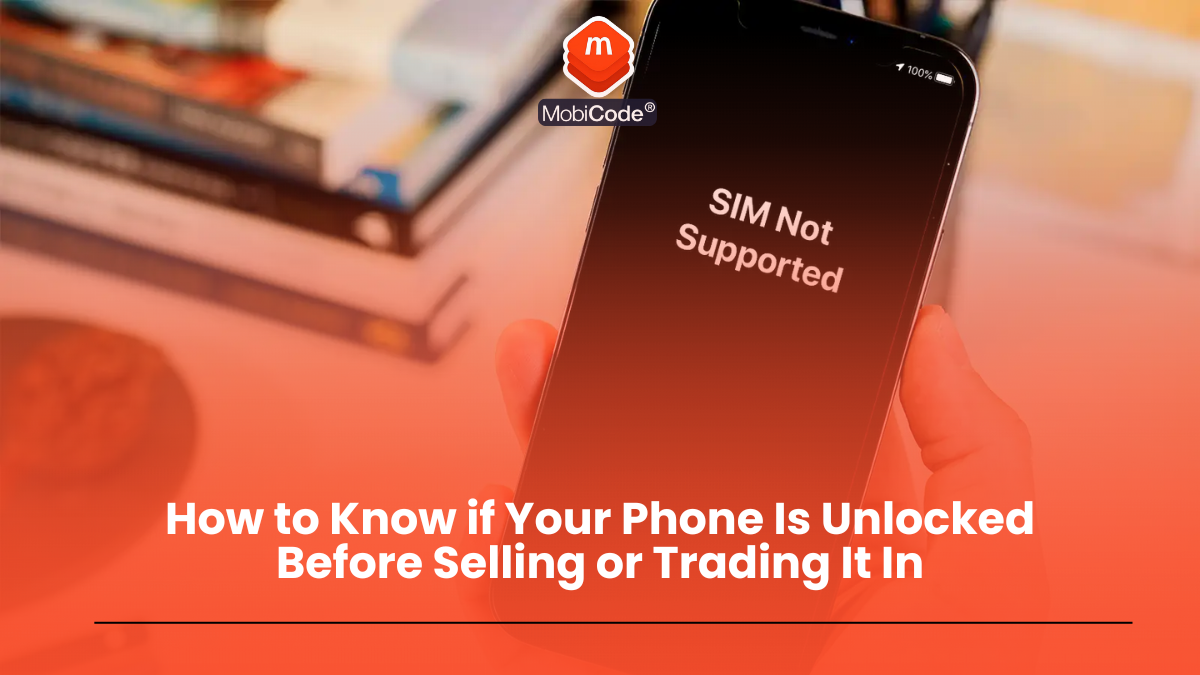
If the phone displays a message such as “SIM not supported”, “network locked”, “SIM network unlock PIN” or asks you to contact a carrier, it may be locked. Vodafone’s device guidance for Pixel phones gives the same practical approach: insert a SIM from another operator and the phone should indicate if it is SIM locked.
Can you use an IMEI check to know if a phone is unlocked?
An IMEI check can help with some device status information, but unlock status is not always as simple as a single universal IMEI result. Depending on the service, an IMEI check may show useful information about the device, network status or risk indicators, but sellers should be careful about treating any single check as absolute proof of unlock status.
For trade-in teams, the safest approach is to combine:
- device settings where available
- a SIM test where practical
- IMEI and status checks
- device testing
- clear notes in the device record
This reduces the chance of describing a phone incorrectly before resale.
Unlocked does not mean the phone is clean or resale-ready
Unlock status is only one part of a used phone check. A phone may be unlocked and still have other problems. It may be blacklisted, damaged, linked to an account lock, affected by finance issues, or not securely wiped.
Before resale or trade-in, teams should also check:
- IMEI and device identity
- lost or stolen indicators
- blacklist or network block status
- finance or insurance indicators where available
- activation lock or account lock status
- screen, battery, camera, audio and port function
- data erasure readiness and wipe result
In other words, unlock status helps answer one question. It does not answer every question that matters before resale.
Is a reset phone automatically unlocked?
No. Resetting a phone does not automatically unlock it from a network. A factory reset may remove user data and return the phone to default settings, but it does not necessarily change carrier or network lock status.
This is a common mistake. Sellers sometimes assume that because a phone has been reset, it is ready for any buyer. However, a reset phone may still be network locked, account locked, blacklisted, damaged or unsuitable for resale.
For that reason, unlock checks should sit alongside status checks, diagnostics and data handling checks.
What if your phone is locked?
If your phone is locked, contact the mobile network provider it is locked to. The network provider controls the unlocking process, and the exact process can depend on the network, device, age of the handset, account status and country.
Before selling or trading in a locked phone, you should:
- check which network it is locked to
- contact the network provider for unlock instructions
- avoid advertising it as unlocked until confirmed
- tell the buyer or trade-in provider if it remains locked
- keep any confirmation if the network unlocks it
Apple also advises users to contact their network provider to unlock an iPhone for use with a different network. After the network confirms unlocking, the user may need to follow the provider’s instructions and check the iPhone settings again.

Why trade-in teams need a clear unlock checking process
Trade-in teams handle devices from many sources. Some devices are newer and likely to be unlocked, while others may be older, imported, previously repaired, account-linked or unclear. A consistent process helps staff avoid wrong assumptions.
A good trade-in workflow should:
- capture the device IMEI and model
- check unlock status where possible
- run IMEI and status checks
- test the phone’s main functions
- check for account or activation locks
- record any uncertainty
- route locked or unclear devices for review
This matters because the final value and resale route may change if the phone is locked or uncertain.
How MobiCode supports used phone checks
MobiCode helps businesses check and process used phones more consistently. Unlock status is one part of the wider due-diligence and testing workflow.
- Device checking: MobiCode CHECK supports stronger device checks before buying, processing or reselling used phones.
See: MobiCode CHECK - IMEI and status checks: MobiCHECK helps teams identify risk indicators before devices enter stock.
See: MobiCHECK - Device testing: MobiCode TEST helps teams test used phones more consistently before resale.
See: MobiCode TEST - Connected workflows: MobiONE helps link checks, tests, wipe results and device records in one operational process.
See: MobiONE - Secure data erasure: MobiWIPE supports clearer data erasure workflows before devices are released.
See: MobiWIPE
For businesses, the value is consistency. Each check should help the team make a better decision about the handset, not just tick a box.
Common mistakes when checking if a phone is unlocked
Most unlock-status mistakes come from assuming rather than checking. That creates avoidable resale problems.
Common mistakes include:
- assuming a factory reset means unlocked
- advertising a phone as unlocked without checking
- testing only with the original network SIM
- ignoring lock messages during setup
- confusing network lock with account lock
- forgetting to record the result
- treating unlock status as a full device check
Fortunately, these mistakes are avoidable. A simple, consistent workflow can reduce complaints and improve resale confidence.
Commercial takeaway: how to know if your phone is unlocked
To know if your phone is unlocked, check the network lock status in the device settings where available, or test the phone with a SIM from a different network. On iPhone, Apple says “No SIM restrictions” next to Network Provider Lock or Carrier Lock means the device is unlocked. On Android, a different-network SIM test is often the most practical check.
Before selling or trading in a phone, remember that unlocked does not mean fully checked. The safest approach is to confirm unlock status, check the IMEI, test the device, remove account locks and make sure data has been handled properly.
A practical example before trading in a phone
A seller wants to trade in an older iPhone and describes it as unlocked because it has been factory reset. Before accepting that description, the trade-in team checks Settings, General and About. If the phone shows “No SIM restrictions”, that supports the unlocked claim.
However, the team should still check the IMEI, test the screen, battery, cameras, audio and ports, and confirm data handling before assigning a final grade. Unlock status is useful, but it is only one part of the resale decision.
FAQ: how to know if your phone is unlocked
How do I know if my iPhone is unlocked?
On iPhone, open Settings, tap General, then About. If “No SIM restrictions” appears next to Network Provider Lock or Carrier Lock, Apple says the iPhone is unlocked.
How do I know if my Android phone is unlocked?
For Android, a practical check is to insert a SIM from a different network and see whether the phone connects. If it asks for an unlock PIN or says the SIM is not supported, it may be locked.
Does factory reset unlock a phone?
No. A factory reset clears user data and settings, but it does not normally remove a network or carrier lock.
Are UK phones sold unlocked?
Ofcom banned UK mobile companies from selling locked handsets from 17 December 2021. However, older devices, imported devices or previously sold phones may still need checking.
Is an unlocked phone ready to sell?
Not automatically. An unlocked phone may still need IMEI checks, blacklist checks, functional testing, account lock checks and secure data erasure before resale.