

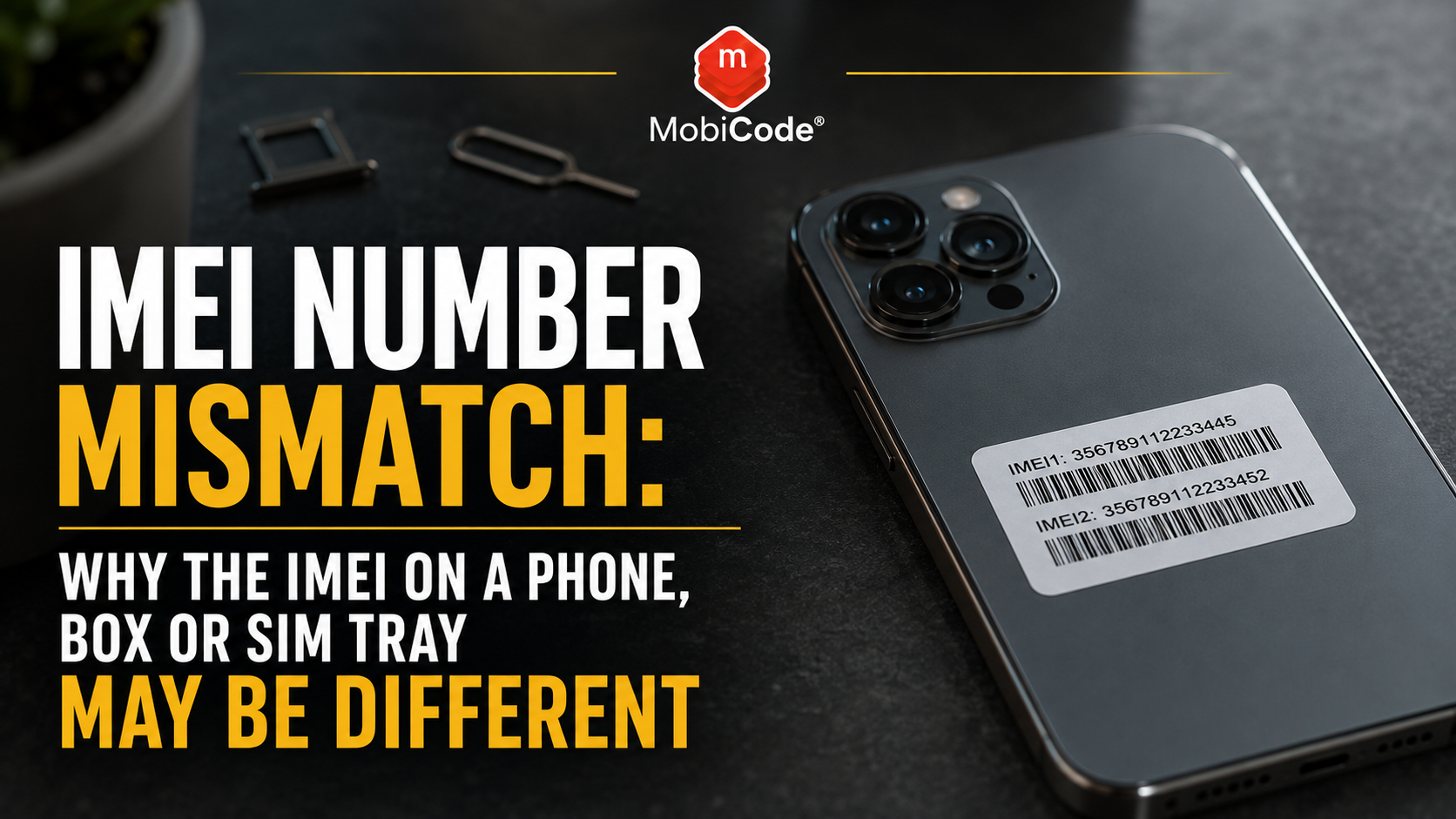
What is an IMEI number mismatch?
An IMEI number mismatch happens when two sources show different IMEI numbers for what appears to be the same phone. For example, the IMEI shown in the device settings may differ from the number printed on:
- the original box;
- the SIM tray;
- the back of an older phone;
- a purchase receipt;
- a network contract;
- a supplier manifest;
- a trade-in record.
Sometimes the explanation is simple. Nevertheless, phone shops should pause the transaction until they know which identifier actually belongs to the device.
What does an IMEI number identify?
IMEI stands for International Mobile Equipment Identity. It is normally a 15-digit number used to identify a mobile device on a cellular network. The IMEI identifies the handset rather than the customer’s mobile telephone number or SIM card. Consequently, changing the SIM should not normally change the phone’s IMEI. A customer can move from one network to another while the device keeps the same equipment identity. Device manufacturers assign IMEI numbers during production under the relevant allocation system. Mobile operators and device-status services may then use the identifier to help recognise a handset and review relevant status information. For a phone shop, the IMEI provides an essential link between:
- the physical device;
- the trade-in transaction;
- device-status checks;
- test results;
- data-erasure records;
- grading;
- resale stock.
Therefore, staff need to record the correct number at intake.
Where can you find the IMEI number?
Depending on the phone and manufacturer, the IMEI may appear in several places. Common locations include:
- the phone’s Settings or About screen;
- the result shown after dialling *#06#;
- the SIM tray on supported devices;
- the back of some older phones;
- the original packaging;
- the manufacturer account linked to the device;
- the customer’s network or purchase records.
Apple confirms that iPhone identifiers may appear in Settings, on the device, in Finder or Apple Devices, through the customer’s Apple Account and on the original packaging. Likewise, Google explains that Pixel users may find the IMEI in Settings, on the box, on the SIM tray or through Find My Device. However, these sources do not all carry equal weight during a used-phone transaction.
Which IMEI should a phone shop trust?
When staff can access the phone normally, they should start with the IMEI reported by the device itself. Check:
- the IMEI in Settings;
- the IMEI displayed after dialling *#06#;
- the model, serial number and storage shown by the device;
- any physical identifier available on the phone;
- the box and supporting paperwork.
Ideally, the relevant identifiers should agree. However, if the box differs from the phone, do not check only the box number and assume the result applies to the handset. The packaging may belong to a different device. Similarly, a replacement SIM tray could carry an identifier from another phone. As a result, the tray alone should not override the identity reported by an accessible, functioning device.
Reason 1: the phone has IMEI 1 and IMEI 2
Many modern phones support two mobile connections. For instance, a handset may support a physical SIM and an eSIM, or two physical SIM cards. As a result, the phone may legitimately show:
- IMEI 1;
- IMEI 2;
- an EID for eSIM functions;
- different identifiers linked to separate SIM capabilities.
Google confirms that supported Pixel phones can have two IMEI numbers, one for each type of SIM connection. Therefore, seeing two IMEI numbers does not automatically indicate a problem. However, both identifiers should be captured when a phone shop processes a dual-SIM device. Checking only one may leave part of the device record incomplete.
IMEI 1 vs IMEI 2: what is the difference?
IMEI 1 generally identifies the device’s first cellular connection, while IMEI 2 identifies its second cellular capability. The exact relationship can depend on the phone model, SIM configuration and manufacturer. For phone shops, the practical approach is straightforward:
- record both IMEI numbers where available;
- label them clearly as IMEI 1 and IMEI 2;
- do not treat the second number as a mismatch without checking the device type;
- include both in the device record where the workflow supports it;
- complete appropriate status checks before resale.
A box may display more than one identifier. Consequently, staff should compare the correct box entry with the matching value in Settings.
Reason 2: the phone has the wrong box
A box mismatch is common in the used-phone market. The seller may have:
- mixed up boxes after owning several phones;
- received the wrong box from a previous seller;
- bought the phone without original packaging;
- used a spare box for storage or resale;
- mistaken a family member’s box for their own.
In this situation, the wrong box does not necessarily change the phone’s condition or status. Nevertheless, the packaging should not be advertised as original to that device unless the identifiers match. For buyers, a mismatched box reduces the strength of the supporting evidence. For phone shops, it should also affect how the device and its accessories are described at resale.
Should you buy a phone if the IMEI does not match the box?
You may still decide to buy the phone, but only after checking the handset itself properly. Before paying:
- capture the IMEI from Settings or *#06#;
- confirm the phone’s exact model and storage;
- run an IMEI and device-status check;
- check account locks and management restrictions;
- test the phone’s main functions;
- ask the seller why the box differs;
- record that the packaging does not belong to the device.
The seller’s explanation should make sense alongside the evidence. If the phone passes the relevant checks and the only issue is an incorrect box, the device may still be suitable. However, never use the box’s IMEI as proof that the handset is clear.
Reason 3: the SIM tray was replaced
Some phones show an IMEI on the SIM tray. However, SIM trays can be lost, damaged or replaced. A replacement tray may come from:
- another phone of the same model;
- a repair-parts supplier;
- a donor device;
- a refurbishment process;
- an incorrect colour-matched replacement.
Consequently, the number on the replacement tray may not match the electronic IMEI reported by the phone. A tray mismatch does not automatically mean the phone has a false IMEI. Nevertheless, it can reveal that the device has been repaired or that its components no longer match the original factory configuration. Staff should record the mismatch and inspect the phone for other signs of previous repair.
Reason 4: a repair changed a major component
Some repairs involve major internal components rather than screens, batteries or charging ports. If the phone’s main logic board has been replaced legitimately, the identity reported electronically may differ from historic documents or original packaging. That creates an important distinction:
- the outer housing may belong to the original phone;
- the main board may belong to another device or authorised replacement;
- the current electronic IMEI may no longer match the original box;
- the repair history may affect grading and resale description.
Phone shops should not guess what happened. Instead, ask for repair evidence where available and complete the normal identity, status and functional checks. If the explanation remains unclear, route the handset for further review.
Reason 5: the seller supplied incorrect paperwork
Receipts, contracts and invoices can also become separated from the correct device. For example, a seller may provide:
- a receipt for another handset;
- an upgrade document for a different model;
- a family member’s network paperwork;
- a refurbished-device invoice that uses an internal reference;
- a contract showing only one of two IMEI numbers.
Paperwork can support a transaction, but it should not replace checking the physical phone. Compare:
- model;
- storage;
- colour;
- IMEI;
- serial number;
- purchase date;
- seller details where relevant.
If several details differ, the business should pause before paying.
Reason 6: staff copied the wrong number
Not every mismatch comes from the phone or seller. Sometimes the error happens during intake. Common mistakes include:
- typing one digit incorrectly;
- copying IMEI 2 instead of IMEI 1;
- confusing the IMEI with the serial number;
- scanning the box rather than the phone;
- assigning one device’s result to another phone;
- reusing a spreadsheet row incorrectly.
Because an IMEI has 15 digits, a small manual error can be difficult to notice. Whenever possible, shops should capture or scan identifiers directly and then display them for confirmation. MobiONE helps connect the correct device identity to its checks, tests and workflow record.
- Connected device processing: MobiONE
Reason 7: the device may be counterfeit or altered
A more concerning explanation is that the phone is counterfeit, heavily modified or not what the seller claims. Possible warning signs include:
- the model shown in Settings differs from the housing;
- the operating system looks unusual;
- storage does not match the advertised specification;
- several identifiers conflict;
- the serial number produces unexpected device information;
- the menus imitate another manufacturer;
- the hardware quality feels inconsistent with the claimed model;
- the seller prevents detailed inspection.
One mismatch alone does not prove counterfeiting. However, several inconsistent details create a strong reason to stop and investigate. MobiCode TEST can help teams check whether the device’s functions and reported specification behave as expected.
- Structured mobile diagnostics: MobiCode TEST
What if Settings and *#06# show different IMEIs?
The IMEI displayed in Settings and the result from *#06# would normally be expected to identify the same cellular equipment. If they appear different:
- check whether the phone is showing IMEI 1 and IMEI 2;
- write down the labels beside each number;
- restart the phone and check again;
- confirm the exact model and SIM configuration;
- check whether the device has been repaired or modified;
- avoid payment until the difference is understood.
Do not assume that one number is automatically safe and the other is not. Instead, treat the discrepancy as a device-identity issue that needs technical review.
What if the IMEI has fewer or more than 15 digits?
A standard IMEI is normally 15 digits. However, users may confuse it with:
- a 14-digit MEID form;
- the serial number;
- an EID used for eSIM;
- an ICCID linked to a SIM;
- a model number;
- a barcode reference;
- an internal supplier stock number.
Therefore, staff should confirm the label attached to the number instead of counting digits alone. If the phone does not show a normal IMEI where one should exist, do not proceed based only on packaging or paperwork.
Can an IMEI number change after a factory reset?
A normal factory reset should not assign a new IMEI to the phone. The reset may remove:
- customer data;
- apps;
- account settings;
- photos and messages;
- network preferences;
- local device configuration.
However, the equipment identity should remain linked to the device. Therefore, a seller’s claim that a normal factory reset changed the IMEI should not be accepted without further investigation.
Can changing the SIM change the IMEI?
Changing the SIM should not normally change the handset’s IMEI. The SIM has its own identifiers and connects the customer’s subscription to the network. By contrast, the IMEI identifies the phone’s cellular equipment. A dual-SIM phone may show two IMEIs, but inserting a different customer SIM does not normally create a new equipment identity. This distinction matters because customers sometimes confuse:
- IMEI;
- telephone number;
- ICCID;
- EID;
- serial number.
A clear intake screen should label each identifier correctly.
Does an IMEI mismatch mean the phone is stolen?
No. An IMEI number mismatch does not prove that the phone is stolen. Legitimate explanations may include:
- dual-SIM support;
- the wrong box;
- a replacement SIM tray;
- incorrect paperwork;
- a recorded intake error;
- a major previous repair.
Nevertheless, the mismatch means the evidence does not line up neatly. Therefore, the buyer should complete a device-status check and investigate the reason before proceeding. The GSMA Device Registry supports industry efforts to identify devices reported lost or stolen using IMEI information. Meanwhile, MyMobiCheck provides a single-device IMEI lookup for used-phone buyers and sellers.
- Single-device IMEI check: MyMobiCheck
- Trade and business IMEI checks: MobiCHECK
What information can an IMEI check show?
The exact results depend on the service and data available. A device check may help a buyer review:
- the submitted IMEI;
- device model information;
- whether the handset has been flagged or barred;
- lost or stolen indicators where available;
- other relevant device-status information;
- whether further investigation is needed.
However, an IMEI check should form one part of the decision. A clear result does not confirm:
- that the seller owns the phone;
- that the device has no account lock;
- that the screen and battery work;
- that the phone has no liquid damage;
- that the packaging is original;
- that the device will never be reported later.
Therefore, combine status checks with seller, lock, condition and functional checks.
Use MyMobiCheck for a single used phone
MyMobiCheck is designed for buyers and sellers who need to check an individual handset. The user enters the phone’s IMEI, completes the checkout process and receives the device-check result electronically. This can help:
- private buyers considering a second-hand phone;
- sellers who want to show that they checked a device;
- small phone shops checking an occasional handset;
- repair customers considering a trade-in;
- marketplace buyers who have received an IMEI from the seller.
Use the IMEI shown by the phone itself wherever possible. Run a single-device IMEI check with MyMobiCheck.
Use MobiCHECK for trade and higher-volume workflows
Phone shops, recyclers, refurbishers and trade-in teams usually need more than an occasional single check. Their workflow may involve:
- multiple devices every day;
- batch imports;
- supplier manifests;
- centralised records;
- several staff members;
- device routing and reporting;
- links to testing and erasure.
MobiCHECK supports professional device-status checks, while MobiONE helps connect device identity to the wider processing record.
IMEI mismatch checklist for private buyers
If you are buying one used phone and the numbers do not match, follow this process:
- Ask the seller to unlock the phone.
- Open Settings and locate the IMEI.
- Dial *#06# and compare the result.
- Check whether the phone has IMEI 1 and IMEI 2.
- Compare the relevant number with the box and SIM tray.
- Ask the seller to explain any mismatch.
- Run an IMEI status check.
- Confirm that account locks have been removed.
- Test the phone before paying.
- Walk away if the identity remains unclear.
Do not let pressure from the seller shorten the process. A genuine bargain is not a bargain if you cannot establish which device you are buying.
IMEI mismatch checklist for phone shops
A trade or repair business needs a slightly stronger process. Before accepting the device:
- capture IMEI 1 and IMEI 2 where available;
- capture the serial number;
- confirm model, storage and colour;
- compare Settings, *#06#, tray and packaging;
- run the relevant device-status checks;
- record the seller or supplier reference;
- check Activation Lock, FRP and MDM;
- run structured diagnostics;
- record the reason for any accepted mismatch;
- route unresolved devices to review.
A mismatch should become a workflow status, not an informal note that staff may forget.
Do not mix mismatched devices with clear stock
If staff cannot resolve the identity difference immediately, keep the device separate from resale-ready phones. Useful workflow categories include:
- clear: required identifiers match;
- dual IMEI confirmed: two legitimate identifiers recorded;
- packaging mismatch: phone clear but box not original;
- repair history review: major component replacement suspected;
- identity review: device information remains inconsistent;
- rejected: risk or uncertainty is too high.
This prevents an unclear device from being listed accidentally. Moreover, it gives managers visibility of stock waiting for investigation.
How an IMEI mismatch affects grading and price
Not every mismatch should reduce the phone’s technical grade. However, it may affect its commercial description and resale value. For example:
- a dual-SIM phone with two IMEIs may need no price reduction;
- a phone with the wrong box should not be sold as boxed with matching original packaging;
- a replacement tray may need a repair-history note;
- a major board replacement may affect buyer confidence or warranty handling;
- an unresolved identity issue may prevent normal resale entirely.
Therefore, shops should separate cosmetic grade from identity confidence. A phone can look like Grade A while still requiring an identity review.
How to describe a phone with the wrong box
Honest descriptions reduce returns and disputes. Instead of writing:
Use wording such as:
That description removes ambiguity. Likewise, do not photograph the mismatched box label in a way that suggests it identifies the phone.
Why an IMEI check should happen before data erasure
For trade-in and resale teams, the device identity should be captured before the phone moves further through processing. A sensible sequence is:
- capture identifiers;
- check device status;
- review account and management locks;
- test the phone;
- record the accepted transaction;
- complete data erasure;
- test and grade the device;
- route it to resale, repair or recycling.
MobiWIPE supports controlled data-erasure workflows, while MobiONE helps keep the erase result connected to the correct device identity.
If staff capture the wrong IMEI at intake, the wipe record may later become attached to the wrong handset. Therefore, identity accuracy matters throughout the workflow.

How MobiCode supports IMEI mismatch investigations
MobiCode helps phone shops, refurbishers, recyclers and trade-in teams connect device identity to wider checks and processing records.
- MyMobiCheck: provides a single-device IMEI check for buyers and sellers. See: MyMobiCheck
- MobiCHECK: supports professional IMEI and device-status checks before buying or reselling stock. See: MobiCHECK
- MobiONE: helps connect IMEIs, checks, tests, wipe results and device records. See: MobiONE
- MobiCode TEST: helps teams verify device functions and compare the physical phone with its reported specification. See: MobiCode TEST
- MobiCode CHECK: supports broader used-device due diligence when a phone requires further review. See: MobiCode CHECK
- MobiWIPE: supports controlled data-erasure workflows linked to the correct device record. See: MobiWIPE
The aim is not to declare every mismatch fraudulent. Instead, the aim is to capture the right identifier, understand the difference and make an evidence-based decision.
Common IMEI mismatch mistakes
Buyers and phone shops often create unnecessary risk by making one of these mistakes:
- checking the box IMEI instead of the handset;
- assuming IMEI 2 is an unrelated or false number;
- trusting a replacement SIM tray;
- confusing the IMEI with the serial number or EID;
- accepting “the reset changed it” as an explanation;
- ignoring a model or storage mismatch;
- recording only one IMEI on a dual-SIM device;
- selling the phone with mismatched packaging without disclosure;
- mixing unresolved devices with clear resale stock.
A few extra checks at intake can prevent a much larger problem later.
Commercial takeaway: IMEI number mismatch
An IMEI number mismatch does not automatically mean that a phone is stolen or counterfeit. Dual-SIM devices, incorrect packaging, replacement SIM trays, paperwork errors and previous repairs can all create legitimate differences. However, buyers should never ignore the mismatch. Start with the IMEI reported by the phone itself. Then compare Settings, *#06#, packaging, tray and paperwork. Record IMEI 1 and IMEI 2 where relevant, run a device-status check and investigate any remaining inconsistency before paying. For a single handset, MyMobiCheck provides a straightforward IMEI check. For phone shops and higher-volume device businesses, MobiCHECK and MobiONE support more connected checking and processing workflows.
A practical IMEI mismatch example
A customer brings an iPhone into a UK phone shop and asks to trade it in. The handset looks clean and comes in an Apple box with matching colour and storage printed on the label. However, the IMEI in Settings does not match the IMEI on the box. Staff dial *#06# and confirm that the result matches Settings. They then check the handset’s IMEI rather than the box number. The phone passes the relevant device checks, has no unresolved account lock and works correctly during testing. The customer explains that the family owned two identical iPhones and mixed up the boxes during an upgrade. The shop accepts the phone but records that the packaging does not match. Later, it lists the handset with a replacement box rather than describing the packaging as original. The mismatch had an innocent explanation. Nevertheless, the shop reached that decision through evidence rather than assumption.
FAQ: IMEI number mismatch
Why does my phone IMEI not match the box?
The phone may have the wrong box, the seller may have mixed up packaging, or the device may have undergone a major repair. Check the IMEI reported by the phone itself and investigate the difference before buying.
Why does my phone have two IMEI numbers?
Many dual-SIM and eSIM phones have IMEI 1 and IMEI 2, with one identifier for each cellular connection. This is normally legitimate.
Should the IMEI in Settings match *#06#?
They should normally identify the same cellular equipment. However, make sure you are comparing IMEI 1 with IMEI 1 rather than confusing it with IMEI 2, an EID or another identifier.
Does an IMEI mismatch mean a phone is stolen?
No. A mismatch alone does not prove theft. However, buyers should check the handset’s IMEI, review its status and investigate why the device, box, tray or paperwork differ.
Can a factory reset change a phone’s IMEI?
A normal factory reset should not give the handset a new IMEI. It removes user data and settings but should not replace the device’s equipment identity.
Where can I check one phone’s IMEI?
You can use MyMobiCheck to submit an individual phone’s IMEI and receive a device-check result electronically.
References and Further Reading
- MyMobiCheck: Single-device IMEI check
- Apple Support: Find the serial number, EID or IMEI on an iPhone
- Google Pixel Help: Find IMEI 1, IMEI 2 and other identifiers
- GSMA: IMEI Database
- GSMA Device Check: IMEI and device-status FAQs
- Ofcom: Lost or stolen phones and IMEI numbers
- MobiCHECK
- MobiONE
- MobiCode TEST
- MobiCode CHECK
- MobiWIPE