

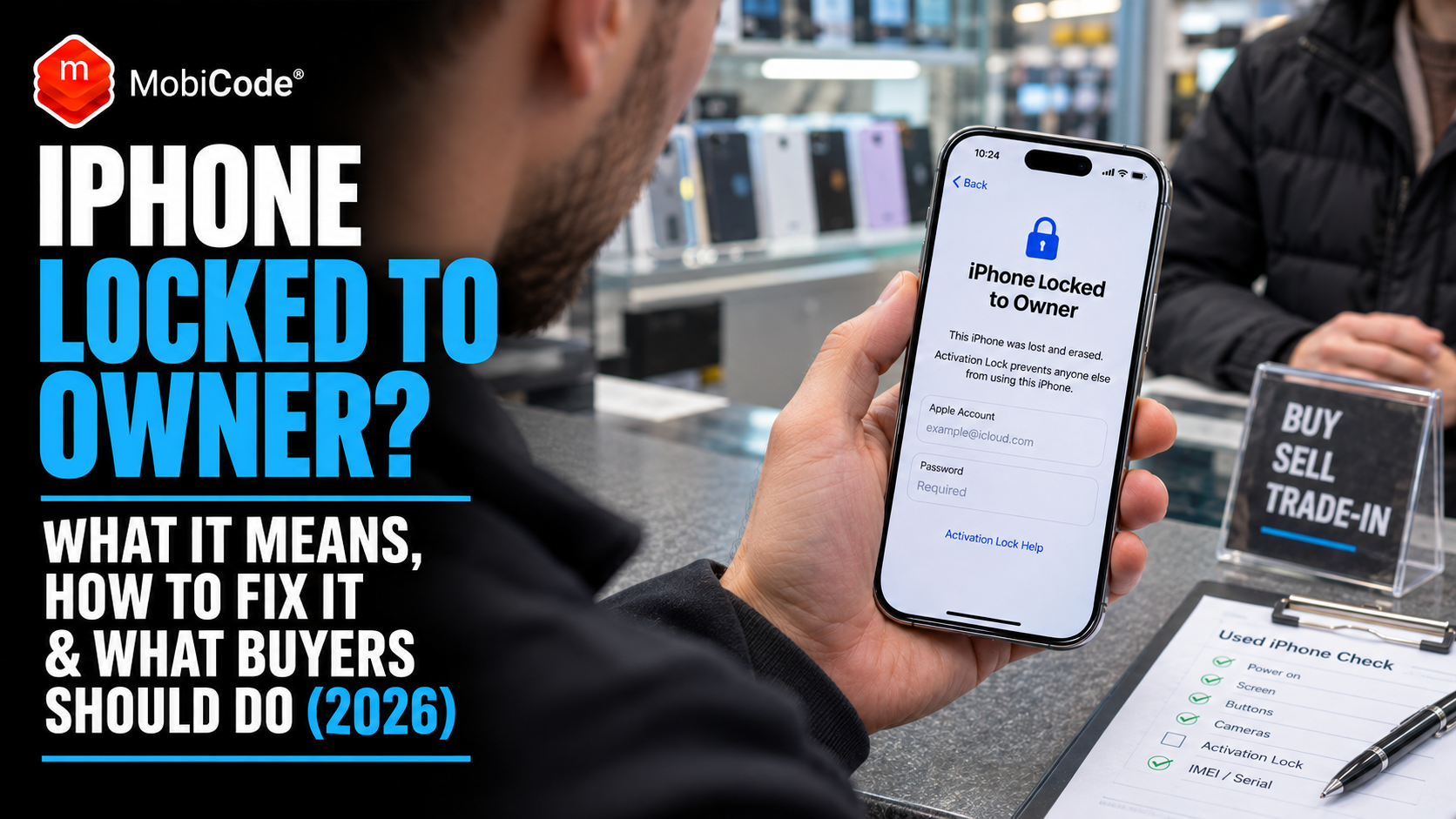
iPhone Locked to Owner. Four words you don’t want to see after buying a second-hand iPhone. You’ve paid for the phone, opened the box and started setting it up. Now Apple wants someone else’s account details. Can you actually use the handset?
Sometimes, the previous owner has simply forgotten to remove the iPhone from their Apple Account. In other cases, the seller may not have the authority to remove the lock.
Either way, the problem needs attention before you can use the phone normally.
Apple’s Activation Lock exists to protect devices when they are lost or stolen. However, it can also create problems for legitimate buyers when someone sells an iPhone without preparing it correctly.
This guide explains what the iPhone Locked to Owner message means, the legitimate ways to remove Activation Lock and what to do if you’ve already bought a locked handset.
We’ll also cover how mobile phone retailers, trade-in shops and refurbishers can identify these issues before purchasing stock, including how MobiONE helps professional businesses flag activation-lock problems during device processing.
Quick answer: What does iPhone Locked to Owner mean?
The message means Apple’s Activation Lock still links the iPhone to an Apple Account. The phone needs appropriate authorisation before a new owner can activate it.
If it’s your iPhone: Use your Apple Account credentials or Apple’s official account-recovery and support processes.
If you bought it second-hand: Ask the previous owner to remove the device from their account. If they cannot resolve the problem, pursue a return or refund.
Important: Factory resetting the iPhone does not automatically remove Activation Lock. Avoid websites promising guaranteed unlocking without the owner’s authorisation.
What does iPhone Locked to Owner actually mean?
Apple’s Activation Lock is a security feature connected to Find My.
When someone enables Find My on a supported iPhone, Apple automatically activates the corresponding protection.
The feature links that device to the owner’s Apple Account on Apple’s activation servers.
Consequently, someone else cannot simply erase the handset, insert another SIM and activate it as their own.
Apple checks the device’s Activation Lock status when it attempts to activate.
If the lock remains enabled, the new user needs the appropriate account credentials or another authorised removal process.
Why does Apple use Activation Lock?
The main purpose is theft deterrence.
Imagine someone steals an expensive iPhone and attempts to erase it for resale.
Without an ownership-linked activation restriction, resetting the handset could make it easier to pass the device to another person.
Activation Lock creates an additional barrier.
Therefore, even after someone erases a protected iPhone, the original owner’s account connection can remain in place.
Apple explains the feature in its official Activation Lock guidance.
Does Locked to Owner mean the iPhone is stolen?
No. The message alone does not prove that someone stole the handset.
For example, a legitimate seller might forget to remove their Apple Account before posting an iPhone to its new owner.
Similarly, a family member may give away an old phone without completing the correct transfer process.
However, the warning does mean the device remains linked to another account.
As a result, you should not assume you have a usable handset until the issue has been resolved.
Can you remove iPhone Locked to Owner?
Yes, in some circumstances. However, the method depends on who owns the account linked to the handset.
Apple provides legitimate ways for the account holder to remove Activation Lock.
It also offers account-recovery options and a support request process for qualifying ownership cases.
However, there is no general entitlement to remove another person’s Activation Lock simply because you have physical possession of their device.
Option 1: Sign in with the correct Apple Account
If the iPhone belongs to you, follow the on-screen instructions.
Enter the Apple Account credentials associated with the handset, or use another device-unlock method Apple offers for that particular situation.
Once the device accepts the appropriate authorisation, you can continue the setup process.
However, never enter another person’s credentials unless they are the authorised account holder and the process is legitimate.
Option 2: Recover your forgotten Apple Account
Perhaps you own the handset but cannot remember which Apple Account you used.
First, check the email addresses and phone numbers you commonly use with Apple services.
Next, follow Apple’s account-recovery instructions.
You can start through Apple’s official account-recovery website.
However, account recovery is not the same as removing a lock that belongs to someone else.
Option 3: Ask the previous owner to remove the lock
This is often the correct solution when you have bought a second-hand iPhone.
For example, the seller may have erased the device without properly removing its Apple Account connection.
In that situation, ask the seller to complete Apple’s authorised removal procedure.
Once they successfully remove Activation Lock, you can try activating the phone again.
Option 4: Contact Apple with proof of purchase
Apple offers an Activation Lock support-request process in certain circumstances.
However, Apple requires appropriate purchase documentation and determines whether the request qualifies.
Therefore, a marketplace message, screenshot of a payment or informal receipt does not automatically guarantee that Apple will remove the restriction.
See Apple Support: How to Remove Activation Lock for the official options.
How can the previous owner remove Activation Lock remotely?
Sometimes the seller lives miles away or has already posted the iPhone.
Fortunately, Apple offers a web-based removal process for eligible devices.
The previous account holder must complete the steps using their own Apple Account.
Step 1: Open iCloud Find Devices
The previous owner should visit:
They must sign in with the Apple Account linked to the iPhone.
Step 2: Select the correct iPhone
Next, they should locate the handset in their device list.
Before proceeding, the owner must make sure they have selected the right device.
For example, someone with several similar iPhones should compare the model and identifying details where possible.
Step 3: Follow the relevant removal process
Apple’s instructions depend on the device’s state.
For an eligible offline device, the owner may be able to select Remove This Device.
However, if the handset still contains their personal information, the owner may need to erase it before completing removal.
Apple provides specific instructions for these situations.
Step 4: Confirm Activation Lock has been removed
Once the account holder completes the authorised process, the buyer should restart the setup procedure.
The device may need an internet connection to complete activation.
Importantly, do not assume that a seller’s confirmation message proves the problem is fixed.
Instead, verify that the iPhone can continue setup without requesting the previous owner’s credentials.
For full instructions, see Apple’s guide to removing a device from Find Devices.
Does factory resetting an iPhone remove Locked to Owner?
No. A factory reset does not automatically remove an active Activation Lock.
That is precisely why the security feature exists.
For example, someone who finds or steals a protected iPhone cannot make it theirs simply by resetting the handset.
After erasure, the iPhone can still contact Apple’s activation servers and discover that another account controls it.
Consequently, the Locked to Owner screen may appear during setup.
Why does the warning appear after a reset?
Before the reset, the original owner may have been using the phone normally.
However, erasing the local data does not necessarily remove the account association stored by Apple.
Therefore, the problem can become obvious only when the next person attempts activation.
This is why buyers should check the device’s setup status rather than relying on the seller’s claim that the handset has been reset.
Can recovery mode remove Activation Lock?
Recovery mode can help restore software in supported circumstances.
However, reinstalling iOS does not automatically cancel Apple’s server-side ownership protection.
Likewise, unofficial instructions promising to remove another person’s Activation Lock through a simple reset should be treated cautiously.
If you are the legitimate owner, follow Apple’s approved recovery procedures.
Bought an iPhone Locked to Owner? Here’s what to do
Discovering the problem after paying can be frustrating.
However, the right next step depends on how you bought the handset.
For example, an online marketplace purchase may come with platform protection, while a private sale arranged outside a marketplace can be more difficult to resolve.
If you bought the iPhone on eBay
First, contact the seller through eBay’s messaging system.
Explain that the phone displays the Locked to Owner message and cannot be activated as expected.
Ask the seller to remove the restriction through Apple’s authorised process or arrange an appropriate return.
If the handset was sold as usable but remains locked, it may qualify as an item that does not match the listing.
eBay Money Back Guarantee provides protection for eligible purchases where an item is faulty or differs from its description.
However, you must follow the current policy’s eligibility rules and deadlines.
If you bought the phone from a professional retailer
Contact the business and explain the activation problem.
A refurbished iPhone advertised as fully working should not unexpectedly require an unrelated previous owner’s account details.
For purchases from businesses, UK consumer rights apply to second-hand goods as well as new products.
For example, the Citizens Advice guidance on returning faulty goods explains that consumers may have rights when products are faulty, unusable or not as described.
Therefore, keep the original listing, receipt and relevant correspondence.
If you bought from a private seller
Start by contacting the seller and asking them to remove Activation Lock.
However, consumer rights differ between private sellers and professional traders.
A private seller must still describe goods accurately, but the full set of consumer protections that applies to traders may not apply.
Citizens Advice provides a complaint template for misdescribed goods bought privately.
If the seller disappears or refuses to help, preserve your evidence and consider the available payment-platform or legal options.
If the seller has disappeared
Unfortunately, this creates additional uncertainty.
You should not assume that Apple will remove the lock without the appropriate documentation.
Instead, contact the marketplace or payment provider promptly.
If the circumstances suggest fraud, consider reporting the matter through the appropriate UK reporting channels.
Do not pay unrelated third-party websites that promise guaranteed access to someone else’s locked device.
How to check Activation Lock before buying a used iPhone
The best time to identify an activation-lock problem is before paying.
Apple specifically advises buyers not to take ownership of an iPhone while Activation Lock remains enabled.
Therefore, make device activation part of your buying checklist.
Check 1: Turn on the iPhone
Start by asking the seller to switch on the handset.
You may see the normal Lock Screen, the Home Screen, an initial Hello screen or the Locked to Owner message.
Each situation requires a different next step.
Check 2: Look for iPhone Locked to Owner
If the warning appears, ask the seller to remove Activation Lock using Apple’s official process.
Do not pay until the restriction has been removed and you can verify the result.
Apple’s own guidance is clear: buyers should avoid taking ownership of devices with active Activation Lock.
Check 3: Don’t rely on the Hello screen alone
A Hello screen indicates that the phone has reached its initial setup environment.
However, buyers should continue the necessary activation checks before concluding that the device is ready for use.
For example, an account restriction may become apparent as setup progresses and the iPhone contacts Apple.
Therefore, verify that activation can proceed without requesting another person’s credentials.
Check 4: Ask the seller to erase the phone properly
If the device still shows the previous owner’s Home Screen, the seller has not completed a full handover.
They should back up their information, sign out appropriately and follow Apple’s official erase procedure.
The new owner should not receive a device containing someone else’s personal accounts and photographs.
Check 5: Test the handset after activation
Once the device passes the ownership checks, examine its normal functions.
For example, test the display, touchscreen, speakers, cameras, charging connection and relevant connectivity features.
Also review battery condition and the available Parts and Service History.
Apple explains these checks in its official pre-owned iPhone buying guidance.
iPhone Locked to Owner vs network lock: what’s the difference?
These two problems are easy to confuse.
However, they involve completely different systems.
Activation Lock connects an Apple device to an Apple Account.
By contrast, a network lock restricts the mobile operators that a handset can use.
Therefore, unlocking a phone from its mobile network does not remove Apple Activation Lock.
| Restriction | What it affects | Who can help? |
|---|---|---|
| iPhone Activation Lock | Device activation and Apple Account ownership protection | The authorised account holder or Apple’s qualifying support process |
| Network lock | Use of other compatible mobile operators | The relevant mobile network or authorised unlocking provider |
| IMEI block | Cellular access through participating networks | Appropriate network or authorised reporting organisation |
| Screen passcode | Access to the local phone interface | The legitimate user following Apple’s recovery guidance |
| Android FRP | Activation following certain Android factory resets | The authorised account holder or relevant official support process |
Can changing the SIM fix iPhone Locked to Owner?
No. Activation Lock does not depend on which mobile network SIM you insert.
Consequently, changing providers or installing an eSIM does not remove the Apple Account connection.
Instead, you need to resolve the activation restriction through Apple’s authorised procedures.
Does an IMEI blacklist check reveal Activation Lock?
Not necessarily.
An IMEI blacklist check investigates particular device-status records, such as relevant loss, theft or network-block information.
Activation Lock is a separate Apple security feature.
Therefore, a clean IMEI result does not prove that an iPhone is free from Activation Lock.
Professional buyers should use the appropriate checks for each distinct risk.
Can an iPhone be Activation Locked without being blacklisted?
Yes. The two statuses can exist independently.
For example, someone might legitimately own an iPhone and forget to remove it from their Apple Account before selling it.
The handset may have no reported loss, theft or network-block issue.
Nevertheless, the new buyer could still encounter the Locked to Owner screen.
Likewise, an iPhone may have no Activation Lock but carry a relevant network or finance-status concern.
Why trade-in businesses must check both
Imagine a retailer purchases 50 used iPhones from several suppliers.
The team checks the IMEI status of each handset, but does not verify activation readiness.
Some devices could pass the available IMEI checks while retaining a previous owner’s Apple Account connection.
Consequently, the retailer might discover an expensive problem only after completing the purchase.
This is one reason professional device-processing workflows should separate blacklist checks from activation-lock detection.
Why iPhone Activation Lock matters to mobile phone retailers
For a consumer, a single locked iPhone can represent a frustrating purchase.
For a phone retailer or refurbisher, repeated mistakes can create substantial financial losses.
For example, a business may purchase devices from walk-in customers, postal trade-ins or wholesale suppliers.
Each source can create different operational risks.
Locked devices can delay resale
A handset may look excellent and pass basic cosmetic inspection.
However, if it still requires a previous owner’s Apple Account, the retailer cannot treat it as an ordinary ready-to-sell device.
Staff may need to contact the seller, investigate documentation or arrange a return.
Meanwhile, the business has money tied up in stock it cannot immediately resell.
Not every seller understands Activation Lock
Some customers genuinely believe that erasing their iPhone is enough.
Others may have forgotten which Apple Account they used.
Therefore, a failed activation check should trigger an investigation rather than an immediate accusation of dishonesty.
However, the business still needs to protect itself from purchasing unsuitable devices.
A consistent intake process helps
Instead of relying entirely on employees remembering every check, businesses can create a defined workflow.
For example, staff can confirm device identity, investigate status records and review activation restrictions before approving a purchase.
Then they can perform functional testing and record the appropriate grade.
Consequently, the business has a clearer basis for accepting or rejecting stock.
How MobiONE helps identify Activation Lock risks
MobiONE is MobiCode’s professional mobile device-processing platform.
It combines device checking, functional diagnostics, grading and data erasure within a centralised PC-based workflow.
Importantly, MobiCode explicitly lists activation-lock detection and workflow alerts among the platform’s capabilities.
This makes it relevant to retailers, recyclers and refurbishers who regularly purchase or process used smartphones.
Identify activation-lock problems during processing
MobiONE includes checks designed to flag relevant activation-lock and device-status issues.
For example, its workflow can alert an operator when the system detects a condition that requires further attention.
Consequently, businesses can investigate potential restrictions rather than moving every handset straight into normal stock.
However, MobiONE does not remove another person’s Apple Activation Lock.
Its value is helping staff recognise and manage the issue through an appropriate business process.
Connect activation checks with diagnostics
An iPhone may be free from an account lock but still contain hardware faults.
Therefore, activation checks should not replace functional testing.
MobiONE supports guided checks for screens, buttons, speakers, microphones, connectivity and relevant sensors.
As a result, retailers can investigate multiple aspects of the handset through a more structured workflow.
Custom grading and workflow rules
Once the business understands a device’s status and functionality, staff can assess its cosmetic condition.
MobiONE supports custom grading information and configurable workflow rules.
For example, a business can use processing requirements suited to its own stock and operating procedures.
However, staff still need to apply the appropriate cosmetic inspection standards.
The software supports the process rather than replacing every human decision.
Reporting and barcode labels
MobiONE also supports device-level records, reporting and custom barcode labels.
Consequently, businesses can maintain a clearer link between the physical handset and its processing activity.
For higher-volume operations, that can make it easier to identify outstanding work and investigate discrepancies.
Buying or processing used iPhones professionally?
An iPhone may look perfect but still carry an activation restriction that prevents normal resale.
MobiONE helps professional businesses identify activation-lock and blocklist exceptions while connecting diagnostics, grading and device processing in one workflow.
Whether you run a phone shop, trade-in operation or refurbishment centre, explore how MobiONE could support more consistent intake checks.
How MobiCHECK complements Activation Lock detection
Activation Lock is only one risk when purchasing used smartphones.
For example, a handset may also carry relevant loss, theft, insurance or finance-status information.
Professional buyers need to investigate these concerns separately.
That’s where MobiCHECK fits.
Check IMEI history before buying
MobiCHECK gives professional businesses access to device-status information from multiple sources.
MobiCode lists mobile networks, insurers, law enforcement and recycling organisations among its data sources.
The service helps businesses investigate information that may affect the suitability of a handset for purchase or resale.
For example, a retailer may identify a relevant network block or loss or theft record before committing money.
Monitor devices after purchase
MobiCode also advertises optional watchlist and monitoring services.
For example, some device-status problems may emerge after the original purchase.
Monitoring can help participating businesses identify changes in available records.
However, no status check guarantees that a handset will remain free of future reports or restrictions.
Why businesses may need both products
MobiONE helps manage the wider device-processing workflow, including relevant activation-lock alerts and diagnostics.
Meanwhile, MobiCHECK provides focused IMEI and device-history due diligence.
Used together, these capabilities can support more informed purchasing decisions.
Importantly, neither product should be described as a tool for bypassing Apple’s ownership protection.
How much could missed Activation Lock checks cost a retailer?
The financial impact depends on the value of the device, the supplier agreement and whether the business can resolve the problem.
However, a simple example shows why prevention matters.
Imagine a retailer purchases 100 used iPhones at an average price of £250 each.
Suppose two devices arrive with unresolved Activation Lock issues.
If the retailer cannot resolve or return them, those two handsets represent £500 in purchase cost tied to unsuitable stock.
Illustrative stock exposure, not measured MobiONE savings or an industry loss rate.
Of course, some suppliers will accept returns, while other cases may be resolved by the legitimate account holder.
Nevertheless, identifying a problem before payment generally gives the buyer more options.
Why checking early matters more than checking later
Once a business has paid for a handset, resolving a problem can take additional time.
Staff may need to contact the supplier, collect evidence and investigate the available remedies.
By contrast, a pre-purchase check allows the retailer to request clarification before committing funds.
Therefore, the commercial benefit of a structured workflow goes beyond the speed of an individual diagnostic test.
How retailers should handle an Activation Locked trade-in
A phone shop needs a process that protects the business while treating customers fairly.
For example, an activation-lock warning may arise because the customer forgot to sign out correctly.
The right response is to investigate and request appropriate action from the authorised account holder.
Step 1: Identify the device
Record the make, model and IMEI.
Next, connect those details to the proposed trade-in transaction.
This creates a clearer record if the business needs to investigate the device later.
Step 2: Verify activation readiness
Check that the handset does not retain an unresolved previous-owner Activation Lock.
Where possible, ask the seller to demonstrate that the device can proceed through the authorised activation process.
Do not assume that the Hello screen alone resolves every question.
Step 3: Ask the account holder to resolve the restriction
If Apple requests previous-owner credentials, ask the legitimate account holder to complete Apple’s removal procedure.
The shop should not request that the customer disclose their Apple Account password to an employee.
Instead, the customer should enter the necessary information themselves or use Apple’s official remote process.
Step 4: Check IMEI history separately
Once activation concerns have been addressed, investigate relevant device-status records.
For example, a clean activation state does not guarantee that the handset is free from loss, theft or finance-related concerns.
MobiCHECK can support this part of the due-diligence process.
Step 5: Perform diagnostics and grading
Next, assess the handset’s functional and cosmetic condition.
For example, test its touchscreen, speakers, cameras and charging connection.
Then apply the business’s normal grading policy.
Step 6: Record the final decision
Finally, approve, hold or decline the transaction based on the evidence and internal acceptance rules.
If the device remains Activation Locked, do not advertise it as an ordinary fully working unlocked iPhone.
Instead, follow the business’s supplier-return, escalation or lawful disposal procedures.
Does Android have an equivalent to iPhone Activation Lock?
Yes. Android devices can use Factory Reset Protection, commonly called FRP.
It serves a related anti-theft purpose, although the systems and account requirements differ.
For example, an Android phone may require authorised Google Account information after certain reset procedures.
Consequently, a reset handset is not necessarily ready for a new owner.
How to prepare an Android phone for resale
Google advises owners to remove their Google Accounts from the device before completing the appropriate factory reset.
This helps prevent account-related activation problems for the next user.
For example, a seller should back up important information and follow the relevant account-removal procedure before erasing the handset.
Read Google’s official Android device-reset guidance.
Why refurbishers should check both Apple and Android restrictions
A professional phone business may handle iPhones, Samsung Galaxy phones and other Android devices in the same batch.
However, the security controls and resolution procedures can differ.
Therefore, one universal instruction is not enough.
Instead, businesses should follow manufacturer-specific activation requirements within their device-intake workflow.
Can Activation Lock affect replacement iPhone parts?
Yes. Apple has extended certain Activation Lock protections to previously used components in supported devices.
For example, a repairer may attempt to install a component taken from another iPhone.
If that part remains associated with an Activation Locked device, the new handset may be unable to complete the relevant repair configuration.
Apple explains that such components may display a Finish Repair message and may not function as expected.
What does this mean for phone refurbishers?
Businesses purchasing used parts should consider the original component’s provenance and repair eligibility.
For example, acquiring a replacement screen or other component does not automatically guarantee it will complete Apple’s repair process.
Therefore, repairers should follow Apple’s approved parts and configuration guidance.
For more information, see Apple’s guidance on parts locked to another Apple Account.
Importantly, a component-level repair restriction is different from an entire handset displaying iPhone Locked to Owner.
What should you do before selling your old iPhone?
Sellers can prevent many Activation Lock problems by preparing their devices correctly.
For example, you should not assume that deleting photographs and applications completes the handover.
Apple provides a specific process for transferring information and removing personal account connections.
Back up your information
First, save anything you want to keep.
For example, back up photographs, messages, contacts and important documents.
Then confirm that you can access the information from your new device.
Sign out and complete the correct erase process
Next, follow Apple’s current instructions for your iOS version.
The relevant steps may include signing out of your Apple Account and using Erase All Content and Settings.
However, menu options differ between software versions.
Therefore, use Apple’s official guide to selling or trading in an iPhone rather than relying on outdated screenshots.
Make sure the new owner can activate the phone
After the appropriate steps, the handset should be ready for a new user.
However, the buyer should still check that activation proceeds correctly.
For this reason, it’s sensible to complete the handover verification before ending an in-person sale.
The verdict: don’t ignore iPhone Locked to Owner
The iPhone Locked to Owner message exists for a legitimate reason: to protect devices against unauthorised use.
However, it also creates an important buying check for anyone purchasing a used Apple handset.
If you own the account linked to the phone, use Apple’s authorised recovery or removal procedures.
If you bought the device second-hand, ask the previous owner to resolve the restriction.
Should the seller fail to help, explore the relevant return, marketplace protection or consumer-rights options.
For businesses, the lesson is straightforward.
A handset can look excellent, pass basic IMEI checks and still have an account restriction that prevents resale.
Therefore, professional buyers should combine activation-lock checks with device-status due diligence, functional diagnostics and clear purchasing rules.
MobiONE supports that process by flagging relevant activation-lock and blocklist issues within a wider device-processing workflow.
Stop activation-lock problems disrupting your phone business
Buying used iPhones from customers, suppliers or wholesale batches?
MobiONE helps professional retailers, recyclers and refurbishers identify important device-processing exceptions, including activation-lock and blocklist concerns.
It also connects diagnostics, grading, workflow controls and secure data erasure in one platform.
Explore MobiONE for your business
- Activation-lock and relevant blocklist alerts.
- Guided device diagnostics.
- Customisable workflow rules.
- Functional and cosmetic grading support.
- Multiple device connections.
- Secure data-erasure workflows.
- Device records and barcode labels.
- Reporting across users and locations.
MobiONE detects and helps manage relevant exceptions; it does not bypass Apple’s ownership security. Contact MobiCode to confirm supported devices, current features and commercial terms.
Check the device before buying. Identify restrictions early. Process used phones with greater consistency.
Frequently asked questions about iPhone Locked to Owner
Understanding and removing Activation Lock
What does iPhone Locked to Owner mean?
The message means Activation Lock links the iPhone to an Apple Account. Consequently, the handset needs the appropriate authorisation before a new user can activate it. If you bought the phone second-hand, ask the previous owner to remove the account association.
Can you remove iPhone Locked to Owner without the previous owner?
The authorised account holder can remove Activation Lock using Apple’s official process. If you legitimately own the device, Apple may also offer account recovery or a qualifying support request with appropriate proof of purchase. However, simply possessing the handset does not guarantee lock removal.
Does a factory reset remove iPhone Activation Lock?
No. Activation Lock can remain active after a factory reset because Apple maintains the account association through its activation systems. Therefore, resetting the phone does not replace the need for authorised removal.
Buying an Activation Locked iPhone
Should I buy an iPhone that says Locked to Owner?
No. Apple advises buyers not to take ownership of a used iPhone while Activation Lock remains enabled. Instead, ask the seller to remove the restriction and demonstrate that activation works before paying.
Can I return an iPhone that is Locked to Owner?
Potentially, yes. If the seller advertised the phone as usable but you cannot activate it, the purchase may not match its description. The available remedy depends on whether you bought from a business, private seller or marketplace, as well as the applicable policies and deadlines.
Does Locked to Owner mean the iPhone is stolen?
Not necessarily. A legitimate owner may have forgotten to remove their account before selling the phone. However, the warning means you cannot assume the handset is ready for lawful transfer. Ask for proper removal and supporting evidence before completing the purchase.
Activation Lock checks for professional phone businesses
Can an IMEI check confirm that Activation Lock is off?
Not every IMEI check includes Apple Activation Lock information. An ordinary blacklist result and Apple’s account-linked activation status are different checks. Therefore, professional buyers should verify the relevant activation state separately from IMEI loss, theft or finance records.
Can MobiONE detect Activation Lock?
MobiCode lists activation-lock detection and workflow alerts among MobiONE’s professional device-processing capabilities. The software helps businesses identify restrictions that require investigation. However, it does not remove another person’s Apple Activation Lock.
What is the difference between MobiONE and MobiCHECK?
MobiONE is a wider device-processing platform that supports activation-lock alerts, diagnostics, grading and erasure. MobiCHECK focuses on IMEI and device-history due diligence using available network, insurance, fraud-prevention and related data sources. The services address complementary risks when purchasing used phones.
Sources and further reading
Official Apple Activation Lock guidance
Apple Support — Activation Lock for iPhone and iPad
Explains why Activation Lock exists, how it works and why buyers should avoid devices with unresolved ownership restrictions.
Apple Support — How to Remove Activation Lock
Apple’s legitimate methods for removing Activation Lock, including account access, remote removal and qualifying support requests.
Apple Support — Remove a Device from Find Devices on iCloud.com
Instructions for account holders removing eligible devices and their Activation Lock associations.
Buying and selling used iPhones
Apple Support — If You Want to Buy a Pre-Owned iPhone
Apple’s used-iPhone buying checklist covering activation readiness, physical condition, battery information and functional checks.
Apple Support — Before Selling, Giving Away or Trading In an iPhone
Official instructions for transferring information, signing out, erasing the handset and preparing it for a new owner.
Apple Support — If a Part Is Locked to Someone Else’s Apple Account
Guidance on Activation Lock for certain previously used replacement parts and completing repair configuration.
UK consumer and marketplace protection
eBay UK — Money Back Guarantee
Official policy for eligible purchases where an item is faulty, missing or does not match the listing.
Citizens Advice — Return Faulty Goods
Consumer guidance covering faulty or misdescribed goods, including second-hand purchases from businesses.
Citizens Advice — Misdescribed Goods from a Private Seller
Guidance and a complaint template for relevant purchases from private individuals.
Android account security
Google — Reset Your Old Android Device
Google’s instructions for removing account connections and resetting an Android device before transfer.
MobiCode professional device-processing software
Professional device checking, activation-lock and blocklist detection, diagnostics, grading, workflow controls and data erasure.
IMEI validation, loss and theft checks, blocklist status, finance information and professional device-history due diligence.
Business enquiries about device-processing software, product capabilities, integration and commercial arrangements.