

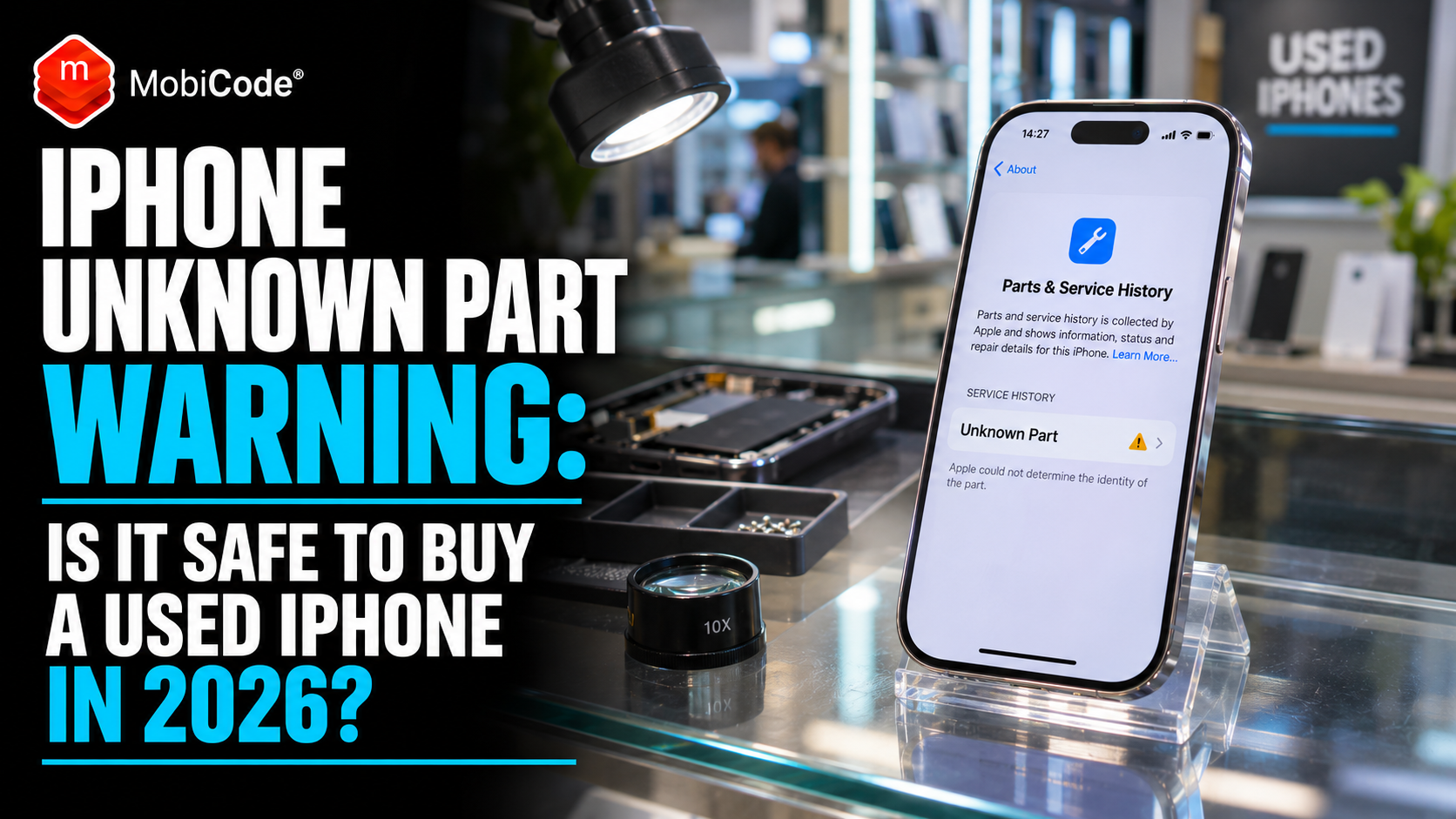
You’ve found a second-hand iPhone at a good price. The screen looks perfect, the cameras work and the seller says everything is genuine. Then you open Settings and spot an “Unknown Part” warning. Should you walk away?
Not necessarily. An iPhone Unknown Part warning doesn’t automatically mean the phone is fake, unsafe or broken. However, it does tell you something important about a component that deserves closer inspection.
Perhaps someone replaced the screen after a drop. Maybe the phone has a third-party battery. Alternatively, a repairer might have installed a genuine Apple component without completing the required verification process.
For an individual buyer, understanding the difference could save an expensive mistake. For a phone shop or refurbisher, it can determine whether a handset deserves a premium resale grade or needs further testing.
This guide explains exactly what Apple’s warning means in 2026, how to check an iPhone’s repair history, which problems to look for and when a professionally tested refurbished device may offer better value.
We’ll also explain how MobiTEST helps professional phone retailers check functionality and apply consistent testing standards before devices reach customers.
Quick answer: What does Unknown Part mean on an iPhone?
An Unknown Part message means your iPhone cannot verify a component or its repair status as expected. According to Apple, this can happen when a replacement part is non-genuine, doesn’t work correctly, hasn’t completed verification or has been modified. The warning alone does not identify which explanation applies.
Before buying: Check Settings > General > About, inspect the battery and screen, test key features, and ask the seller about previous repairs.
What is the iPhone Unknown Part warning?
Apple introduced Parts and Service History to give iPhone owners more information about repairs and replacement components.
On supported models running iOS 15.2 or later, you can open the About screen and review available information about the phone’s repair history.
If Apple cannot verify a component in the expected way, the system may display an Unknown message beside that part.
Importantly, the warning does not always mean the component has failed.
For example, an independent repair shop might install a replacement display that appears to work normally. However, Apple may still show an Unknown Part message because the phone cannot verify the component through its expected processes.
In other cases, the warning can accompany a genuine functional problem.
Therefore, buyers need to investigate rather than assume every Unknown Part warning means the same thing.
What Apple officially says
According to Apple’s Parts and Service History guidance, an Unknown message may appear when a component:
- Is not a genuine Apple part.
- Isn’t functioning as expected.
- Has not been verified and linked to the iPhone after repair.
- Has been modified or cannot be verified.
Consequently, the message describes a verification or component issue. It does not provide a complete diagnosis by itself.
How to check iPhone Parts and Service History
You don’t need specialist equipment to find Apple’s repair information on a supported iPhone.
First, unlock the handset and open the Settings app.
Step 1: Open Settings
Find and open the Settings app on the iPhone.
Step 2: Select General
Scroll down and tap General.
Step 3: Open About
Tap About to view the phone’s software version, model information and device identifiers.
Step 4: Look for Parts and Service History
If the supported iPhone has recorded a relevant repair, you may see a section called Parts and Service History.
Step 5: Read the component status
Check whether the battery, display, camera or another supported component carries a Genuine, Used, Unknown, Unverified or Finish Repair message.
Apple’s information varies by iPhone model, component and software version. Therefore, not every device shows the same repair categories.
Also, the absence of a Parts and Service History section does not prove that the phone has never undergone any repair.
iPhone Genuine, Used, Unknown and Finish Repair: what’s the difference?
Apple’s different messages are easy to confuse, particularly when shopping for a refurbished handset.
However, they describe different situations.
| Message | What it means | What a buyer should do |
|---|---|---|
| Genuine | The repair used genuine Apple parts and processes. | Continue checking the handset’s condition and functionality. |
| Used | The component was previously installed in another iPhone. | Ask about the repair and test the component’s performance. |
| Unknown | Apple cannot verify the component as expected, or the component has another recognised issue. | Investigate the repair, test functionality and consider the resale implications. |
| Finish Repair | The repair process still requires completion. | Ask the seller or repairer to complete the required process. |
| Unverified | Apple reports that the replacement logic board was previously used in another iPhone. | Seek professional advice because some features may be affected. |
Does a genuine Apple replacement part always show Genuine?
No. Apple now supports certain repairs using previously used genuine parts on compatible iPhones.
For example, on supported iPhone 15 models and later running iOS 18 or newer, a reused component may display Used after the appropriate repair process.
Therefore, a Used message doesn’t automatically mean the phone contains a counterfeit component.
Nevertheless, a previously used part can have a different condition or remaining lifespan from a new one.
What does Finish Repair mean?
Finish Repair means the device still needs to complete the applicable repair configuration or calibration process.
Apple explains that certain components may not perform as expected until this process finishes.
For example, incomplete calibration affecting supported biometric components can prevent Face ID or Touch ID from working correctly.
Consequently, buyers should ask the seller to resolve a Finish Repair message before completing an expensive purchase.
iPhone Unknown Part battery warning: should you be worried?
An Unknown Battery message is one of the warnings that second-hand iPhone buyers may encounter.
However, the practical risk depends on the replacement battery and the quality of the repair.
A replacement battery may function normally, despite the verification warning. Alternatively, it could provide poor battery life, unreliable health information or other performance problems.
Therefore, buyers should examine more than the warning itself.
Can you trust battery health after an Unknown Part warning?
Not necessarily.
Apple’s genuine battery guidance states that battery-health information may be inaccurate when the iPhone cannot verify the battery.
As a result, a displayed capacity percentage may not provide the reassurance a buyer expects.
For example, seeing 100% battery health is less useful when the phone cannot verify the component providing that information.
Instead, ask about the replacement battery, the repair provider and any available service records.
Is 80% battery health bad on a used iPhone?
Battery capacity naturally declines as a phone ages.
According to Apple’s battery performance guidance, iPhone 14 models and earlier are designed to retain 80% of their original capacity at 500 complete charge cycles under ideal conditions.
Meanwhile, iPhone 15 models and later are designed to retain 80% at 1,000 complete charge cycles under ideal conditions.
However, these are battery design benchmarks, not universal buying recommendations or guarantees about individual devices.
For shoppers, the important question is whether the handset’s battery condition matches its price and the expected usage.
What battery health should you look for?
The following ranges offer a practical buying guide rather than official Apple grading standards.
| Battery health | Buying consideration |
|---|---|
| 95–100% | High indicated capacity. Still check repair history and functionality. |
| 90–94% | Often attractive for a used device, depending on its age and price. |
| 85–89% | Consider your expected daily use and charging habits. |
| 80–84% | Budget for the possibility of a battery replacement sooner. |
| Below 80% | Look closely at the price, battery-service options and any performance warnings. |
Remember that an Unknown Battery message may undermine the accuracy of the reported percentage. Therefore, you should not rely on this table alone when the phone cannot verify its battery.
iPhone Unknown Part screen warning: what could go wrong?
A replacement screen may look perfectly normal in a photograph.
However, buyers should still test how it behaves in everyday use.
Apple explains that some non-genuine or improperly functioning replacement displays can affect touch response, screen brightness, colours and other features.
For example, a screen might register touches inconsistently or fail to turn off correctly during calls.
Likewise, users may notice unusual brightness changes or missing True Tone functionality.
Apple discusses these risks in its genuine iPhone display guidance.
Five screen checks worth doing before buying
- Check touch response. Open an app and interact with different areas of the screen, including the edges.
- Inspect colours. Display photographs and neutral backgrounds to look for unusual colour casts.
- Adjust brightness. Move the brightness slider and check whether the display responds normally.
- Look for damaged pixels. Examine bright and dark backgrounds for obvious display defects.
- Test relevant features. Check automatic brightness, True Tone where available, and normal screen behaviour during calls.
These checks won’t prove that every component is genuine.
However, they can reveal functional problems that a simple visual inspection may miss.
Should you buy an iPhone with an Unknown Display warning?
It depends on the evidence.
If the screen works well, the seller clearly explains the repair and the price reflects the condition, the phone may still represent reasonable value.
However, an unexplained warning on an expensive refurbished handset deserves further investigation.
For example, if the listing claims that the device has never undergone a repair, an Unknown Display message creates an obvious question.
Before paying, ask the seller to explain the discrepancy.
Can an Unknown Part warning affect the iPhone camera?
Yes. Supported iPhones can also report relevant camera replacements in Parts and Service History.
However, an Unknown Camera message does not automatically mean the camera has stopped working.
According to Apple’s camera repair guidance, a replacement camera may carry an Unknown message because of its origin, verification status or functionality.
How to test the cameras on a used iPhone
First, open the Camera app and test the available front and rear cameras.
Next, take photographs in different lighting conditions. Check that the camera focuses properly and produces clear images.
Then record a short video and play it back with sound.
If the model supports different lenses or zoom options, test those features too.
Finally, check that the camera works consistently rather than relying on one successful photograph.
For high-value refurbished stock, professional retailers should include these checks in a documented testing process.
How to check a used iPhone before buying: the practical checklist
Apple’s Parts and Service History is useful, but it only answers part of the buying question.
A used handset can have no visible repair warning and still suffer from a damaged charging port, poor microphone, faulty speaker or another hidden issue.
Therefore, buyers should combine repair-history checks with basic functionality tests.
1. Check Activation Lock
Start with one of the most important checks.
If the iPhone displays iPhone Locked to Owner, do not complete the purchase until the previous owner properly removes Activation Lock.
Apple specifically warns buyers not to purchase an iPhone while Activation Lock remains enabled.
See Apple’s official pre-owned iPhone buying guide for the recommended procedure.
2. Check the IMEI and device identity
Next, confirm that the device details match the listing.
Review the model, storage capacity and relevant identifiers.
Professional buyers should also investigate available IMEI status information before committing money.
For example, MobiCHECK provides live device-status due diligence for businesses purchasing or processing used handsets.
However, a clear status result does not replace the need to inspect the actual phone.
3. Review battery health and repair history
Open Settings and check the available battery information.
Then review Parts and Service History for any relevant repair messages.
If you see Unknown, Used or Finish Repair, ask the seller for more information.
In addition, consider whether the battery condition justifies the advertised price.
4. Test the display and touchscreen
Check touch response, brightness and visible screen defects.
Also inspect the screen edges and look for signs of poor fitting or damage.
Although a screen may appear attractive in photographs, everyday use can reveal issues that pictures miss.
5. Check cameras, speakers and microphones
Take photographs, record video and test audio playback.
Furthermore, make a test recording to check microphone performance.
If possible, test the normal call speaker and loudspeaker separately.
6. Test charging and connectivity
Connect a suitable charging cable and confirm that the phone responds correctly.
Next, test Wi-Fi and Bluetooth.
Where practical, check cellular service using an appropriate SIM or eSIM setup.
Finally, inspect the charging port for obvious physical damage.
7. Check Face ID or Touch ID
Biometric features can be expensive and inconvenient to repair.
Therefore, verify that the supported unlocking method works correctly before accepting the device.
Remember that certain incomplete repairs can affect biometric functionality.
8. Understand the return policy
Before buying online, review the seller’s return terms and the protection available through your payment method or marketplace.
Buying from a professional retailer and buying from a private individual can involve different legal rights.
Consequently, the seller’s identity matters as well as the handset’s condition.
Does an iPhone Unknown Part warning reduce resale value?
It can.
Apple explicitly acknowledges that an Unknown Part message may affect trade-in value.
However, no single discount applies to every phone or every warning.
For example, an Unknown Battery message on an older budget handset may have different commercial implications from an unexplained display replacement on a recent premium model.
Likewise, a handset with a documented professional repair and a fully working replacement component may inspire more confidence than one with an unexplained repair history.
Why sellers should disclose repair warnings
Imagine two refurbished iPhones listed at similar prices.
One seller provides clear battery information, a genuine repair record and evidence of functional testing.
The other simply describes the phone as being in excellent condition, despite an Unknown Display message.
Even if both devices work, the second listing gives the buyer less information.
Consequently, transparent descriptions and consistent testing can help retailers manage expectations and avoid preventable complaints.
For commercial refurbishers, that is where professional device diagnostics become especially valuable.
Why phone shops need more than Apple’s repair-history screen
Apple’s built-in information helps buyers investigate specific repairs.
However, it does not provide a complete commercial inspection of every function on the handset.
For example, the absence of an Unknown Part message does not prove that the microphone, touchscreen, charging connection and sensors all work perfectly.
Now imagine a retailer processing dozens of devices each day.
One employee may carefully test the camera, microphones and connectivity. Another might check only the screen and battery.
As a result, the business risks applying inconsistent quality standards to phones that it later sells under the same grade.
The cost of inconsistent testing
A missed fault can affect more than one transaction.
The retailer may need to arrange a return, investigate the complaint, repair the device or issue a refund.
Meanwhile, employees spend time resolving a problem that stronger testing might have identified before the sale.
Therefore, professional phone businesses need a repeatable process rather than relying entirely on individual judgement.
How MobiTEST helps professional phone retailers
MobiTEST is MobiCode’s guided mobile phone diagnostic software.
It helps retailers, recyclers and refurbishers test handset functionality through a structured workflow.
MobiCode states that its guided testing process can assess a handset in under two minutes, depending on the workflow and device.
More importantly, the system helps teams apply the same testing standards across different employees and devices.
Screen and touchscreen diagnostics
MobiTEST includes tests for LCD performance, touchscreen functionality, pixels and colour.
Consequently, retailers can investigate display problems before completing the grading process.
This is particularly useful when a device has undergone a screen replacement or presents an unexpected display issue.
Audio and microphone testing
The software also supports checks covering speakers, microphones and relevant audio functionality.
Therefore, staff do not need to rely solely on a quick visual inspection or whether the handset turns on.
Sensors and connectivity
Additional tests cover areas such as proximity, gyroscope and accelerometer sensors, alongside USB, Wi-Fi and Bluetooth connectivity.
These functions can affect everyday use even when the handset looks cosmetically excellent.
Consistent grading and reporting
MobiTEST supports custom grading information and device-level reports.
For example, a retailer can use a guided workflow to record the tests performed on an incoming handset.
In addition, MobiCode’s reporting environment supports device information and custom barcode labels.
As a result, businesses can maintain a clearer link between the physical phone, its test results and the stock record.
Activation Lock and blocklist checks
MobiTEST also offers built-in activation-lock detection and integrates relevant blocklist checks through MobiCHECK.
That helps businesses investigate device-status risks alongside functional testing.
However, these checks serve different purposes.
For instance, a handset may pass its hardware tests but still require further investigation because of an activation lock or device-status issue.
Likewise, MobiTEST does not replace Apple’s own Parts and Service History or independently certify that every replacement component is genuine.
Professional users should review Apple repair messages separately when they matter to the buying or grading decision.
Testing refurbished phones commercially?
A phone can look perfect and still contain faults that affect resale value or customer satisfaction.
MobiTEST gives your team a repeatable way to check screens, audio, sensors, connectivity and other functions before devices reach buyers.
It also supports guided workflows, multiple device connections, custom grading and reporting.
How quickly can professional phone diagnostics pay for themselves?
For a phone business, diagnostic speed is only part of the calculation.
The more important consideration is whether reliable testing helps the team identify faults before those faults become costly returns or purchasing mistakes.
Consider a simple illustrative example.
A refurbisher processes 100 used smartphones a week.
Suppose a more consistent diagnostic process helps the business identify just two additional faults before resale.
If each missed fault would otherwise create £50 in additional handling, shipping or repair costs, catching those issues avoids £100 in potential costs that week.
Illustrative savings, not measured MobiTEST performance.
Of course, actual results depend on device quality, existing processes, staff costs and how often the business encounters faults.
Nevertheless, the example shows why companies should assess the total cost of inconsistent testing rather than comparing diagnostic software on price alone.
When does a retailer need MobiONE instead of MobiTEST?
Some retailers primarily need consistent functional testing.
Others manage the entire device-processing lifecycle, from initial intake to diagnostics, grading, data erasure and final resale.
For those businesses, MobiONE provides a broader workflow platform.
MobiTEST: focused diagnostic testing
MobiTEST helps staff follow guided functional tests, record results and apply consistent diagnostic standards.
Therefore, it suits businesses that want to improve how they test and grade incoming devices.
MobiONE: connected device processing
MobiONE brings multiple processing stages into a more unified environment.
Its capabilities include device lookup, diagnostics, grading, workflow controls and secure data erasure.
In addition, customisable alerts and workflow rules can highlight exceptions that require staff attention.
Consequently, businesses processing larger volumes can reduce their reliance on disconnected manual procedures.
Which solution should your business choose?
The answer depends on your current workflow.
If you mainly need faster, more consistent diagnostics, MobiTEST is a sensible product to explore first.
However, if your team also needs connected checking, grading, erasure and wider process management, MobiONE may suit your operation better.
Contact MobiCode to discuss your device volumes and existing processes before selecting a solution.
Should you buy a used iPhone with an Unknown Part warning?
The right decision depends on the component, the repair history, the phone’s condition and the asking price.
An Unknown Part warning should prompt questions, not an automatic assumption that the phone is worthless.
For example, a budget handset with a clearly disclosed screen replacement may still be a reasonable purchase after careful testing.
However, an expensive premium iPhone with unexplained repair warnings, unreliable battery information and inconsistent functionality presents a different level of risk.
When the phone may still be worth considering
- The seller explains the repair clearly.
- The relevant component passes appropriate functionality checks.
- The handset has no unresolved Activation Lock.
- The device’s condition matches the description.
- The price reflects any repair uncertainty or reduced resale value.
- The seller offers appropriate returns or buyer protection.
When you should investigate further or walk away
- The seller refuses to explain an obvious repair warning.
- Face ID, Touch ID or another important function does not work.
- The replacement screen behaves inconsistently.
- The phone cannot provide trustworthy battery information.
- The repair process remains unfinished.
- Activation Lock prevents the buyer from using the device.
- The seller’s description conflicts with the phone’s actual condition.
Ultimately, the best used-phone purchase is not always the cheapest listing.
It is the handset whose condition, history and price make sense together.
Why accurate testing matters for the refurbished-phone market
Refurbished phones offer consumers a way to extend the useful life of existing technology.
However, buyers need confidence that the device they receive matches the retailer’s description.
A cosmetic grade alone cannot provide that reassurance.
For example, two phones might both have nearly flawless screens and cases. Nevertheless, one could have a weak battery, unreliable microphone or damaged charging connection.
Therefore, professional refurbishers should combine cosmetic grading with functional testing and relevant device-status checks.
Apple’s repair-history information provides another useful layer, particularly when evaluating replacement batteries, displays and cameras.
For retailers, clearly documenting these checks can support more accurate listings and better conversations with customers.
The bottom line: check more than the warning
An iPhone Unknown Part warning is worth investigating, but it does not tell the whole story.
The handset may contain a non-genuine component. Alternatively, it could have undergone a repair that still requires verification or configuration.
Therefore, buyers should inspect the relevant component, review the repair history and test the phone’s everyday functions.
For professional retailers, the same principle applies at scale.
A consistent diagnostic process helps staff identify faults, apply grading standards and keep more reliable device records.
That’s where MobiTEST adds value: helping businesses move beyond a quick visual inspection towards structured, repeatable handset testing.
Sell more confidently with MobiTEST
Buying, refurbishing or reselling used iPhones and Android devices?
MobiTEST helps professional teams carry out guided diagnostics across screens, speakers, microphones, sensors, connectivity and other essential functions.
In addition, the software supports consistent grading, reporting and checks that help businesses investigate activation-lock and blocklist risks.
Why consider MobiTEST?
- Guided handset diagnostics.
- MobiCode’s advertised testing workflow of under two minutes.
- Multiple simultaneous device connections.
- Hardware, display, audio, sensor and connectivity tests.
- Custom grading and device reports.
- Built-in activation-lock detection and integrated blocklist checks.
- Repeatable workflows for retail and refurbishment teams.
Whether you run an independent phone shop or process large volumes of used devices, speak to MobiCode about the right testing setup for your business.
Frequently asked questions about iPhone Unknown Part warnings
What does Unknown Part mean on an iPhone?
An Unknown Part warning means the iPhone cannot verify a component as expected or has identified another issue with it. For example, the part may be non-genuine, incorrectly configured or not functioning properly. Therefore, buyers should investigate the repair and test the relevant component.
Is an iPhone with an Unknown Part warning fake?
Not necessarily. The warning concerns a component or its verification status, rather than proving that the entire iPhone is counterfeit. However, buyers should check the device identity, repair history and functionality before completing a purchase.
Can you fix an iPhone Unknown Part message?
The appropriate solution depends on the cause. For example, an incomplete eligible repair may need the correct Apple repair configuration process. A faulty component may require further repair or replacement. Therefore, ask a qualified repair provider to investigate rather than relying on an unverified software workaround.
Can an Unknown Battery warning affect battery health readings?
Yes. Apple warns that battery-health information may be inaccurate when the phone cannot verify the battery. Consequently, the displayed capacity percentage may not give a reliable picture of its condition. Buyers should ask about the replacement battery and consider professional inspection.
Does an Unknown Display warning mean the screen will stop working?
No. Some replacement screens continue to function normally. However, Apple explains that certain replacement displays can experience touch, brightness, colour or other performance issues. Therefore, test the screen carefully and ask about the repair before buying.
What does Used mean in iPhone Parts and Service History?
On supported devices and software versions, Used means the component was previously installed in another iPhone. It does not automatically mean the part is counterfeit. Nevertheless, buyers should consider the component’s age, repair history and current performance.
Does an Unknown Part warning reduce iPhone trade-in value?
It can. Apple acknowledges that Unknown Part messages may affect trade-in value. However, the financial impact depends on the handset, affected component, condition and buyer. Professional testing and accurate disclosure can help businesses assess an appropriate grade and price.
How do professional phone shops test refurbished iPhones?
Professional retailers can combine device-status checks, Apple repair-history information, cosmetic inspection and functional diagnostics. For example, MobiTEST provides guided testing across screens, hardware, audio, sensors and connectivity, alongside reporting and grading features. However, the retailer should still review relevant Apple repair messages separately.
Sources and further reading
Apple: repair history and replacement parts
Apple Support — iPhone Parts and Service History
Official guidance explaining Genuine, Used, Unknown, Unverified and Finish Repair messages, including the information available across supported iPhone models.
Apple Support — About Genuine iPhone Batteries
Information about replacement batteries, verification warnings, battery-health accuracy and genuine or previously used components.
Apple Support — About Genuine iPhone Displays
Explanation of replacement display warnings and potential effects on touch response, brightness, colour and other features.
Apple Support — About Genuine iPhone Cameras
Guidance on camera replacements, repair verification and possible performance issues.
Apple: buying used devices and battery performance
Apple Support — If You Want to Buy a Pre-Owned iPhone
Apple’s official buying checklist covering Activation Lock, battery condition, repair history and basic device inspection.
Apple Support — About the Battery and Performance of iPhone 11 and Later
Guidance about battery-health information, capacity, charge cycles and Apple’s battery design benchmarks.
MobiCode: professional device testing
Product information covering guided mobile phone diagnostics, screen tests, audio checks, sensors, connectivity, grading and reports.
Information about connected device-processing workflows, diagnostics, grading, alerts and secure data erasure.
Device-status due diligence and IMEI checking for professional buyers, recyclers and refurbished phone businesses.