

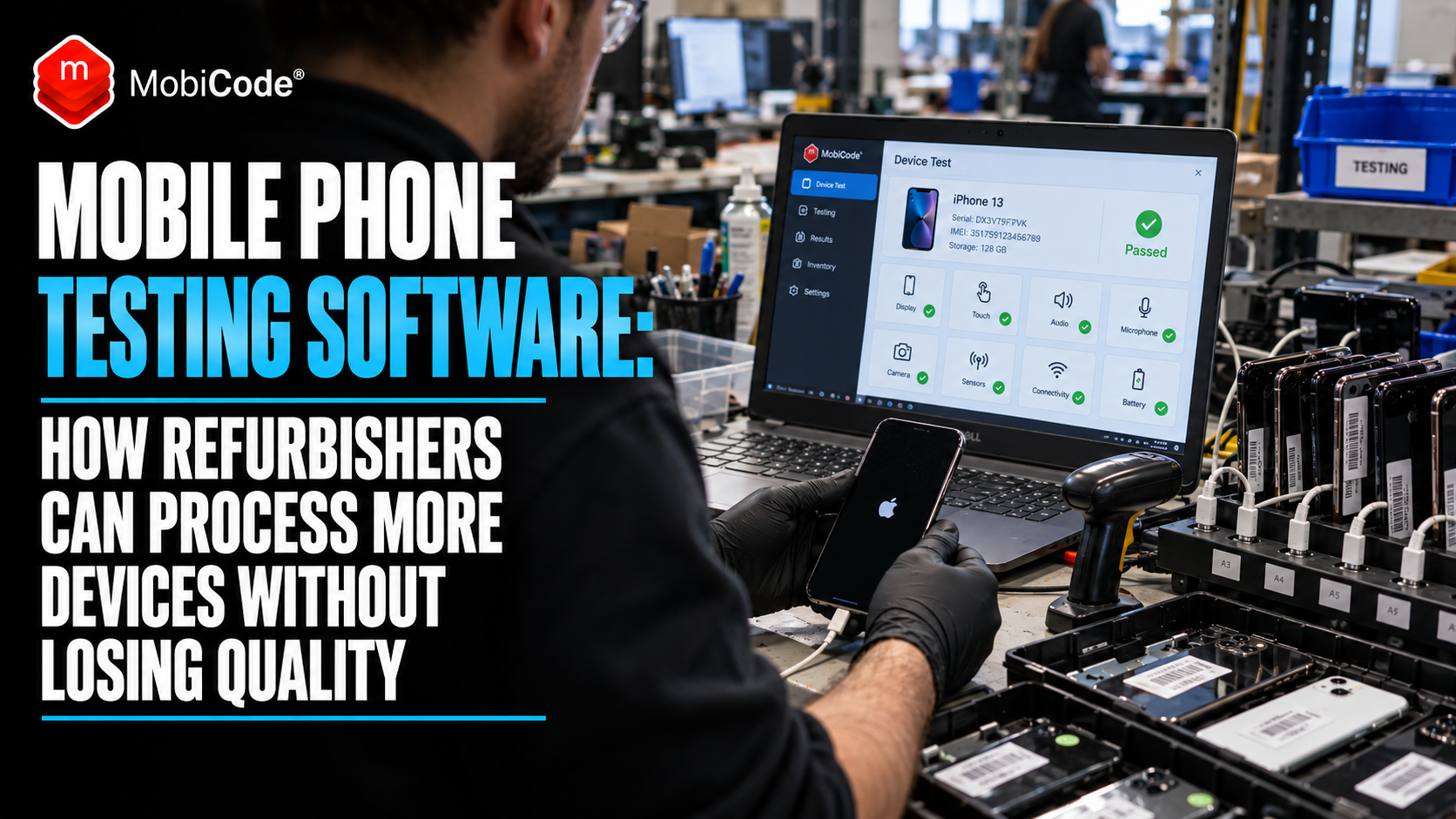
Mobile phone testing software becomes most valuable when a refurbishment business starts to grow. Testing one handset carefully is easy. Making sure ten employees process hundreds of phones to the same standard every day is much harder.
That is where missed microphone faults, inconsistent grading, activation locks, skipped IMEI checks and incomplete data-erasure steps begin to turn into returns, write-offs and lost margin.
This guide explains what professional refurbishers, recyclers, trade-in operators and ITAD businesses should automate, what should remain under human control and how a connected device-processing workflow can increase throughput without sacrificing quality.
The core problem
Refurbishment quality rarely falls because a business does not know how to test a phone. It falls because the process becomes inconsistent as volume, staff and device variety increase.
Why mobile phone testing software matters more as refurbishment volumes grow
The refurbished smartphone market is becoming more commercially important.
GSMA’s 2026 outlook projects the second-hand smartphone market to grow while new-device shipments face pressure from higher component costs.
At the same time, almost half of consumers surveyed by GSMA say they would consider buying refurbished for their next phone.
Yet interest does not automatically turn into a purchase.
GSMA research published in 2026 found that 92% of surveyed consumers regard quality assurance as important or very important when buying refurbished, while 86% worry that a refurbished handset may fail sooner than a new one.
For refurbishers, this creates both an opportunity and a warning.
More customers may want refurbished phones, but businesses need to prove that quality does not deteriorate as processing volumes increase.
What is mobile phone testing software?
Mobile phone testing software helps businesses check the functionality and condition of smartphones in a structured, repeatable way.
Depending on the system, that can include tests covering:
- touchscreen performance;
- LCD or OLED display quality;
- physical buttons;
- speakers;
- microphones;
- cameras;
- proximity sensors;
- gyroscopes and accelerometers;
- Wi-Fi;
- Bluetooth;
- USB connectivity;
- activation locks;
- blocklist status;
- cosmetic grading.
The goal is not simply to replace a technician.
Good software makes sure the technician follows the same process on device 300 as they did on device one.
The expensive problem is inconsistency, not testing itself
Imagine a small refurbishment business with one experienced operator.
That person knows instinctively which camera modes to check, how to spot OLED burn-in and when an unusual sensor result deserves another look.
Now expand the operation to 15 employees across two processing locations.
One employee spends four minutes testing every handset.
Another spends 90 seconds.
One checks Bluetooth every time. Another checks it only when the phone appears to have a connectivity problem.
One grades a lightly scratched frame as Grade A. Somebody else calls the same condition Grade B.
The individual differences may look small, but across thousands of phones they become operational variance.
Where the margin starts leaking
Several small mistakes can combine into a surprisingly expensive problem.
Missed faults become returns
A microphone problem missed during intake can become a customer complaint after the handset has already been graded, wiped, photographed, listed, sold and delivered.
At that point, the fault costs far more than the original test.
Inconsistent grading affects purchasing and resale
If employees interpret grades differently, the business may overpay at intake or disappoint customers at resale.
A grading system only has value when different operators apply it consistently.
Skipped status checks create avoidable risk
A handset can function perfectly while carrying a blocklist entry, activation lock or other relevant status issue.
Functional diagnostics and commercial due diligence therefore need to work together.
Manual processes become harder to audit
When somebody asks why a particular phone passed processing six weeks earlier, “we normally check everything” is not a particularly useful answer.
Device-level records create a stronger operational trail.
What should refurbishment businesses automate?
Automation works best when it removes repetitive variation rather than trying to eliminate human judgement entirely.
Automate the sequence
Staff should not have to remember whether they should check IMEI status before or after diagnostics.
The workflow can define the order.
Automate repeatable diagnostics
Screen, sound, sensor and connectivity tests are good candidates for guided or automated workflows because every device should face comparable checks.
Automate exception alerts
A blocked handset, active activation lock or failed diagnostic result should immediately stand out rather than hide inside a long list of results.
Automate records
Results should stay connected to the correct IMEI, serial number or device record.
Staff should not have to reconstruct the processing history later.
What should still involve human judgement?
Not everything should become a binary software decision.
Cosmetic grading remains partly subjective.
A technician may also need to investigate an unusual camera sound, intermittent charging issue or repair that software alone cannot classify confidently.
The best system therefore guides human judgement rather than pretending it no longer matters.
Where MobiONE fits
MobiONE is MobiCode’s centralised device-processing platform for businesses handling pre-owned mobile devices.
Rather than treating device checking, diagnostics, grading and data erasure as separate jobs, MobiONE brings those stages into a connected workflow.
That makes it particularly relevant to:
- phone refurbishers;
- recyclers;
- trade-in operators;
- ITAD businesses;
- multi-site phone retailers;
- large buyback operations;
- businesses processing returned mobile-device fleets.
MobiONE Workflow Blocks: stop problems before they travel downstream
One of the more useful features in a high-volume environment is the ability to apply Workflow Block Rules.
MobiCode’s current MobiONE platform can alert operators or stop a workflow when defined exceptions appear.
Examples include blocklist results and activation-lock issues.
That changes the process from:
to:
Why Workflow Blocks matter financially
Consider an activation-locked iPhone that enters a refurbishment line.
If nobody notices the lock early, staff may spend time testing, cleaning and grading a handset that cannot yet move into normal resale.
The later the business discovers the exception, the more processing cost it has already invested.
Early workflow controls can help push those devices into an exception route before unnecessary work accumulates.
Use device-status checking before investing processing time
Hardware testing should not be the first question for every inbound phone.
A business also needs to know whether it makes commercial sense to process the device.
Where MobiCHECK fits
MobiCHECK provides live IMEI and device-status due diligence.
It can help identify relevant information such as blocklist, lost or stolen, finance or insurance-related status before the business invests further labour in the handset.
This distinction matters:
MobiONE / MobiTEST: does the device function correctly and meet our processing standards?
Guided diagnostics make new staff productive faster
Training represents another hidden cost in refurbishment.
Experienced technicians build up knowledge over years.
A growing operation cannot rely on every new employee developing the same instincts before they become productive.
Guided workflows help turn institutional knowledge into a process.
Staff still need judgement, but the software tells them what to test and in what order.
What MobiONE can test
MobiCode’s current MobiONE workflow includes hardware, screen, sound, sensor and connectivity tests.
These include areas such as:
- physical buttons;
- LCD and touchscreen operation;
- pixels and colour;
- internal and external speakers;
- microphones;
- pressure and proximity sensors;
- gyroscope and accelerometer sensors;
- USB;
- Wi-Fi;
- Bluetooth.
MobiCode says its guided testing workflow can process a handset in under two minutes.
Multiple devices can also connect simultaneously or independently, which becomes increasingly relevant when processing volume grows.
Testing speed matters — but throughput matters more
Businesses often focus on the time required to test one handset.
The more useful number is usually how many sale-ready devices the entire operation can process correctly during a shift.
A fast test does not help if completed phones then sit waiting for grading, data erasure or manual record entry.
The whole workflow needs to move.
A simple refurbishment throughput calculation
Consider a team processing 400 devices per day.
Saving just one minute of unnecessary handling per handset removes more than six and a half hours of labour from the daily workload.
Across a five-day week, that becomes more than 33 hours.
The exact saving will vary by operation, but it illustrates why small workflow improvements matter at volume.
Consistent grading is part of testing
Functional condition and cosmetic condition are different things, but both influence resale value.
MobiONE allows businesses to capture custom grading information during processing.
The goal is not to pretend cosmetic grading can become perfectly objective.
Instead, the business can define what its grades mean and guide employees towards the same criteria.
Why grading consistency matters to customers
GSMA’s 2026 research identifies inconsistent refurbished-phone grading as part of the industry’s trust problem.
One seller’s “Excellent” can differ substantially from another seller’s “Excellent”.
For individual refurbishers, the solution begins internally.
The same grade should mean the same thing regardless of which employee processed the device.
Better quality assurance can become a sales advantage
Testing software should not be viewed only as a back-office cost.
GSMA found that quality assurance matters to 92% of surveyed consumers considering refurbished phones.
That means a strong refurbishment process can support the sales proposition as well.
A retailer can explain that devices undergo defined functional testing, grading and data-erasure procedures rather than simply describing them as “refurbished”.
The stronger the underlying process, the more credible that promise becomes.
Secure data erasure should form part of the same workflow
A handset that passes diagnostics is not necessarily ready for resale.
Previous-user data also requires appropriate handling.
Where MobiWIPE fits
MobiWIPE is MobiCode’s secure data-erasure solution for Apple and Android devices.
MobiCode’s current service supports simultaneous device erasure and produces device-level wipe certificates through its reporting environment.
MobiWIPE is also integrated into the wider MobiONE process.
That means a device can move from checking and diagnostics through grading and secure erasure without treating each stage as an unrelated process.
Why disconnected tools create unnecessary friction
Many growing refurbishment businesses accumulate software gradually.
One system checks IMEIs.
Another tests phones.
Staff record grades somewhere else.
A fourth tool handles data wiping.
Employees then copy information between systems or rely on spreadsheets to connect the results.
That may work at low volume.
As throughput increases, however, every manual hand-off creates another opportunity for errors, delays or mismatched records.
MobiONE’s commercial value is therefore not just that it can test a screen or microphone.
Its stronger proposition is that checking, testing, grading and erasure can form one device-processing workflow.
What should a high-volume refurbishment workflow look like?
Identify the device
Read the device details and link the handset to the correct processing record.
Run due diligence
Identify relevant blocklist, activation-lock or other status exceptions before investing unnecessary processing effort.
Run guided diagnostics
Test screen, sound, hardware, sensors and connectivity using the defined workflow.
Capture cosmetic condition
Apply consistent grading criteria instead of leaving each operator to invent their own standard.
Handle exceptions
Send failed devices, activation-locked phones or other exceptions to the correct route instead of allowing them to continue automatically.
Remove previous-user data
Complete the defined secure data-erasure process before reuse or resale.
Keep the processing history
Retain the relevant device, diagnostic, grading and erasure results for reporting and audit purposes.
Which metrics should refurbishment managers track?
If software is improving the operation, the effect should eventually appear in measurable numbers.
Useful metrics can include:
- devices processed per operator per hour;
- average diagnostic time;
- first-pass success rate;
- percentage of devices routed to exceptions;
- grading variance between operators;
- percentage of incoming devices with activation-lock issues;
- blocklist failure rate;
- customer return rate;
- warranty claim rate;
- average days from intake to sale-ready stock;
- rework rate;
- average processing cost per device.
Those figures can reveal whether increased speed actually produces better throughput or simply pushes errors further down the line.
When should a business move beyond manual phone testing?
There is no universal device-volume threshold.
However, professional workflow software becomes increasingly valuable when several of these problems appear:
- several employees test or grade devices;
- different operators produce different results;
- phones regularly require rework;
- testing queues delay resale;
- management cannot easily see why devices failed;
- customer returns reveal faults that intake should have caught;
- staff occasionally miss activation locks or status problems;
- the business operates from multiple locations;
- device volume makes manual record-keeping cumbersome;
- training new employees takes too long.
Does a small refurbisher need MobiONE?
Not every business needs a full workflow platform immediately.
A smaller operation might begin with specific tools such as MobiCHECK for due diligence or MobiTEST for guided diagnostics.
MobiONE becomes particularly compelling when the challenge shifts from performing individual checks to coordinating the whole processing operation.
That is usually the point where consistency, throughput and management visibility begin to matter as much as the individual test itself.
MobiTEST or MobiONE: which one does a refurbisher need?
The distinction is useful.
| Need | Best fit |
|---|---|
| Primarily need guided functional diagnostics | MobiTEST |
| Need checking, diagnostics and grading in one workflow | MobiONE |
| Need Workflow Blocks and exception controls | MobiONE |
| Need IMEI/device-status due diligence | MobiCHECK |
| Need secure data erasure integrated into processing | MobiWIPE / MobiONE |
Why consumer trust makes this more than an operational issue
The refurbished market’s biggest opportunity may also be its biggest weakness.
Consumers increasingly like the idea of buying refurbished, but many remain uncertain about what “refurbished” actually guarantees.
GSMA’s research highlights questions buyers care about:
- has the phone actually been tested?
- what does the grade mean?
- how healthy is the battery?
- what happens if something fails?
Better internal processes make those external promises easier to support.
A refurbisher cannot credibly offer consistent quality unless its own processing operation is consistent first.
Commercial takeaway
Scaling device volume without scaling mistakes is the real objective
The purpose of mobile phone testing software is not simply to make an individual test faster.
The bigger opportunity is to make sure checking, diagnostics, grading, exception handling and data erasure remain consistent as the business processes more devices and employs more people.
That is the problem MobiONE is designed to solve: one connected workflow that helps teams make more consistent decisions across pre-owned device processing.
Build a more consistent refurbishment workflow with MobiONE
MobiONE combines MobiCode’s checking, testing and erasure capabilities into a centralised PC-based workflow.
Current features include:
- device lookup and validation;
- guided hardware diagnostics;
- screen, sound, sensor and connectivity testing;
- custom grading;
- blacklist and activation-lock detection;
- Smart Alerts;
- configurable Workflow Blocks;
- multiple device connections;
- secure data-erasure integration;
- device-processing records and reporting.
Processing pre-owned phones at volume?
Talk to MobiCode about using MobiONE to standardise device checking, diagnostics, grading and secure erasure across your refurbishment or recycling operation.
Frequently asked questions
What is mobile phone testing software?
Mobile phone testing software guides or automates checks across areas such as screens, buttons, sound, sensors and connectivity. Professional platforms can also integrate device-status checks, grading, activation-lock detection, erasure and reporting.
What is the best mobile phone testing software for refurbishers?
The right system depends on device volume and workflow requirements. Businesses that only need guided diagnostics may use a testing tool such as MobiTEST, while businesses that need checking, diagnostics, grading, workflow controls and erasure in one process may benefit from MobiONE.
What does MobiONE do?
MobiONE is MobiCode’s centralised device-processing platform. It combines device checking, guided diagnostics, custom grading, Workflow Blocks and secure data-erasure capabilities to help businesses process pre-owned devices more consistently.
Can mobile phone testing software reduce refurbished-phone returns?
Consistent functional testing can help businesses identify faults before resale. It cannot eliminate every future failure, but it can reduce variation between operators and help catch issues that a quick visual inspection may miss.
Can MobiONE check whether a phone is blacklisted or activation locked?
MobiONE supports blacklist and activation-lock detection and can use Workflow Blocks to alert operators or prevent a device from continuing through a defined process when relevant exceptions appear.
What is the difference between MobiTEST and MobiONE?
MobiTEST focuses on guided mobile-device diagnostics. MobiONE extends beyond testing by combining device checking, diagnostics, grading, workflow controls and secure data-erasure capabilities into a broader processing platform.
Sources and further reading
- GSMA — Closing the Trust Gap in Refurbished Phones, 2026
- GSMA — Mobile Net Zero Report 2026
- GSMA / Recommerce — Trade-In Index 2026
- MobiCode — MobiONE device-processing platform
- MobiCode — MobiTEST guided mobile diagnostics
- MobiCode — MobiCHECK device-status due diligence
- MobiCode — MobiWIPE secure mobile data erasure