

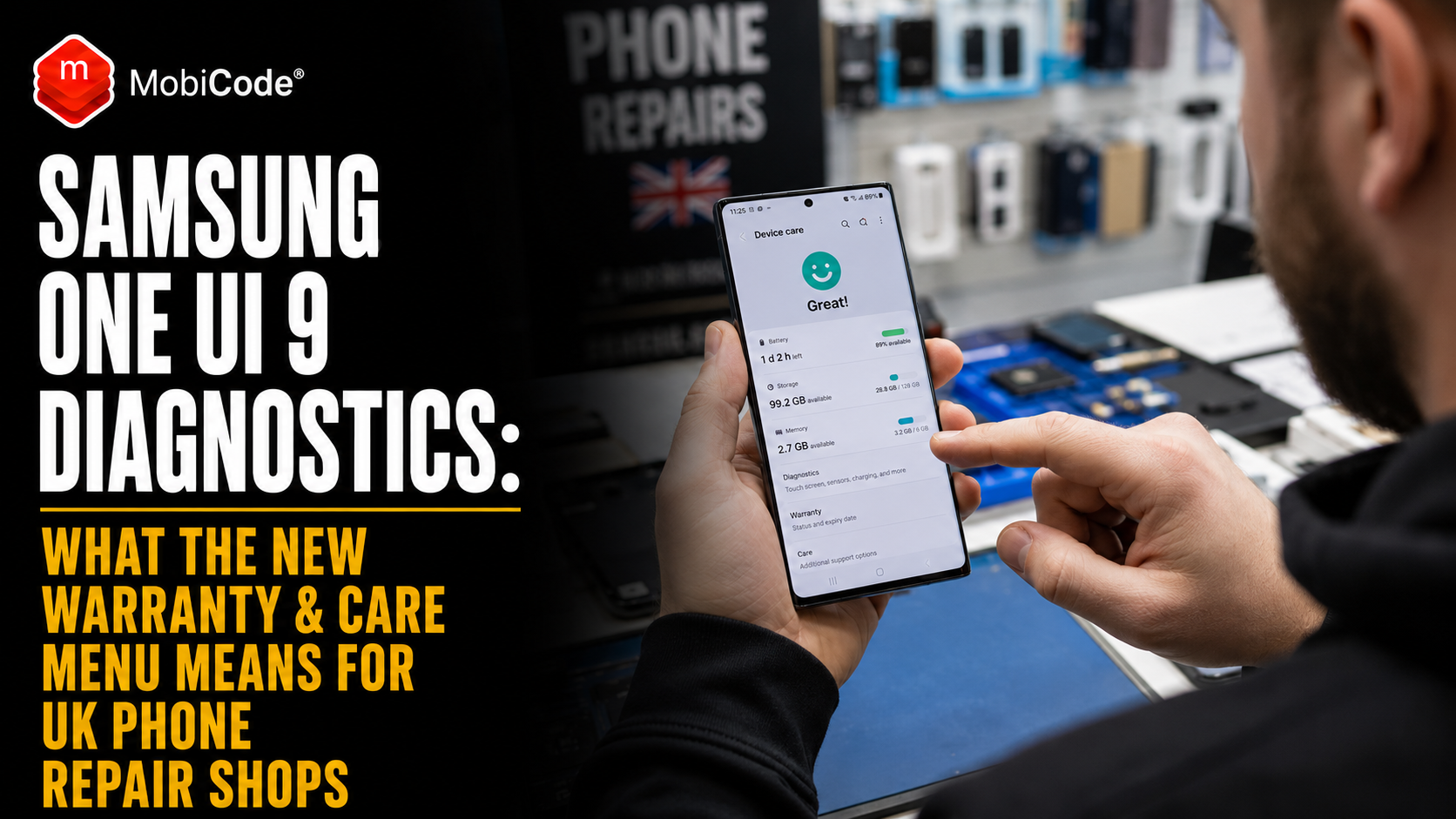
Samsung has moved phone diagnostics much closer to the customer. Its new Warranty and care menu in One UI 9 lets users check warranty information, run diagnostics, see support options and start a repair request directly from Settings.
For independent UK phone repair shops, that matters. A customer with a battery, charging, touchscreen or connectivity problem may now arrive having already run a manufacturer diagnostic and seen Samsung’s suggested next step.
However, this does not make independent repair redundant. Instead, it changes the starting point of the conversation. Customers increasingly expect repair businesses to diagnose faults properly, explain costs clearly and prove that the device works after the repair.
Samsung introduced the new menu on the Galaxy Z Fold8 Ultra, Galaxy Z Fold8 and Galaxy Z Flip8 in August 2026. Therefore, it is especially relevant to repair centres handling newer premium Galaxy devices.
More broadly, though, it points towards an industry in which diagnostics are becoming part of the normal customer experience.
What is Samsung Warranty and care in One UI 9?
Warranty and care is a device-support hub built into Samsung’s One UI 9 software.
Rather than requiring users to search several apps or support pages, Samsung brings key device-care functions together inside Settings.
What can customers see?
According to Samsung, the menu can provide access to:
- remaining warranty information
- Samsung Care+ eligibility
- device diagnostics
- Bixby support
- repair requests
- remote support
- estimated repair costs where available
In addition, users can view warranty information for other Galaxy devices linked to the same Samsung account.
Consequently, Samsung is making device care feel like part of the operating system rather than something customers investigate only after a serious fault appears.
Which Samsung phones currently have Warranty and care?
Samsung announced the feature on 18 August 2026 for its latest foldable generation.
At launch, the company specifically identified:
- Galaxy Z Fold8 Ultra
- Galaxy Z Fold8
- Galaxy Z Flip8
These devices run One UI 9.
Will every Samsung phone get it?
Do not assume so yet.
Samsung’s announcement specifically describes availability on the new foldables. Therefore, repair shops should check current Samsung documentation before telling customers that the same menu is available on every older Galaxy device.
Nevertheless, the direction is important even if the initial device list is limited.
What can Samsung’s built-in diagnostics test?
Samsung says the Diagnostics feature can check several important areas of the device.
Examples include:
- battery
- charging
- sensors
- touch response
- connectivity
Depending on the result, the user can then receive guidance about what to do next.
Samsung already has consumer diagnostic tools
This is part of a wider Samsung approach rather than a completely isolated feature.
For example, Samsung Members already includes Phone diagnostics on supported Galaxy devices.
Samsung’s UK support guidance currently tells customers they can use the tool to assess battery condition without visiting a service centre.
What does the battery diagnostic show?
Samsung currently describes three broad battery results:
- Normal — no identified battery issue
- Weak — battery efficiency may have declined
- Bad — battery performance has significantly degraded
Therefore, a customer seeking a battery replacement may already arrive with a manufacturer-generated assessment.
Why this matters to independent UK repair shops
Historically, many customers arrived at a repair counter knowing only that “something is wrong”.
For instance, they might say:
- “The battery is rubbish.”
- “It won’t charge properly.”
- “The touchscreen keeps freezing.”
- “Wi-Fi doesn’t work.”
The technician then started from almost zero.
Increasingly, that may change.
The customer can arrive with a diagnosis
A Galaxy owner might now walk into a shop and say:
That changes the discussion.
Instead of persuading the customer that testing is necessary, the shop needs to explain what additional professional testing will tell them.
Built-in diagnostics do not replace technician diagnosis
A self-diagnostic result can be useful, but it is not necessarily a complete explanation of the fault.
For example, poor battery life can result from several causes.
A battery complaint is not always a bad battery
Possible causes include:
- battery degradation
- background applications
- poor mobile signal
- software problems
- charging faults
- excessive heat
- damaged power-management hardware
Therefore, replacing a battery simply because the customer reports fast drain may not solve the underlying problem.
A professional repair process should confirm the fault before fitting parts.
The same applies to charging problems
“My Samsung won’t charge” sounds like one problem. In practice, several different faults can produce that symptom.
Possible charging faults
A technician may need to consider:
- damaged USB-C port
- contamination inside the connector
- faulty cable
- failed charger
- wireless charging problem
- battery issue
- software protection
- internal board fault
Consequently, a built-in diagnostic should be treated as evidence rather than the entire diagnosis.
Customers can now see a repair route before visiting you
The new menu goes beyond diagnostics.
Samsung says users can tap Request a repair and book work at a Samsung-authorised service centre.
Where available, estimated repair costs can also be displayed.
This creates direct competition at the point of failure
That timing matters.
Previously, a customer might search Google for:
- Samsung phone repair near me
- Galaxy screen repair
- Samsung battery replacement
Now, Samsung can present its own repair route inside the phone itself.
Therefore, independent repair shops have more reason to build strong local visibility, repeat customers and trusted service.
Independent repair shops should not compete on price alone
Manufacturer-backed service centres have advantages.
However, independent businesses have advantages too.
A local shop can compete on convenience
Potential benefits include:
- walk-in service
- same-day repairs
- local customer support
- direct access to a technician
- multiple repair options
- support for older models
- repairs across several manufacturers
For example, someone who relies on their phone for work may value a two-hour repair more than a cheaper service that requires several days without the device.
Accordingly, repair businesses should understand which customers value speed and convenience rather than automatically cutting margins.
Repair quotes need to become clearer
Samsung’s new interface can show estimated repair costs for major components where that information is available.
Consequently, customers may become more accustomed to seeing a price before contacting a technician.
What should an independent quote explain?
A useful quotation can include:
- fault identified
- part being replaced
- part quality or type
- labour
- estimated turnaround
- VAT where applicable
- repair warranty
- conditions that could change the price
In contrast, “screen repair £149” leaves several questions unanswered.
Clearer quoting can therefore become a competitive advantage.
Pre-repair testing becomes more important
Manufacturer diagnostics may identify the customer’s main complaint. Nevertheless, independent shops still need their own intake process.
Why test before opening the phone?
Consider a Galaxy device arriving for a screen repair.
The display is visibly cracked. However, the handset may also have:
- a damaged microphone
- weak loudspeaker
- camera fault
- charging issue
- battery degradation
- damaged proximity sensor
- Bluetooth problem
If those faults are not recorded before repair, a dispute can arise afterwards.
The customer may blame the repair
Suppose the customer collects the device and then notices that a microphone is faulty.
Without an intake record, it may be difficult to establish whether the problem existed before the screen replacement.
As a result, the shop could face a refund request, free rework or negative review.
Post-repair diagnostics matter just as much
Replacing a component successfully does not prove that the complete device works.
Therefore, professional shops should retest relevant functions before returning the handset.
After a screen repair
Useful checks may include:
- touch response
- multi-touch
- pixel quality
- colour
- brightness
- proximity sensing
- front camera
- biometric functions
After a battery repair
Meanwhile, battery work may justify checks covering:
- charging
- power behaviour
- temperature
- unexpected shutdowns
- USB connectivity
Ultimately, the exact test should follow the repair rather than rely on one generic checklist.
Samsung’s move validates the value of diagnostics
There is a broader point here.
Samsung is placing diagnostics prominently inside its operating system because identifying the fault matters.
For independent repair shops, that supports rather than undermines the case for structured testing.
The difference is scale and evidence
A consumer diagnostic is designed to help one person understand their own phone.
By contrast, a repair business may need to process:
- dozens of devices
- several technicians
- different brands
- several branches
- repeat repairs
- trade and refurbishment stock
Consequently, a professional diagnostics platform needs consistency, reporting and workflow control as well as individual tests.
How MobiTEST fits into a repair-shop workflow
MobiTEST is MobiCode’s professional mobile diagnostics platform.
It uses guided workflows to help businesses run consistent tests across devices.
What can MobiTEST check?
MobiCode currently lists test categories including:
- physical hardware buttons
- LCD and display
- touchscreen
- pixels and colour
- speakers
- microphones
- sensors
- USB
- Wi-Fi
- Bluetooth
In addition, workflows can be customised around the needs of the business.
Why guided testing matters
A senior technician may know exactly what to check.
However, businesses need similar standards when:
- new staff join
- temporary staff help during busy periods
- another branch processes the phone
- a device returns under warranty
Therefore, guided testing reduces dependence on individual memory.
Diagnostic records can reduce repair disputes
The most useful result of testing is not always the fault itself.
Sometimes, the record is equally valuable.
A stronger repair record
For example, a business can record:
- device identity
- customer complaint
- pre-repair results
- repair performed
- post-repair results
- final device status
Consequently, the shop has evidence if a customer later questions whether a particular feature worked before the repair.
Foldables make structured testing even more valuable
Samsung launched Warranty and care first on its new Fold8 generation.
That is particularly interesting because foldables contain more moving and display-related components than conventional slab phones.
A foldable repair can involve several systems
Depending on the model and fault, a technician may need to consider:
- outer display
- inner display
- hinge
- screen protector
- flex cables
- cameras
- wireless charging
- sensors
- speakers
Therefore, “the screen works” provides relatively little evidence about the rest of the device.
One UI 9 could change how customers discuss warranties
Warranty information is now more visible to users of supported phones.
As a result, customers may become better informed about whether their handset is still covered before they approach an independent repairer.
Ask about warranty status at intake
A repair shop should avoid assuming that every customer understands the consequences of choosing an independent repair route.
Instead, staff can ask:
- Is the phone still under manufacturer warranty?
- Do you have Samsung Care+?
- Has Samsung already inspected the device?
- Have you received a repair estimate?
That allows the customer to make an informed decision.
Do not promise that independent work preserves manufacturer cover
Warranty questions can become complicated when a device has suffered accidental damage or been repaired outside the manufacturer’s service network.
Therefore, repair shops should avoid blanket promises about what Samsung will or will not cover later.
Where manufacturer warranty status matters, the customer should check Samsung’s current terms for their device and repair.
Repair shops need better answers to “Why should I use you?”
Built-in repair booking makes this question more important.
The answer should not simply be “we’re cheaper”.
A stronger independent proposition
A repair business might compete through:
- same-day turnaround
- local convenience
- clear parts choices
- diagnosis before repair
- post-repair testing
- written warranty
- support for older devices
- multi-brand expertise
Importantly, those advantages need to be visible on the website and at the counter.
Samsung’s estimated costs make pricing discipline more important
Where supported, Warranty and care can display estimated repair costs.
Therefore, some customers may enter an independent shop already knowing the manufacturer’s likely price.
Know your own repair economics
Before setting a price, shops should understand:
- part cost
- technician labour
- VAT
- failed-part allowance
- warranty reserve
- card fees
- expected profit
Otherwise, matching a competitor’s headline price can turn a busy repair service into an unprofitable one.
Do not replace parts before understanding the entire fault
Better diagnostics can protect more than customer satisfaction.
They can also protect margin.
A £40 part can still be the wrong repair
Imagine a phone with intermittent charging.
A shop assumes the port has failed and fits a new charging assembly.
However, the actual problem is elsewhere in the device.
Consequently, the shop has spent:
- the cost of the part
- technician time
- bench space
- reassembly time
Yet the customer’s original fault remains.
Accurate diagnosis before component replacement can therefore improve both first-time fix rate and profitability.
Track first-time fix rate
One useful metric for repair businesses is the proportion of jobs that are resolved without the customer returning for the same problem.
Why does it matter?
Repeat work consumes:
- technician time
- replacement parts
- customer goodwill
- administration
- bench capacity
Therefore, a slightly slower but more accurate initial process can outperform a rushed repair workflow.
Track no-fault-found jobs as well
Another useful metric is the number of devices where staff cannot reproduce the customer’s complaint.
These jobs can be surprisingly expensive.
A structured diagnostic helps
Instead of writing “seems fine”, record what was tested.
For example:
- charging passed
- microphones passed
- Wi-Fi passed
- Bluetooth passed
- touchscreen passed
- battery result recorded
Accordingly, the customer receives a more useful explanation and the shop keeps evidence of the investigation.
What about devices being bought for refurbishment?
The same diagnostic principles apply when the business owns the phone rather than repairing it for a customer.
A trade-in device may look excellent while hiding a functional fault.
Check status before investing in repair
Before spending on parts, a professional buyer should also establish whether the handset is commercially safe to process.
Relevant checks may include:
- IMEI identity
- lost or stolen indicators
- blocklist status
- activation locks
- other due-diligence results
MobiCHECK supports professional device-status checking before businesses commit additional money to used stock.
Repair and refurbishment workflows increasingly overlap
Many independent shops now do more than walk-in repair.
They may also:
- buy used phones
- accept trade-ins
- refurbish damaged devices
- sell second-hand stock
- process business devices
As a result, diagnostics become part of a larger device-processing workflow.
How MobiONE supports a wider operation
MobiONE combines several MobiCode processes within one device workflow.
The platform can support device lookup, diagnostics, grading and secure data erasure.
Why this becomes useful at volume
One shop processing ten devices can keep a great deal in staff memory.
However, a business processing hundreds cannot reliably operate that way.
Consequently, a centralised workflow can help create consistent decisions across operators and locations.
Samsung’s move also has a marketing lesson
The Warranty and care menu makes device support visible before the customer desperately needs it.
Independent shops can learn from that.
Do not hide your repair process
A good repair website can explain:
- how devices are tested
- how quotes work
- what parts are offered
- typical turnaround times
- what warranty is included
- what happens if another fault is found
Therefore, professional process itself becomes part of the marketing.
“Free diagnostic” needs to mean something
Many repair shops advertise free diagnostics.
However, customers increasingly have access to basic manufacturer tools themselves.
Consequently, an independent diagnostic service should provide more value than pressing a built-in test button.
A professional diagnosis might add:
- physical inspection
- fault reproduction
- component-level assessment
- repair economics
- parts options
- data-risk discussion
- post-repair validation
In practice, that combination is what converts a diagnostic result into a repair decision.
Technicians should understand Samsung’s own tools
Independent repairers do not need to reject manufacturer diagnostics simply because they did not create them.
Instead, staff should understand what customers are seeing.
Train staff on the customer journey
For supported Samsung devices, technicians should know:
- where Warranty and care appears
- what Diagnostics can report
- how warranty information is shown
- that repair estimates may be displayed
- how Samsung repair booking works
As a result, staff can discuss the customer’s existing information rather than dismissing it.
Built-in diagnostics could actually generate repair demand
There is also an upside.
Diagnostics can reveal problems that customers might otherwise ignore.
A weak battery result creates intent
For example, a customer may run Samsung’s battery diagnostic and receive a Weak or Bad result.
That person now knows a repair may be worthwhile.
If the local shop ranks well for Samsung battery replacement and offers fast service, built-in diagnostics can effectively create a better-informed potential customer.
Therefore, manufacturer diagnostics are not necessarily a threat to repair volume.
Create pages around the faults customers actually see
Repair-shop SEO can adapt to the same trend.
Useful content could target searches such as:
- Samsung battery status weak
- Samsung battery status bad
- Samsung diagnostics charging failed
- Samsung touchscreen diagnostic failed
- Samsung warranty check UK
- Samsung repair cost UK
These searches come from people who already know there is a problem.
Consequently, they may convert better than broad searches such as “phone repair”.
What UK repair shops should do now
Warranty and care is still a new One UI 9 feature. Therefore, businesses should respond proportionately rather than assuming the repair market has changed overnight.
Learn the new Samsung customer journey
Understand what supported-device owners can now see before they visit.
Standardise your own diagnostics
Build repeatable pre-repair and post-repair tests.
Record results
Keep evidence rather than relying on memory or handwritten comments such as “all OK”.
Improve quote transparency
Explain parts, labour, turnaround and warranty clearly.
Measure repeat repairs
Track first-time fix rate, warranty returns and no-fault-found jobs.
Build SEO around diagnostic results
Target customers searching for the specific warning or failed test they see on their Galaxy phone.
Use Samsung diagnostics as evidence, not absolute truth
Take the customer’s result seriously, then confirm the complete fault professionally.
Commercial takeaway
Samsung One UI 9 diagnostics matter because they move fault identification and repair decisions closer to the customer.
With Warranty and care, users of supported Galaxy foldables can check warranty information, run diagnostics, view support options and request a repair directly from Settings.
For independent UK phone shops, that creates more competition for the customer’s attention. However, it also creates better-informed customers who already understand that their phone may need professional attention.
The successful independent response is not to pretend manufacturer diagnostics do not exist.
Instead, repair businesses should go further.
Run consistent intake tests. Diagnose the complete problem. Explain the quote clearly. Record what was repaired. Then test the handset again before it leaves the shop.
Ultimately, Samsung can tell the customer that something may be wrong. A strong independent repair business still has an opportunity to explain why, fix it quickly and demonstrate that the repair worked.
A practical example: Samsung diagnostics says the battery is “Bad”
A customer owns a Galaxy phone and notices that the battery is draining rapidly.
Before visiting a repair shop, they run Samsung’s built-in diagnostic process. The battery status comes back as Bad.
The customer then searches for a local Samsung battery replacement and visits an independent repair centre.
The shop does not simply fit a battery
First, staff confirm the customer’s complaint and run their own intake checks.
Charging works correctly. Meanwhile, the screen, speakers, microphones and connectivity pass.
The battery problem is therefore consistent with both the customer’s experience and the diagnostic evidence.
The repair is completed
The technician replaces the battery using the shop’s agreed part standard.
Afterwards, the device runs through the relevant diagnostic workflow again.
Charging passes, the handset powers normally and no new functional problem appears.
The customer gets more than a replaced part
The final job record shows:
- the reported battery problem
- pre-repair test results
- battery replacement
- post-repair test results
- repair warranty
Samsung’s built-in diagnostic created the initial repair intent. However, the independent shop added professional diagnosis, physical repair, post-repair validation and local service.
That is a useful model for how independent repair can coexist with increasingly capable manufacturer diagnostics.
Frequently asked questions
What is Samsung Warranty and care?
Warranty and care is a support hub introduced with One UI 9 on Samsung’s new Galaxy foldables. It brings warranty information, diagnostics, support options and repair booking together inside Settings.
Which phones have Samsung Warranty and care?
Samsung announced the feature for the Galaxy Z Fold8 Ultra, Galaxy Z Fold8 and Galaxy Z Flip8 running One UI 9. Availability on other models should be checked against Samsung’s current documentation.
What can Samsung phone diagnostics test?
Samsung says its built-in diagnostics can check areas including battery, charging, sensors, touch response and connectivity. Samsung Members also provides additional Phone diagnostics on supported Galaxy devices.
What do Normal, Weak and Bad mean for a Samsung battery?
Samsung currently uses Normal for a battery with no identified issue, Weak where efficiency may have declined and Bad where battery performance has significantly degraded. A technician should still consider the wider symptoms before replacing parts.
Does Samsung diagnostics replace a phone repair technician?
No. A built-in diagnostic can identify useful symptoms or test results, but a professional technician may still need to reproduce the fault, inspect the hardware and determine the most appropriate repair.
Can One UI 9 show Samsung repair prices?
Samsung says Warranty and care can show estimated costs for major repairs where that information is available. Availability may vary by device model or region.
Why should repair shops test a phone before and after repair?
Pre-repair testing identifies existing faults, while post-repair testing helps confirm that the work succeeded and did not introduce another problem. Recorded results can also help reduce later repair disputes.
How does MobiTEST help phone repair shops?
MobiTEST provides guided professional diagnostics covering areas such as hardware, screen, sound, sensors and connectivity. Customisable workflows and reporting help businesses apply more consistent testing standards across devices and technicians.
References and further reading
- Samsung Newsroom UK: ‘Warranty and Care’ Menu Simplifies Device Care for New Foldables — 18 August 2026
- Samsung UK: One UI 9 and Warranty and care
- Samsung UK Support: How to check the battery status on a Samsung Galaxy phone
- Samsung UK Support: When to replace a Galaxy phone battery
- Samsung UK: Repair and authorised service options
- MobiTEST: Professional mobile phone diagnostics
- MobiCHECK: Professional device-status checking
- MobiONE: Mobile device diagnostics and processing workflow