

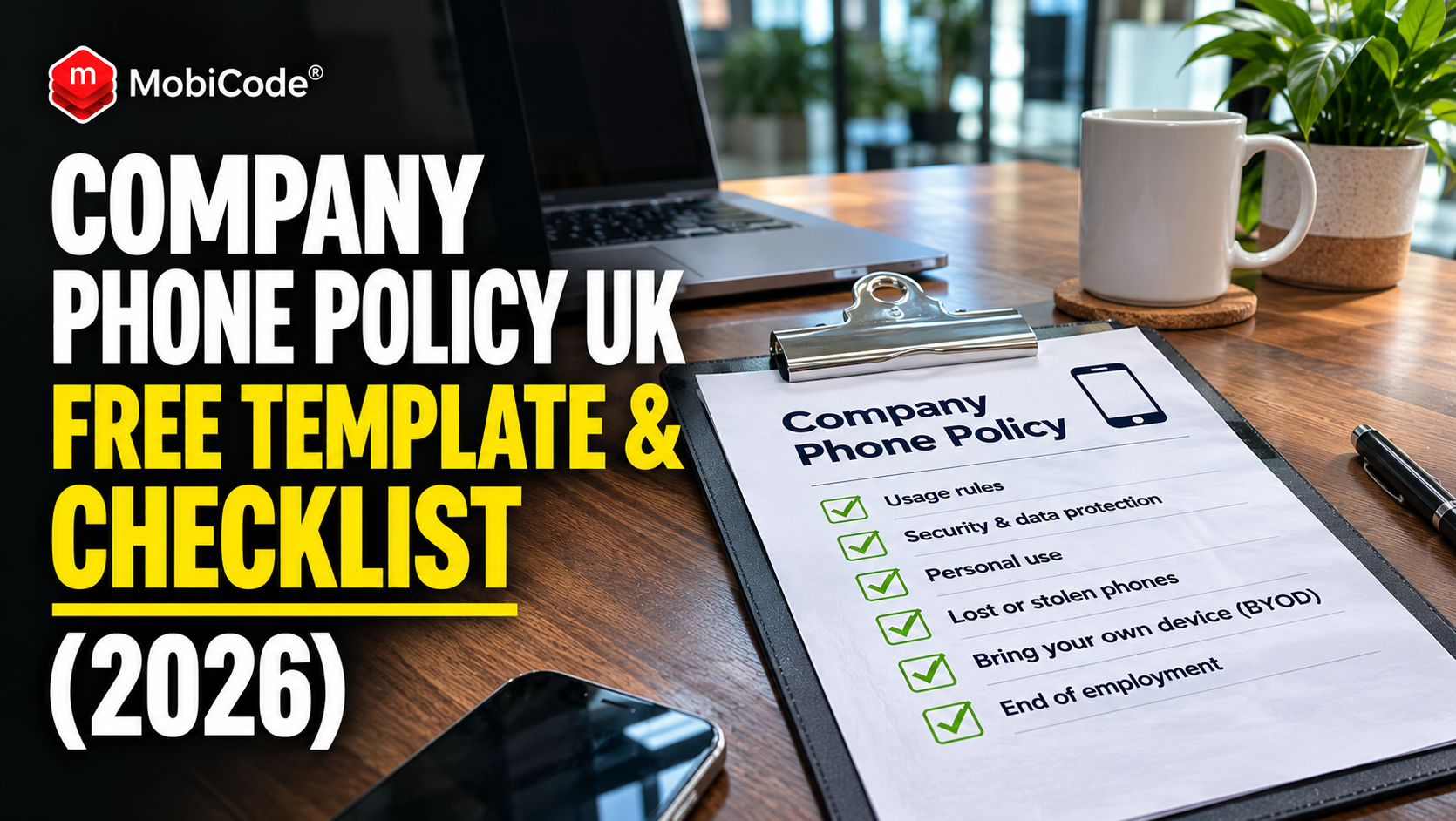
Does your business have a company phone policy? If employees use company-owned iPhones or Android phones, what happens when a handset is lost, damaged, sold without permission or never returned after someone leaves?
For many UK businesses, issuing a smartphone is straightforward. Recovering it can be much more complicated.
A new employee receives an iPhone, signs into their work accounts and starts using it. Months later, they leave the organisation. HR closes their employee record, IT removes access and payroll processes the final salary.
However, nobody confirms whether the company phone has been returned.
Sometimes the handset is sitting in a drawer at home. In other cases, it may have been lost, damaged or passed to someone else.
Without clear records and an agreed procedure, the business may be left trying to recover a valuable device while also protecting the information it contains.
A well-written company phone policy helps employers prevent these problems by setting out who owns the handset, how it can be used, what happens when it goes missing and what staff must return when employment ends.
This 2026 UK guide includes a practical company mobile phone policy template, an employee offboarding checklist, guidance on lost and unreturned work phones, and ways to improve device asset management.
We’ll also explain how MobiBLOCK, MobiCode’s IMEI-based business asset-protection service, can help eligible organisations record ownership interests in phones they issue to employees.
Quick answer: What should a company phone policy include?
A company phone policy explains the rules employees must follow when using business-provided smartphones.
At a minimum, it should cover:
- Who owns the device.
- Who is authorised to use it.
- Whether reasonable personal use is permitted.
- Passcodes, security updates and account protection.
- Rules for installing applications.
- Reporting lost, stolen or damaged phones.
- How the employer manages business information.
- Whether remote management or erasure may be used.
- Device-return requirements when employment ends.
- How the business handles non-returns and disputes.
Best practice: Record each company phone’s IMEI or serial number when issuing it, link the device to its assigned employee and document the return when it comes back.
Why every UK business needs a company phone policy
Company-owned smartphones are business assets.
They may also provide access to important organisational information.
For example, an employee’s phone could contain corporate email, authentication applications, customer contact details and work-related documents.
Consequently, a missing device creates two distinct concerns.
The business may lose the value of the handset itself. Meanwhile, it may need to protect the information and systems accessible through that handset.
A company phone policy helps address both issues.
Employees should know what belongs to the business
An employer might provide an employee with a £700 smartphone to use during their employment.
However, the arrangement should make clear whether the handset remains company property.
For example, a temporary loan device is different from a phone transferred permanently to the employee as part of an agreed benefit.
The policy should accurately describe the specific arrangement.
IT teams need clear device records
A business may know which employee has access to Microsoft 365 or Google Workspace without knowing which physical handset they are using.
That creates a gap in the asset register.
For example, an IT administrator might deactivate an employee’s account while forgetting that the company still owns their smartphone.
By recording device identifiers and assigned users, the business can more easily reconcile its fleet.
Clear policies reduce confusion during offboarding
When an employee leaves, they should understand what must be returned and when.
Similarly, HR and IT should know who is responsible for collecting equipment.
The Information Commissioner’s Office specifically recommends that organisations maintain a leavers’ checklist which includes returning mobile devices.
See the ICO’s information-management guidance.
Company phone policy template UK: free example
The following company phone policy template provides a starting point for UK employers.
It should be adapted to the organisation’s contracts, security arrangements, employees and device-management capabilities.
For example, a business issuing basic voice-only handsets will have different requirements from a company managing smartphones containing sensitive customer information.
Importantly, a policy does not automatically create a right to deduct money from wages, monitor personal activity or block any device for any reason.
Company Mobile Phone Policy — Template
Organisation: [Company name]
Policy owner: [HR / IT / Operations]
Effective date: [Date]
Review date: [Date]
1. Purpose
This policy sets out the responsibilities of employees and the organisation when company-owned mobile phones are issued for business use.
2. Ownership
Unless otherwise agreed in writing, mobile phones supplied under this policy remain the property of [Company name].
Employees must not sell, transfer, lend or dispose of company-owned devices without prior written authorisation.
3. Authorised use
Employees may use company phones for legitimate work activities.
Reasonable personal use is [permitted / not permitted] subject to the organisation’s security and acceptable-use policies.
4. Device security
Employees must use approved screen-lock methods, keep devices appropriately updated and follow instructions relating to company security software.
Staff must not deliberately disable required security protections or remove approved device-management settings without authorisation.
5. Loss, theft and damage
Employees must report any suspected loss, theft, security compromise or significant damage as soon as reasonably possible using the designated company reporting channel.
The organisation will assess the incident and determine the appropriate response.
6. Data and device management
The organisation may manage company-owned phones and business accounts using authorised technical and administrative measures, subject to applicable law, its privacy information and relevant internal policies.
7. Repairs and replacement
Employees must follow the approved process for arranging device repairs, replacements or upgrades.
Unauthorised repairs or transfers of the device may breach this policy.
8. Returning the phone
Employees must return company-owned phones, relevant accessories and other issued equipment when requested or when their employment ends, in accordance with the applicable agreement.
The organisation will provide reasonable return instructions.
9. Unreturned devices
If a device is not returned, the organisation may contact the employee, investigate the circumstances and consider lawful recovery or asset-protection measures.
Any proposed wage deduction, recovery action or device-status restriction must have an appropriate contractual and legal basis.
10. Employee acknowledgement
The employee confirms that they have received this policy and understand the responsibilities that apply to their assigned company-owned device.
Employee name: [Name]
Device identifier: [IMEI / Serial number]
Date issued: [Date]
Employee acknowledgement: [Signature / Electronic acknowledgement]
Note: This is an illustrative policy template, not a complete employment agreement or legal advice. Employers should obtain appropriate review before implementing clauses concerning deductions, monitoring, liability or device restrictions.
What information should a company phone agreement record?
The policy explains the rules. However, the business also needs a record of each individual device.
For example, the company may own 200 identical smartphones.
Without device-level identifiers, it can be difficult to establish which handset was assigned to which employee.
Record the IMEI and serial number
The International Mobile Equipment Identity, usually called an IMEI, identifies cellular equipment.
Many smartphones have one or more IMEIs depending on their SIM and eSIM capabilities.
A device’s serial number provides another useful identifier.
Where available, businesses should record both.
Connect the device to an employee record
A practical company phone register may include:
| Field | Example |
|---|---|
| Asset ID | MOB-0105 |
| Device model | Company-issued smartphone |
| IMEI | Recorded securely in asset system |
| Serial number | Recorded separately |
| Assigned employee | Employee reference |
| Issue date | 12 November 2026 |
| Ownership status | Company-owned |
| Current state | Issued / Returned / Under investigation |
| Return date | Completed when returned |
These are illustrative fields, not mandatory universal requirements for every employer.
However, they help create a clear connection between the company’s physical assets and its employment records.
Keep the register secure
Employee information should not be accessible to everyone in the business.
For example, an IT asset administrator may need to view device identifiers, while another employee may not.
The organisation should apply appropriate access controls, retention rules and data protection measures.
Employee offboarding checklist: 15 steps for company phones
An employee’s final working day involves more than payroll and building access.
The IT team may also need to recover equipment, protect company accounts and update asset records.
The following checklist is designed for employers managing company-owned smartphones.
Before the employee’s final day
- Identify assigned phones: Check the asset register for all devices issued to the employee.
- Confirm ownership: Establish whether each device belongs to the company, a leasing provider or the employee.
- Plan the return: Agree where and when equipment should be handed back.
- Review company accounts: Identify business applications and services that require access removal.
- Arrange business-data transfer: Preserve required organisational information without unnecessarily copying personal material.
On or around the employee’s departure
- Collect the handset: Receive the company-owned phone and relevant accessories.
- Confirm device identity: Match the IMEI or serial number against the asset register.
- Record condition: Document obvious damage and any issue requiring investigation.
- Revoke unnecessary access: Remove access to relevant company systems at the appropriate time.
- Update mobile service arrangements: Review the SIM, eSIM and mobile contract.
After receiving the device
- Update the inventory: Mark the specific handset as returned.
- Remove management restrictions appropriately: Follow the authorised IT process for preparing the device for reassignment.
- Sanitise data: Use an appropriate erasure method once necessary business information has been preserved.
- Check device condition: Test relevant functions before issuing the phone to another employee.
- Reassign or retire: Record whether the device will be reused, refurbished, sold or recycled.
The National Cyber Security Centre recommends a joiners, movers and leavers process that removes access when it is no longer required.
The ICO also recommends checking that temporary staff and contractors return mobile devices when their engagement ends.
What if an employee doesn’t return a company phone?
Even with a clear offboarding process, some handsets will not come back immediately.
For example, an employee working remotely may forget to post the device.
In another case, the employee may dispute whether they own the handset.
These circumstances require different responses.
Step 1: Check the original agreement
Before taking action, confirm the device’s ownership and the relevant employee agreement.
For example, a phone supplied as a temporary work asset may remain company property.
However, a handset transferred to the employee as part of a separate arrangement may have different ownership terms.
Do not assume that possession alone establishes which party owns the device.
Step 2: Contact the employee
Send a factual reminder identifying the device and explaining how to return it.
For example, the business might provide a prepaid return label or arrange collection.
A convenient return process may resolve the issue without further action.
Step 3: Record communications and deadlines
If the phone remains unreturned, keep an appropriate record of contact attempts.
For example, record the dates of reminders and any explanations the employee provides.
Give reasonable instructions and avoid making accusations without evidence.
Step 4: Protect company accounts
Regardless of the physical return, the organisation should review the employee’s access to corporate systems.
For example, it may need to revoke authentication sessions and remove unnecessary work-account permissions.
These steps are different from blocking the handset’s IMEI on a mobile network.
Step 5: Consider appropriate recovery options
If the business retains ownership, it may need to consider contractual recovery or other lawful measures.
However, an overdue device is not automatically evidence of theft.
The organisation should establish the facts before escalating the situation.
For rental-device cases, see our guide to unreturned rental and leased phones.
Can an employer deduct the cost of an unreturned phone from wages?
Not automatically.
UK employment law restricts deductions from wages.
Under the Employment Rights Act 1996, deductions generally need an appropriate legal basis, such as a relevant contractual provision or prior written agreement.
However, the rules depend on the circumstances and any applicable exceptions.
What does Acas say?
Acas guidance on wage deductions explains the circumstances in which an employer may lawfully deduct money from someone’s pay.
For example, a contractual right to recover certain costs needs to be assessed against the actual employment agreement and the applicable law.
An employer cannot create a retrospective deduction right simply by adding a new company phone policy after the relevant event.
What about an employee’s final salary?
Final salary is still subject to relevant employment law.
For example, a worker may be owed outstanding wages and accrued holiday pay.
The business should not automatically withhold those amounts because it cannot locate a phone.
Instead, obtain appropriate HR or employment-law advice before making a disputed deduction.
Why a signed device form is useful
A signed issue form helps establish which handset was supplied and the agreed return arrangements.
For example, it may identify the phone’s IMEI, issue date and company ownership.
However, signing a device receipt does not automatically authorise every future deduction from wages.
Employers should distinguish asset acknowledgements from any separately required legal or contractual authorisations.
How MobiBLOCK helps protect company-owned mobile phones
MobiBLOCK is MobiCode’s IMEI-based device-protection service for eligible business customers.
It is relevant to organisations that retain ownership or a legitimate financial interest in mobile devices issued to employees, contractors or other users.
Rather than relying solely on an internal spreadsheet, businesses can record an eligible device interest against its IMEI.
Participating organisations checking the handset may then be able to identify that an active interest exists.
Record ownership interests from 10p per device
MobiCode advertises General List interest markers from 10p per eligible device.
These records can indicate an ongoing ownership, finance, rental or lease interest.
For example, a company managing an eligible fleet of employee-loan handsets may want to record the relevant business interest when devices are issued.
However, the company must have appropriate authority to create the marker.
A personal phone used for work does not automatically become eligible simply because the employer has a BYOD policy.
Make relevant device interests visible to the trade
Suppose an employee-owned device and a company-owned device are offered to a second-hand retailer.
They may look identical.
However, the company-owned handset may remain subject to an active business interest.
Where a relevant MobiBLOCK marker exists, participating checks can help expose that information.
Consequently, a retailer may have a reason to investigate before purchasing the phone.
That does not guarantee that every buyer will check the device or that the phone will be recovered.
Separate interest markers from network blocking
This distinction is essential.
An ownership-interest marker is not the same as disabling a handset.
MobiBLOCK also offers a separate £1 UK network-blocking request for qualifying lost or stolen devices.
However, blocking is subject to evidence, eligibility and participating-network rules.
An employee returning a phone late, disputing an agreement or failing to respond immediately does not automatically justify network blocking.
The business should assess the circumstances and follow the applicable MobiCode process.
Remove markers when they no longer apply
MobiCode advertises free removal of qualifying markers or blocks when the matter is resolved.
For example, a company may lawfully transfer ownership of a previously issued handset to an employee.
If an ownership marker no longer reflects the actual position, the business should arrange its removal.
Keeping device-status information accurate helps avoid problems for legitimate users and buyers.
Does your organisation issue smartphones to employees?
Company-owned mobile devices can remain valuable long after they leave the office.
MobiBLOCK gives eligible businesses a way to record ownership or financial interests against device IMEIs, helping make those interests visible through participating trade checks.
Published starting price: From 10p per eligible General List interest marker.
Separate qualifying UK network-blocking requests cost £1 per eligible lost or stolen handset. Removal is advertised as free once resolved.
Ask MobiCode about supported business arrangements, eligibility, record management and current terms.
What could MobiBLOCK cost for a company phone fleet?
Device-level marker costs become especially relevant when an organisation manages a larger number of smartphones.
Consider a hypothetical business with 250 eligible company-owned mobile phones.
At MobiCode’s published starting price of 10p per eligible marker, the calculation is:
250 × £0.10 = £25
Illustrative marker cost at the advertised starting price, before applicable VAT and other terms.
If a single company handset costs £500 to replace, that replacement price is considerably greater than the illustrative £25 fleet-marker cost.
However, the comparison does not mean MobiBLOCK prevents every loss or guarantees recovery.
The commercial value depends on how the business uses the service and whether relevant downstream organisations perform checks.
What about 1,000 employee phones?
At the same illustrative 10p unit price, recording eligible interests for 1,000 devices would cost £100 before applicable VAT or additional terms.
For an organisation managing a sizeable fleet, that may be worth evaluating alongside its existing asset register and mobile-device-management procedures.
However, marker costs should not be confused with insurance premiums or guaranteed loss prevention.
MobiBLOCK vs mobile device management: what’s the difference?
MobiBLOCK is not a replacement for an enterprise mobile-device-management platform.
Although both can contribute to protecting business-owned devices, they perform different functions.
What does mobile device management do?
Mobile device management, commonly called MDM, helps organisations configure and administer supported smartphones.
Depending on the platform and device setup, an IT team may be able to enforce security settings, manage applications, revoke access or issue remote device commands.
Those capabilities are subject to the actual management configuration.
What does MobiBLOCK do?
MobiBLOCK focuses on IMEI-level device interests and qualifying network-blocking requests.
For example, a legitimate ownership marker may be visible to a participating second-hand device checker even when the handset has moved outside the organisation’s direct control.
However, MobiBLOCK does not function as a GPS-tracking service and does not automatically remove access to corporate applications.
Why a business might use both
Consider an employee who leaves without returning a company-owned smartphone.
The employer’s IT team may need to revoke work-account access using its identity and device-management systems.
Separately, if the company has an eligible ownership interest, a MobiBLOCK marker may help make that interest visible through relevant downstream checks.
These are complementary measures, not interchangeable ones.
Company phone policy vs BYOD policy
Not every device used for work belongs to the employer.
Some organisations let employees use their own smartphones for work, an arrangement known as Bring Your Own Device or BYOD.
This distinction affects ownership, privacy, data handling and available technical controls.
Company-owned devices
Where a business owns and issues a phone, its agreement may give the organisation rights to manage, recover or reassign the device.
However, those rights must still be exercised lawfully and consistently with relevant employee privacy information.
Employee-owned devices
A personal phone does not automatically become company property because the employee installs work applications.
Therefore, an employer generally needs a different approach to BYOD.
For example, IT may be able to remove managed work applications or organisational data without claiming ownership of the handset itself.
The NCSC provides BYOD guidance explaining the importance of clear procedures and removing business data when employees leave.
Can MobiBLOCK be used on an employee’s personal phone?
Employers should not assume that using a personal device for work creates an ownership interest sufficient to justify a MobiBLOCK marker or network block.
Eligibility depends on the actual legal and commercial arrangement.
Businesses should confirm their authority and applicable service terms before taking device-status action.
Company phone policy and GDPR: what employers should know
Device management may involve employee personal information.
For example, an employer’s asset register might associate a particular IMEI with a named employee.
UK GDPR therefore becomes relevant to how the organisation collects, uses and protects those records.
Choose an appropriate lawful basis
The ICO explains that organisations need a valid lawful basis for processing personal information.
Depending on the circumstances, that may involve contractual necessity, legitimate interests, a legal obligation or another appropriate basis.
However, the correct basis depends on the specific processing activity.
The employer should document its decision and explain relevant purposes through its privacy information.
See the ICO’s guidance on lawful bases.
Do not confuse asset tracking with employee surveillance
Keeping an IMEI inventory does not automatically mean monitoring an employee’s location, messages or personal activity.
Those are different forms of processing and may require different safeguards and assessments.
For example, an asset-management system may only need to record that an employee has been issued a specific phone.
Businesses should avoid collecting more personal information than is necessary for the relevant purpose.
Explain device-management capabilities clearly
If a company uses MDM software, employees should receive appropriate information about what the system can and cannot do.
For example, the employer may need to explain when a managed device can be locked or erased.
This is especially important when personal use is permitted.
Lost company phone: what should an employer do?
A missing company phone may present both an asset-protection issue and an information-security incident.
The organisation should act according to the circumstances rather than applying the same response to every case.
Confirm what has happened
First, determine whether the handset has been misplaced, stolen, damaged or deliberately retained.
For example, an employee may report losing their phone during a train journey.
That situation differs from a routine delay in returning a handset by post.
Protect business information
Review the relevant work-account access and supported device-management controls.
For example, the IT team may need to revoke sessions or apply a remote-lock procedure where authorised and technically available.
Where personal information may have been compromised, assess whether a personal data breach occurred.
Not every lost phone automatically requires reporting to the ICO, but an appropriate risk assessment and documentation may be necessary.
Report genuine theft appropriately
If the circumstances indicate theft, the organisation should consider the appropriate police and insurance reporting processes.
For example, recording the device’s IMEI can help identify the specific handset.
Keep any relevant police reference and supporting documentation.
Consider the correct device-status response
An eligible ownership marker may be appropriate where the organisation holds an ongoing interest.
For qualifying lost or stolen devices, the business can also investigate the relevant MobiBLOCK network-blocking request procedure.
However, blocking must follow the service’s actual eligibility and evidence requirements.
How MobiCHECK complements MobiBLOCK
The second-hand mobile market creates another important question.
What happens when a company-owned phone appears at a retailer or recycling business?
The organisation selling or processing the device may not know its history.
That is where MobiCHECK can complement MobiBLOCK.
MobiBLOCK records relevant interests
An eligible business can record an ownership or financial interest against a device identifier.
For example, that may be relevant to company-issued, leased or financed handsets where the applicable conditions are met.
MobiCHECK investigates device status
MobiCHECK allows professional buyers, recyclers and other organisations to check available IMEI and device-status records.
According to MobiCode, those checks can include relevant loss, theft, network-block, insurance and finance-related information.
In addition, MobiCHECK can surface relevant MobiBLOCK markers and blocks.
Why this matters to the wider market
Imagine a company-issued handset reaches a second-hand phone shop.
The retailer may not know that another organisation still has an ownership interest.
Where a relevant marker exists and the retailer uses a participating device-status check, that information can prompt further investigation before purchase.
However, no checking system guarantees that every business will check a handset or that every later issue will be detected.
What should employers do with returned company phones?
Recovering the handset is only one stage of the device lifecycle.
Before reassigning it, the organisation should prepare it appropriately.
Preserve required business information
For example, the departing employee may have legitimate work contacts or documents that need to be transferred.
Handle that information through authorised procedures.
Do not assume the employer needs to inspect unrelated personal photographs or messages.
Remove account restrictions properly
Company-owned devices may have management profiles or account-related restrictions.
For example, an iPhone might remain associated with an Apple Account or organisational management environment.
These restrictions should be resolved through the legitimate administrator or account-holder process before reassignment.
Erase the device using an appropriate method
The organisation should select a sanitisation method appropriate to the device and information involved.
For higher-volume fleets, professional erasure software can help document device-level processing.
MobiWIPE supports secure erasure of compatible Apple and Android devices and provides PDF certificates for completed erasure activities.
However, a certificate does not replace the organisation’s wider data-protection responsibilities.
Test before reassignment
Once the handset has been prepared, check whether it is suitable for another employee.
For example, inspect charging, battery condition, speakers, cameras and relevant connectivity functions.
Record any faults that need repair.
How to improve a company phone return process
An effective process should make it easier for employees to return devices and for the business to verify receipt.
Issue equipment against a specific asset record
Don’t rely solely on a general statement that an employee has a work phone.
Record the specific device and its identifier.
Give employees a clear return route
For remote workers, this may involve a prepaid tracked shipping service.
For office-based employees, an IT or line-manager handover may be appropriate.
In either case, the business should document receipt.
Reconcile records regularly
Don’t leave asset reconciliation until an employee departs.
For example, a periodic audit can identify phones that were reassigned but never updated in the register.
The ICO recommends sampling historical leavers’ records to check that devices were returned.
Keep ownership markers accurate
Where a business uses MobiBLOCK, it should establish a procedure for reviewing markers when devices are sold, transferred or otherwise cease to be subject to the recorded interest.
This helps prevent outdated information from affecting a legitimate future buyer.
The biggest mistakes in company phone management
Failing to record IMEIs
Without the correct identifier, a company may struggle to connect a disputed handset to its asset records.
Record device identifiers at issue rather than trying to reconstruct them after an incident.
Not explaining ownership
Employees should understand whether their phone is a temporary company asset or a device they own under a separate agreement.
Unclear arrangements create avoidable disputes.
Forgetting contractors and temporary workers
Contractors and temporary staff may receive valuable devices just like permanent employees.
Include their assignments and returns in the relevant asset-management process.
Confusing a late return with theft
An overdue phone may result from a misunderstanding, logistics issue or genuine dispute.
Investigate before treating the situation as theft or pursuing a network block.
Making unauthorised wage deductions
Employers should never assume they can automatically withhold the replacement price of an unreturned phone from final wages.
Check the applicable legal and contractual requirements first.
Leaving business accounts active
Recovering the physical handset does not itself mean the employee’s digital access has been removed.
Likewise, terminating work-account access does not prove the physical phone has been returned.
Both processes need attention.
Final verdict: protect company phones from issue to return
A company phone policy gives employees and managers clearer expectations about business-owned devices.
However, a written document works best when supported by accurate asset records and consistent operational procedures.
Businesses should know which employee has each handset, who owns it, how it is secured and what happens when the assignment ends.
The ICO and NCSC both recommend appropriate employee-leaver processes covering device returns and access removal.
For organisations that retain legitimate interests in larger numbers of mobile devices, MobiBLOCK can provide an additional IMEI-based protection measure.
Eligible ownership markers may help make relevant interests visible to participating trade businesses, while qualifying network-blocking requests provide a separate response for eligible lost or stolen handsets.
The strongest approach combines clear agreements, sensible security measures, accurate records and proportionate action when something goes wrong.
Protect your company mobile devices with MobiBLOCK
Does your organisation issue smartphones to employees, contractors or other authorised users?
MobiBLOCK helps eligible businesses record ownership and financial interests against device IMEIs, supporting a clearer approach to asset protection beyond the company’s internal records.
MobiBLOCK for business phone fleets
- Record eligible ownership or financial-interest markers from 10p per device.
- Help make relevant interests visible through participating device-status checks.
- Support documented responses to missing, disputed or at-risk devices.
- Submit qualifying lost or stolen handsets for UK network blocking at £1 per eligible device.
- Remove qualifying markers or blocks free when the underlying issue is resolved.
- Complement existing asset registers, HR processes and mobile-device management.
All actions remain subject to the relevant ownership, evidence, eligibility, participating-network and commercial requirements.
Know who has the device. Record your legitimate interest. Protect valuable mobile assets.
Frequently asked questions about company phone policies
Company phone ownership and agreements
What should a company phone policy include?
A company phone policy should explain device ownership, permitted use, security requirements, loss reporting, data management, repairs and employee return obligations. It should also identify any applicable monitoring and management arrangements, subject to relevant law and employee privacy information.
Does an employee own a company phone?
Not necessarily. Ownership depends on the agreement under which the handset was supplied. A phone issued as temporary company equipment may remain business property, while a device transferred under a separate arrangement may belong to the employee.
Can employees use company phones for personal calls?
That depends on the employer’s policy and any other applicable agreement. Some businesses allow reasonable personal use, while others restrict devices to work activities. Employers should communicate the rules clearly and explain relevant privacy and device-management arrangements.
Unreturned company phones and employee offboarding
What if an employee doesn’t return a company phone?
Check the ownership agreement, contact the employee with reasonable return instructions and document relevant communications. Protect company accounts separately. If the phone remains unreturned, assess the appropriate contractual or legal recovery options rather than automatically assuming theft.
Can an employer deduct the cost of a phone from final pay?
Not automatically. Wage deductions are subject to employment law and generally require an appropriate legal or contractual basis, or relevant prior written authorisation. Employers should check Acas guidance and seek advice before making a disputed deduction.
Should contractors return company-issued phones?
Where a company retains ownership, return obligations should be documented in the relevant contractor or equipment agreement. IT and operations teams should include contractors in device inventories and ensure equipment is returned or otherwise accounted for when assignments end.
GDPR, IMEI markers and MobiBLOCK
What is MobiBLOCK?
MobiBLOCK is MobiCode’s IMEI-based business asset-protection service. Eligible organisations can record legitimate ownership or financial interests and request qualifying UK network blocking for appropriate lost or stolen devices, subject to the service’s terms and eligibility requirements.
How much does MobiBLOCK cost?
MobiCode currently advertises eligible General List markers from 10p per device, qualifying UK network-blocking requests at £1 per eligible lost or stolen handset, and free removal once the relevant matter is resolved. Confirm VAT, eligibility and commercial terms with MobiCode.
Does MobiBLOCK track employee locations?
No. MobiBLOCK is an IMEI-based device-interest and blocking service, not a GPS employee-tracking platform. Location monitoring, where lawful and appropriate, is a separate capability that must be assessed against applicable privacy and employment requirements.
Can MobiBLOCK replace mobile device management?
No. Mobile device management supports device configuration, organisational security and certain remote administration tasks. MobiBLOCK focuses on IMEI-level ownership or financial-interest markers and qualifying network-blocking requests. The products serve different purposes and may complement each other.
Sources and further reading
UK employee offboarding and device management
ICO — Information Management Audit Framework
Official guidance recommending that staff and contractors return mobile devices when employment or assignments end, including maintaining leavers’ checklists and appropriate device records.
NCSC — Identity and Access Management
Guidance covering joiners, movers and leavers, account access, staff changes and removing permissions when they are no longer needed.
NCSC — Bring Your Own Device Guidance
Advice on managing employee-owned devices, organisational data and access removal when staff leave.
Employment law and wages
Acas — Deductions From Pay and Wages
Explains the circumstances in which employers may lawfully make deductions and the importance of contractual provisions or prior written authorisation.
Acas — Resignation Acceptance Letter Template
Includes a practical example of reminding employees to return company property, including mobile phones, when they leave.
Employment Rights Act 1996 — Section 13
UK legislation concerning unauthorised deductions from wages.
UK GDPR and employee information
Explains the requirements for processing personal information under UK GDPR, including contractual necessity, legitimate interests and transparency.
MobiCode business asset-protection software
Business device-interest markers, qualifying network-blocking requests, current pricing and access information.
Professional IMEI and device-status checks for retailers, recyclers, refurbishers and other businesses handling used mobile devices.
Secure mobile-device data erasure, PDF certificates and professional erasure reporting.
Contact details for businesses considering MobiBLOCK, MobiCHECK or MobiWIPE.