

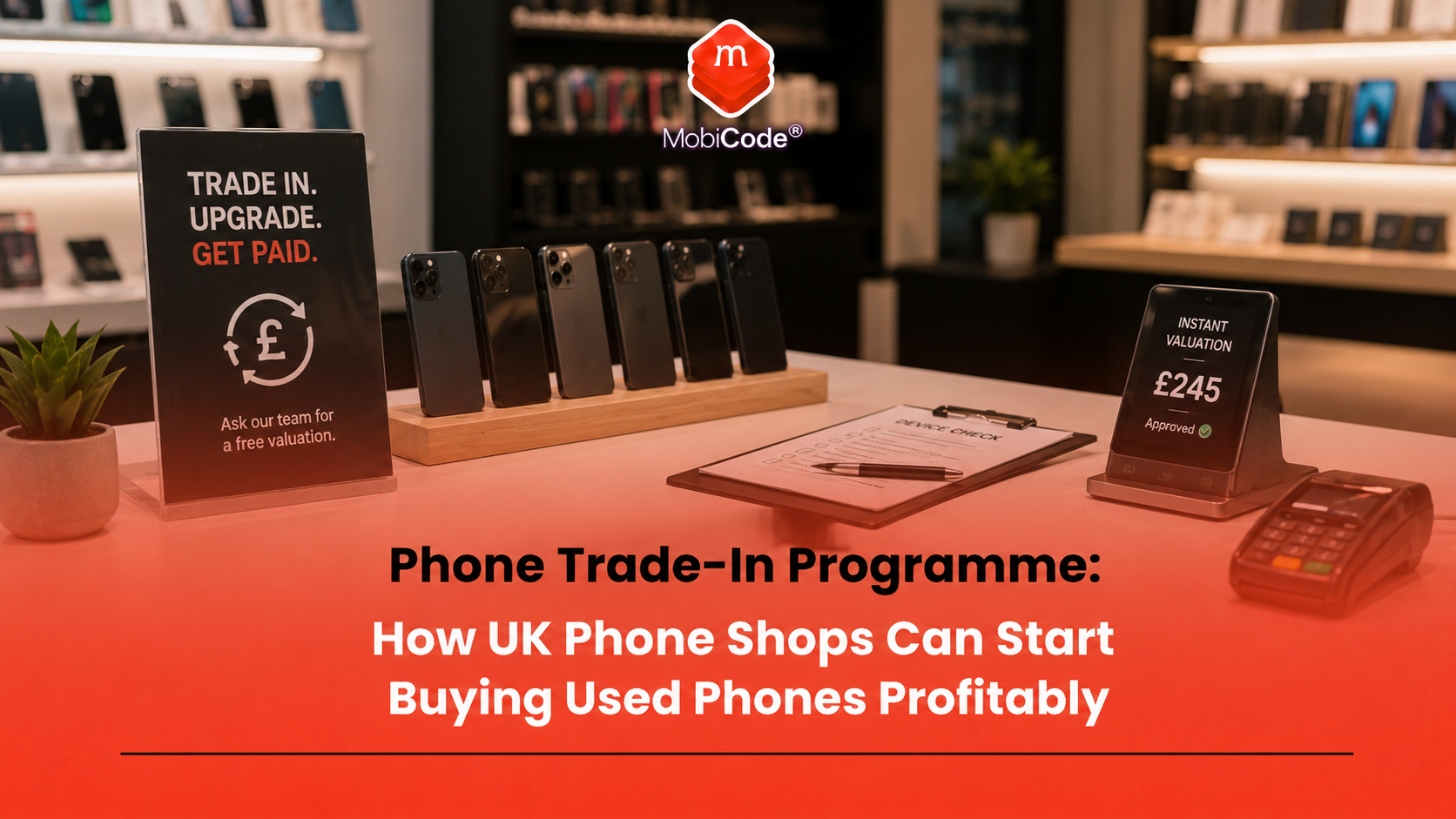
Why phone shops should consider trade-ins
A phone shop already has the right kind of footfall. Customers visit because their phone is broken, old, locked, slow, damaged, unwanted or due for replacement. Many of those customers also have unused phones sitting at home. That creates an opportunity. A shop can offer cash, store credit, upgrade credit or repair credit in exchange for used phones. Then it can turn suitable devices into resale stock, repair stock, parts stock or recycling value. A trade-in programme can help a shop:
- increase used-phone stock;
- generate repair work;
- sell more accessories;
- attract local customers;
- build relationships with small businesses;
- create repeat visits;
- reduce dependence on new-device sales;
- improve resale margin.
Still, the shop needs a clear process. Without one, staff may buy problem devices and only discover the issues later.
Start with a clear offer customers understand
A good trade-in programme needs a simple message. Customers should understand what the shop buys, how the price works and what they need to bring. For example, a shop might advertise:
- “Sell your old phone today”;
- “Trade in your phone for cash or store credit”;
- “Upgrade your phone and get money for your old device”;
- “Broken phones bought after inspection”;
- “Business phone batches accepted by appointment”.
The offer should feel easy, but not careless. Make it clear that final pricing depends on checks, condition, locks, battery, IMEI status and resale route. That protects the shop from customer expectations that are based only on online listing prices.
Decide what devices you will accept
Before launching, decide which devices the shop wants to buy. Otherwise, staff may waste time inspecting stock that has no real resale value. A simple acceptance policy might cover:
- iPhones above a certain model;
- Samsung Galaxy devices above a certain model;
- Google Pixel and other popular Android models;
- damaged devices where repair margin exists;
- business batches by appointment;
- low-value devices for recycling only;
- devices rejected because of locks or unclear status.
This does not need to be perfect on day one. However, the shop should review the policy as it learns which phones sell quickly, which models return often and which devices create the best margin.
Create a simple counter workflow
The trade-in desk should not rely on staff memory. A clear workflow keeps decisions consistent and helps new staff follow the same process. A practical counter workflow looks like this:
- Ask what the customer wants: cash, store credit, repair credit or upgrade credit.
- Capture make, model, storage, colour, IMEI and serial number.
- Check visible condition and obvious damage.
- Check IMEI and device status.
- Check screen locks, account locks, FRP, MDM and network restrictions.
- Test core functions.
- Estimate repair costs where needed.
- Set a safe buy price.
- Record the customer transaction.
- Route the device to resale, repair, review, parts or recycling.
As a result, the shop can move quickly without guessing.
Check the IMEI before making the final offer
IMEI checks should sit near the start of every trade-in programme. A phone may look normal but still have lost, stolen, blacklist or blocklist indicators. The IMEI also helps staff connect the right phone to the right record. This matters when the device later receives a test result, wipe record, grade or resale route. MobiCHECK helps businesses check device IMEI numbers against relevant datasets, including the GSMA Global Blacklist Registry.
- IMEI and device status checks: MobiCHECK
- Trade mobile blacklist support: MobiCode Blacklist
- Used-device due diligence: MobiCode CHECK
A simple rule helps staff: no final price until the device identity and status have been checked.
Do not ignore account locks
Account locks can turn a good-looking phone into dead stock. The customer may genuinely own the device but still forget to remove their Apple Account, Google account or work profile before trading it in. Check for:
- Apple Activation Lock;
- Google account verification;
- Android Factory Reset Protection;
- MDM or Remote Management prompts;
- screen locks that prevent inspection;
- unknown previous-owner credentials.
If the customer is in the shop, ask them to remove the account properly before reset. This is much easier at the counter than after the customer has left. A phone with unresolved account or management issues should not move into normal resale stock.
Check whether the phone is network locked
Network lock status affects resale demand. An unlocked phone usually appeals to more buyers because it can work with more than one compatible network. Even though UK mobile companies can no longer sell locked handsets, shops may still see older devices, imported phones, European stock and mixed second-hand batches with unclear histories. A trade-in workflow should check:
- carrier lock or network-provider lock where shown;
- whether the phone accepts another compatible SIM;
- whether it asks for a network unlock code;
- whether network status affects price;
- whether the device needs unlock review.
MobiUNLOCK supports professional unlocking workflows where teams need to handle network restrictions.
- Network unlocking workflows: MobiUNLOCK
Test the device before agreeing the price
Testing protects margin. A phone may power on and still have a weak battery, faulty microphone, damaged camera, poor charging port or unreliable touchscreen. A useful shop test should cover:
- screen and touch response;
- battery health or performance;
- front and rear cameras;
- speaker and microphone;
- charging port;
- buttons and vibration;
- Wi-Fi and Bluetooth;
- NFC where supported;
- SIM detection and signal;
- sensors where relevant.
MobiCode TEST helps businesses run structured diagnostics before resale.
- Mobile phone diagnostics: MobiCode TEST
Because the result links to the device, staff can quote more fairly and explain deductions clearly.
Use pricing rules, not guesswork
A trade-in programme becomes dangerous when staff price by instinct. One employee may overpay to close the deal. Another may underpay and lose good stock. A consistent method protects the business. A simple pricing formula is:
For example, if a phone should sell for £280 after testing, the shop still needs to subtract repair cost, battery risk, marketplace fees, VAT impact, returns exposure and profit. That means the trade-in offer will always be lower than the final resale price. Staff should explain this clearly to customers.
Offer store credit as well as cash
Cash offers are simple, but store credit can be better for the shop. A customer may accept a stronger store-credit value if they plan to buy another phone, repair a device or purchase accessories. This keeps money inside the business and can increase total basket value. For example, a shop might offer:
- £120 cash;
- £140 store credit;
- £150 upgrade credit against a tested refurbished phone;
- trade-in credit towards a repair plus accessories.
This gives the customer choice while helping the shop protect margin.
Make trade-ins part of repairs
Repair customers are often good trade-in customers. Someone with a cracked screen or weak battery may ask whether repair is worth it. In some cases, trading in the phone and upgrading to a tested used device makes more sense. The shop can offer options:
- repair the existing phone;
- trade it in towards another device;
- sell it for parts value;
- repair and resell it after customer approval;
- recycle it responsibly if value is too low.
This turns a repair conversation into a wider commercial opportunity. It also helps the customer feel guided rather than pushed.
Data erasure builds customer trust
Many customers worry about personal data when selling a phone. That concern can stop them from trading in a device. The shop should explain the process clearly. Customers should know that staff will help them remove accounts, back up anything important where appropriate, and erase the device before resale. A professional workflow should record:
- which phone was erased;
- which IMEI or serial number links to the erase;
- when the erase happened;
- who processed the device;
- what result appeared;
- what route the phone took afterwards.
MobiWIPE supports controlled data-erasure workflows before phones move to resale, reuse or recycling.
- Secure data erasure: MobiWIPE
Keep the right records
A phone trade-in programme needs records. They protect the shop when customers, suppliers, marketplaces or authorities ask questions later. Useful records include:
- customer transaction details where required;
- IMEI and serial number;
- make, model, storage and colour;
- status check result;
- lock-status result;
- diagnostic result;
- erase result;
- buy price;
- repair cost;
- final grade;
- resale route;
- sale price.
These records also help the shop learn which devices create profit. Over time, trade-in data can improve pricing, stock selection and staff training.
Understand VAT before scaling
VAT can affect the profit from second-hand phone sales. In the UK, eligible second-hand goods may fall under a VAT margin scheme, where VAT applies to the difference between what the business paid and what it sold the item for, rather than the full selling price. However, the rules depend on the stock source, paperwork, country, seller type and record keeping. Therefore, phone shop owners should speak to an accountant or tax adviser before scaling trade-ins. From a practical point of view, the lesson is simple: keep purchase records, sale records and device records tidy from the start.
Turn trade-ins into local SEO traffic
A trade-in programme can also bring in local search traffic. People search for phrases such as “sell my phone near me”, “phone trade-in near me”, “sell broken phone”, “cash for old phone” and “used phone shop near me”. A phone shop can support those searches with:
- a clear trade-in page on its website;
- Google Business Profile posts;
- photos of the shop and trade-in desk;
- simple FAQs about what phones it buys;
- clear opening hours and location details;
- reviews from customers who sold or upgraded phones;
- local landing pages if the shop covers nearby towns.
The page should not promise fixed prices without checks. Instead, it should invite customers to bring the phone in for a proper quote.
Build relationships with local businesses
Local businesses can become valuable trade-in sources. Many firms replace staff phones every few years and do not always know what to do with the old devices. A phone shop can offer a useful service by helping businesses handle old company phones. The opportunity may include:
- buying old company phones in batches;
- checking IMEI and device status;
- identifying MDM or account-lock issues;
- testing devices for resale potential;
- wiping devices properly;
- routing phones to resale, repair, parts or recycling;
- providing clearer reports for the business customer.
This can move the shop beyond one-device consumer trade-ins and into higher-value local relationships.
Route each phone properly after intake
A traded-in phone should not sit in a drawer because nobody knows the next step. Every device needs a route. Common routes include:
- direct resale: clear, tested and ready to sell;
- repair and resale: worth repairing before sale;
- unlock review: network restriction needs handling;
- account-lock review: Apple, Google, FRP or MDM issue needs resolution;
- parts: not suitable for full resale but useful for components;
- wholesale: better sold in a batch to another trader;
- recycling: too low-value or damaged for resale;
- reject: risk too high to accept.
MobiONE helps link checks, tests, wipe results and device records into one operational workflow.
- Connected device processing: MobiONE
Track profit by model and source
A phone trade-in programme gets better when the shop tracks results. Some models may sell quickly with low returns. Others may look attractive but create too many battery issues, repair costs or complaints. Useful questions include:
- Which models produce the best margin?
- Which devices sell fastest?
- Which models come back most often?
- Which staff members quote most consistently?
- Which trade-in sources bring the best stock?
- Which repair types protect margin?
- Which phones should the shop stop buying?
This information turns the programme from guesswork into a repeatable business system.

How MobiCode supports phone trade-in programmes
MobiCode supports phone shops, repair stores, refurbishers, recyclers and trade-in teams that want to process used devices more consistently.
- MobiCHECK: helps teams check IMEI and device status before buying, processing or reselling stock. See: MobiCHECK
- MobiCode TEST: helps teams run structured diagnostics before resale. See: MobiCode TEST
- MobiWIPE: supports controlled data-erasure workflows before phones move to resale, reuse or recycling. See: MobiWIPE
- MobiUNLOCK: supports unlocking workflows where teams need to handle network restrictions. See: MobiUNLOCK
- MobiONE: helps link checks, tests, wipe results and device records in one workflow. See: MobiONE
- MobiCode CHECK: supports broader used-device due diligence before devices move further through the business. See: MobiCode CHECK
The value is not just one check. The value is a connected process that helps the shop buy better, price better, resell better and reduce problem stock.
Common mistakes when starting a trade-in programme
Most trade-in mistakes happen when the shop starts buying before it has a process. Common mistakes include:
- offering prices before checking IMEI status;
- trusting the customer’s description without testing;
- forgetting Activation Lock, FRP or MDM checks;
- paying too much for weak-battery devices;
- not explaining why trade-in price is lower than resale price;
- failing to record data erasure;
- mixing clear stock with review stock;
- not tracking which devices actually make profit.
A simple workflow prevents most of these issues and helps staff make more consistent decisions.
Commercial takeaway: phone trade-in programme
A phone trade-in programme can help UK phone shops buy used phones, create resale stock, increase repairs, sell accessories and build stronger local customer relationships. However, profit depends on process. The shop should check IMEI status, locks, battery, functions, data-erasure position, repair cost and resale route before setting the final offer. It should also keep clear records so every device has a known history and next step. MobiCode helps phone shops build this kind of workflow by connecting device checks, diagnostics, erasure, unlocking support and processing records.
A practical example for a phone shop owner
A phone shop wants to start buying used phones from local customers. At first, the owner plans to offer quick cash quotes based only on model and condition. Instead, the shop creates a simple trade-in workflow. Staff capture the IMEI and serial number, check device status, inspect condition, test functions, check account locks, estimate repair cost and set a safe buy price. They also offer store credit for customers who want to upgrade or repair another device. Within a few months, the shop learns which models sell quickly, which devices create returns and which customer sources bring the best stock. The owner then adjusts pricing rules and starts approaching local businesses with old company phones. The result is a more controlled trade-in programme that supports profit rather than creating random used-phone risk.
FAQ: phone trade-in programme
What is a phone trade-in programme?
A phone trade-in programme lets a shop buy used phones from customers, check them, price them, process them and route them to resale, repair, parts or recycling.
How can a phone shop start buying used phones?
A phone shop can start by defining which devices it accepts, setting a counter workflow, checking IMEI status, testing functions, reviewing locks, setting safe prices and recording each transaction.
What should a shop check before buying a used phone?
A shop should check IMEI status, account locks, network locks, FRP, MDM, battery, screen, cameras, audio, charging, data position and resale route before making a final offer.
Should phone shops offer cash or store credit?
Many shops offer both. Cash is simple, but store credit can protect margin and encourage customers to buy another phone, repair a device or purchase accessories.
Can a trade-in programme help a repair shop?
Yes. Repair shops can use trade-ins to source resale stock, parts devices, repair-and-resell opportunities and upgrade options for customers who do not want to repair their old phone.
How does MobiCode help phone shops with trade-ins?
MobiCode helps phone shops run trade-in workflows with IMEI checks, diagnostics, data erasure, unlocking support, used-device due diligence and connected processing records.
References and Further Reading
- GOV.UK: VAT margin schemes
- GOV.UK: The Margin and Global Accounting Scheme
- GSMA Device Check: GSMA Block List FAQs
- NCSC: Buying and selling second-hand devices
- ICO: 14 million people do not know how to erase data from an old device
- MobiCHECK
- MobiCode TEST
- MobiWIPE
- MobiUNLOCK
- MobiONE
- MobiCode CHECK
- MobiCode Blacklist
- MobiCode for Recyclers