

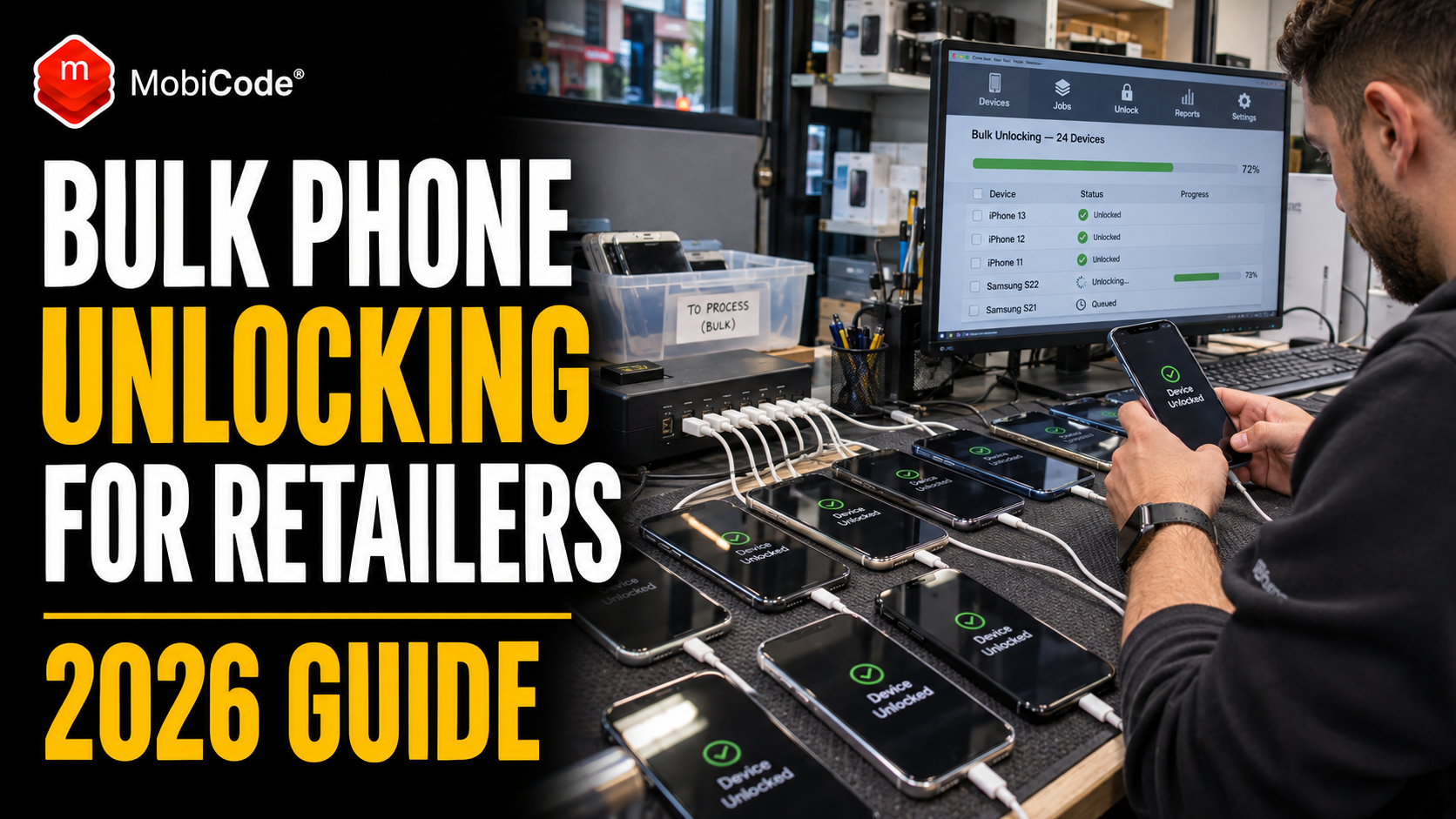
Bulk phone unlocking can help mobile phone retailers, wholesalers and refurbishers turn network-restricted smartphones into stock suitable for a wider resale market. But which phones can be unlocked, how should businesses process hundreds of IMEIs, and when is unlocking actually worth the cost?
Imagine receiving 200 used smartphones from a trade-in partner. Most are unlocked, but 30 are restricted to particular networks. Your customers expect SIM-free handsets, and those 30 devices are now sitting in a separate inventory category.
Some may be worth unlocking. Others might be better sold to buyers who accept their existing network restrictions.
The challenge is making that decision efficiently without creating extra work, submitting unsuitable devices or overlooking important ownership and blacklist checks.
Professional unlocking services can help businesses manage those decisions at scale. Instead of arranging every request manually, retailers can use an organised process that records individual devices, checks eligibility and tracks outstanding requests.
In this guide, we’ll explain how bulk phone unlocking works in 2026, which network restrictions still matter, how to calculate potential resale benefits and what to look for in a commercial unlocking service.
We’ll also introduce MobiUNLOCK, MobiCode’s professional unlocking solution, which supports individual and bulk requests, code-based and cable-based methods, and online activity reporting.
Quick answer: How does bulk phone unlocking work?
Bulk phone unlocking is a commercial process for submitting and managing network-unlock requests for multiple eligible smartphones.
A typical trade workflow involves:
- Identifying devices that are genuinely network locked.
- Recording each handset’s IMEI and relevant network.
- Completing appropriate ownership and device-status checks.
- Confirming network and model eligibility.
- Submitting supported devices for unlocking.
- Tracking request progress and exceptions.
- Verifying that the unlock has been applied.
- Updating inventory records before resale.
For professional traders: MobiUNLOCK provides web-based single and bulk unlocking requests, along with cable-based options for supported devices. Exact availability, pricing and completion times depend on the service selected.
What is bulk phone unlocking?
Bulk phone unlocking allows a business to handle network-unlock requests across multiple mobile phones rather than arranging every request individually.
It is particularly relevant to businesses that acquire second-hand handsets from different suppliers or countries.
For example, a refurbished phone wholesaler might receive a shipment containing smartphones originally supplied by Vodafone, EE and overseas networks.
Although some devices are already unlocked, others may only accept SIM cards associated with a particular provider.
If the business intends to sell those handsets as SIM-free stock, it needs to establish whether the restrictions can be removed through an authorised process.
What does network locked mean?
A network-locked phone is restricted to using a particular mobile network or supported group of networks.
For example, a handset originally supplied for one operator might reject a compatible SIM card from another provider.
Network unlocking removes that specific restriction when the device is eligible and the unlock is successfully applied.
It does not change the phone’s ownership, hardware condition or previous data.
What does SIM-free mean?
SIM-free generally means a handset is sold without a mobile service contract or SIM bundled with the sale.
However, retailers should distinguish between the commercial description SIM-free and the technical question of whether the device is network unlocked.
A phone advertised as unlocked should be capable of using compatible SIM or eSIM services from more than one supported operator.
Network compatibility still depends on the handset’s supported bands, technology and the receiving provider’s requirements.
Are mobile phones still network locked in the UK in 2026?
Yes, some phones in the second-hand market remain network locked, although new consumer handset sales are subject to important UK rules.
On 17 December 2021, Ofcom introduced a prohibition on mobile providers selling locked handsets to customers.
The regulation was intended to make it easier for people to change networks without having to unlock their existing phone first.
Read Ofcom’s official announcement.
Why do retailers still receive locked phones?
There are several legitimate reasons.
- Older UK devices: Some handsets originally supplied before the December 2021 change remain in circulation.
- Imported phones: Devices acquired from overseas may be subject to different operator arrangements.
- Mixed wholesale batches: A supplier may combine devices from several markets and generations.
- Unverified trade-ins: The seller may not know whether their phone is unlocked.
- Previous unlocking requests: Some handsets may have an outstanding or incomplete operator-side process.
Therefore, the Ofcom rule does not eliminate the need to check individual devices before accepting or reselling them.
Do not assume every older phone is locked
Many handsets were sold unlocked before December 2021.
Furthermore, a device originally supplied on a particular network may have been unlocked by its previous owner.
For that reason, a professional business should confirm the current status rather than unlocking devices based solely on their age or original operator.
How to check whether an iPhone is network unlocked
Apple provides an official way to check network-lock information on supported iPhones.
Check Carrier Lock or Network Provider Lock
- Open Settings.
- Select General.
- Tap About.
- Find Carrier Lock or Network Provider Lock, depending on the software’s terminology.
If the handset displays No SIM restrictions, Apple identifies the iPhone as unlocked.
If a network restriction remains, the current network provider is responsible for authorising the unlock.
Apple states that it cannot itself unlock an iPhone for use with another network provider.
See Apple’s network unlocking instructions.
What if the iPhone isn’t activated?
Some second-hand devices cannot be inspected fully until they have completed the appropriate setup process.
However, businesses should not bypass previous-owner security protections to determine network status.
If Activation Lock is present, ask the authorised owner to resolve it through Apple’s legitimate process.
Network unlocking and Activation Lock removal are separate matters.
How to check whether an Android phone is network locked
Android devices use a wider variety of manufacturers, settings and software versions.
Consequently, the exact network-lock checking method can differ.
Test with a compatible SIM card
Where appropriate, insert a working SIM card from another network.
If the phone accepts the SIM and connects successfully, that provides useful evidence of compatibility with the tested provider.
However, make sure the SIM is active and compatible before interpreting a failure.
A missing signal does not automatically prove that the handset is network locked.
Look for a Network Unlock Code request
Some Android handsets display a prompt asking for a Network Unlock Code, often abbreviated to NUC.
Other devices may use terminology such as Network Personalisation or SIM Network Unlock PIN.
These messages can indicate a network restriction.
However, a SIM PIN or PUK prompt is different. It relates to protecting the SIM itself rather than necessarily removing a phone’s carrier lock.
Do not repeatedly guess unlock codes, because some devices limit incorrect attempts.
Use authorised model-specific instructions
If the handset requires an unlock, follow the relevant network or professional service instructions.
Different manufacturers and models can use different processes, so avoid applying a code or procedure intended for another device.
Network unlocking vs IMEI blocking vs Activation Lock
One of the most important steps in a bulk processing operation is identifying the actual restriction.
A device can be network unlocked but still have another problem that prevents resale.
| Restriction | What it means | Can network unlocking resolve it? |
|---|---|---|
| Network lock | Phone restricted to a particular carrier | Yes, if eligible and successfully unlocked |
| IMEI block | Device subject to a relevant network block or report | No |
| Apple Activation Lock | iPhone linked to an Apple Account | No |
| Android FRP | Factory Reset Protection associated with previous account credentials | No |
| Screen passcode | User-level device access protection | No |
| MDM or Remote Management | Organisational device management | No |
Businesses should resolve each issue through its appropriate authorised route.
Attempting a network unlock does not make a lost, stolen, account-locked or otherwise restricted handset suitable for ordinary resale.
Why bulk phone unlocking matters to refurbished phone retailers
For professional retailers, network restrictions can create additional work and limit the customers to whom a particular device can be sold.
Reach a wider buyer market
An unlocked smartphone can generally be offered to customers using a wider range of compatible mobile providers.
For example, a phone restricted to one network may be unattractive to someone using a different SIM-only plan.
When the restriction is legitimately removed, that obstacle may disappear.
However, the commercial benefit depends on the handset’s model, age, condition and actual market demand.
Reduce network-specific inventory categories
Suppose a warehouse stocks several combinations of the same phone model, storage size and colour.
It may also separate those combinations by network restriction.
Unlocking eligible devices can reduce the need for separate network-locked stock categories.
That can make product listings and stock allocation simpler.
Improve wholesale flexibility
A wholesaler may sell to retailers in several countries or to businesses with different network requirements.
Network-unlocked stock can offer greater flexibility, provided the handsets are technically compatible with the destination markets.
However, unlocking alone does not establish international compatibility or remove applicable import and trade requirements.
Reduce customer complaints about SIM compatibility
If a device is advertised as unlocked but rejects the customer’s compatible SIM, the retailer may face a complaint or return.
Verifying network status before dispatch can help reduce avoidable listing errors.
It also ensures the handset is described accurately.
How much extra profit can unlocking used phones generate?
Unlocking can improve resale opportunities, but it does not automatically increase profit on every device.
The business should compare the expected selling price with the cost and effort required to unlock the handset.
Example: unlocking one used smartphone
Suppose a retailer expects to sell a network-locked handset for £180.
After researching comparable completed sales, it estimates that an unlocked version could sell for £205.
Assume an eligible unlock would cost £8.
| Illustrative calculation | Amount |
|---|---|
| Expected locked resale price | £180 |
| Expected unlocked resale price | £205 |
| Expected selling-price uplift | £25 |
| Illustrative unlock service cost | −£8 |
| Potential incremental contribution before other differences | £17 |
These are hypothetical prices, not measured UK resale premiums or current MobiUNLOCK charges.
The £17 also excludes additional handling, selling fees, applicable VAT effects and any cost associated with an unsuccessful request.
Example: a batch of 100 used phones
Now assume a retailer receives 100 smartphones, of which 20 are genuinely network locked and eligible for a suitable unlocking service.
If all 20 unlocks succeed and the estimated additional contribution is £17 per device, the theoretical benefit would be:
Illustrative incremental contribution, not a guaranteed financial return.
If only some devices qualify or the expected price uplift does not materialise, the result will be lower.
Therefore, traders should compare actual completed resale prices and unlocking charges before treating the service as a standard processing step for every device.
When is unlocking not worth it?
Some older phones have limited resale value.
For example, a £45 handset may not justify a relatively expensive or time-consuming unlocking process.
Another device may already sell readily to customers using its existing network.
In these situations, the business might reasonably decide to sell the handset with its restriction clearly disclosed.
How to set up a bulk phone unlocking workflow
High-volume retailers should introduce a process that separates device eligibility, commercial decisions and unlocking activity.
This prevents technicians from spending time submitting requests for unsuitable or already-unlocked devices.
Step 1: Record every device IMEI
Start by capturing the handset’s model, IMEI and relevant serial number.
For devices with multiple IMEIs, record the appropriate identifiers and follow the unlocking provider’s submission requirements.
Link the details to the original purchasing or supplier record.
Step 2: Check the current network-lock status
Establish whether each device is already unlocked.
For supported iPhones, inspect the Carrier Lock information in Settings.
For compatible Android phones, use the relevant manufacturer or network-approved checks.
Do not submit a device simply because it was originally sold by a particular network.
Step 3: Investigate IMEI and ownership concerns
Before paying for an unlock, check relevant device-history information.
For example, a trader should investigate reported loss, theft or network-block indicators.
MobiCHECK supports professional IMEI and device-status due diligence.
Also establish that the business has the right to process the handset.
An unlock service should not be used to work around an unresolved ownership dispute.
Step 4: Confirm the supported network and model
Identify the current carrier, manufacturer and model as accurately as possible.
Then check whether the selected commercial service supports that combination.
For example, a Vodafone network request may follow a different procedure from another operator or an imported handset.
Step 5: Calculate whether unlocking is commercially worthwhile
Compare the expected selling price before and after unlocking.
Deduct the service cost and any additional processing expenses.
For lower-value devices, it may be better to retain the existing restriction and describe it clearly.
Step 6: Submit eligible IMEIs
Once the business confirms eligibility and commercial value, submit the relevant devices through the approved service.
MobiUNLOCK supports individual or bulk requests through its web-based portal.
For supported cable-based workflows, MobiCode also offers a Windows application.
Step 7: Track completed and outstanding requests
Keep a clear distinction between submitted, completed, rejected and unresolved devices.
A request being submitted is not the same as a successful unlock.
Use the provider’s available reporting to maintain an accurate processing record.
Step 8: Verify successful unlocking
Once the service confirms completion, check the actual device.
For example, verify an iPhone’s Carrier Lock information or confirm appropriate SIM compatibility on another supported handset.
Do not advertise a phone as unlocked until the business has sufficient evidence that the relevant restriction has been removed.
Step 9: Update resale inventory
Record the verified outcome against the original IMEI and stock reference.
Update the handset’s sales description and stock category where appropriate.
Then continue with any outstanding functional testing, grading and data-erasure procedures.
How MobiUNLOCK handles bulk phone unlocking for businesses
MobiUNLOCK is MobiCode’s professional network unlocking service.
It is designed for businesses handling individual devices or larger batches of eligible smartphones.
MobiCode describes two main approaches: code requests through its web-based portal and a cable-connected application for compatible devices.
IMEI-based unlocking requests
For supported code-based services, MobiUNLOCK allows businesses to submit a device’s IMEI.
Depending on the network and handset, the resulting process may involve an unlock code or an operator-authorised update.
For iPhones, carrier unlocking normally depends on network-provider approval rather than a generic code entered into the handset.
Single and bulk submissions
Retailers can submit individual requests or process multiple eligible IMEIs through the online dashboard.
For example, a warehouse handling several dozen locked devices may want to avoid repeating the same submission procedure for every handset.
Bulk processing can help streamline that administrative work.
However, each device still needs appropriate eligibility checks and confirmation of its final result.
Multiple manufacturer and network support
MobiCode advertises support for major manufacturers including Apple, Samsung, Huawei and other supported brands.
It also offers access to unlocking services covering many international network operators.
The availability of a particular model or carrier should be checked before purchasing an unlock.
Windows cable-based unlocking tool
MobiUNLOCK also offers a Windows application for certain supported cable-based workflows.
MobiCode states that compatible devices can connect using their standard USB cable, with on-screen instructions guiding operators through the available process.
Some supported cable tools provide additional device-information or service functions.
However, the exact capabilities depend on the model, tool and authorisation.
Businesses should never assume a cable connection can legitimately remove every type of device restriction.
Dashboard reporting and audit activity
MobiUNLOCK provides online management reporting and visibility of user activity.
For example, a wholesale manager may want to establish which requests were submitted and what progress has been recorded.
These records can support internal stock and operational reviews.
However, they should be linked to the business’s own inventory and transaction information for a complete audit trail.
Got a batch of network-locked phones to process?
MobiUNLOCK helps mobile phone retailers, wholesalers and refurbishers manage supported network-unlock requests through a professional service.
Features include: Single and bulk IMEI submissions, code-based services, compatible cable-based tools, multi-network coverage and dashboard reporting.
Contact MobiCode with your typical models, carriers and monthly volumes to discuss suitable options and current commercial pricing.
Bulk Vodafone phone unlocking for trade customers
Vodafone unlocking is particularly relevant to businesses receiving older UK stock.
MobiCode’s published MobiUNLOCK information identifies its official Vodafone unlocking service.
The company’s Vodafone service is designed to support trade and business processing workflows.
How does the Vodafone unlocking process work?
For eligible devices, businesses can investigate the current restriction and submit a suitable request through the available professional unlocking route.
The exact procedure depends on the handset and the applicable Vodafone service conditions.
Some devices use a Network Unlock Code, while others may require a different network-authorised process.
Why trade processing is different from a customer unlocking one phone
A private customer normally needs to unlock a single handset.
In contrast, a wholesaler may need to handle dozens or hundreds of devices with different IMEIs, models and eligibility outcomes.
That makes batch submission, due diligence, status tracking and reporting more important.
Can Vodafone customers request unlocking directly?
Vodafone provides public support routes for eligible network unlocking requests.
For an individual customer, contacting the original provider may be the simplest option.
Professional bulk services are more relevant when a business needs a controlled process across larger device volumes.
For detailed information, read MobiCode’s Vodafone trade unlocking guide.
How much does a bulk phone unlocking service cost?
Commercial unlock pricing depends on the device, carrier, selected service and volume.
For example, a supported older Android device may use a different unlocking method from an iPhone requiring operator-side processing.
Some unlocking services may be unavailable for particular devices or restrictions.
Factors affecting the price
- Network: Different providers have different procedures and eligibility rules.
- Manufacturer and model: Unlock methods may differ between handsets.
- Original market: Imported devices may involve overseas operators.
- Unlocking method: Code-based and cable-based services can have different commercial arrangements.
- Processing volume: Business pricing may depend on volumes or account terms.
- Request status: The supplier’s terms determine how unsuccessful or withdrawn requests are handled.
MobiCode does not publish one universal MobiUNLOCK price covering every model and carrier.
Therefore, request a current quotation rather than assuming a single fixed charge per handset.
Questions to ask before purchasing unlock credits
Ask the provider what happens if a device is already unlocked, the IMEI is ineligible or a request cannot be completed.
Also establish whether refunds or credit returns are available under the specific service conditions.
MobiCode publishes MobiUNLOCK terms governing orders and dispute procedures.
These should be reviewed before purchasing credits or submitting a large batch.
Free bulk phone unlocking decision template
Before unlocking stock, maintain a simple record of which devices are eligible and whether the expected resale benefit justifies the cost.
A useful spreadsheet can contain the following fields.
| Field | Purpose |
|---|---|
| Stock reference | Identify the original inventory record |
| IMEI | Identify the specific handset |
| Model | Confirm the supported device |
| Current network | Identify the applicable restriction |
| IMEI check result | Record due diligence |
| Expected locked resale price | Establish the alternative sales value |
| Expected unlocked resale price | Estimate the potential uplift |
| Unlock cost | Record the quoted service expense |
| Request status | Track pending, completed or failed outcomes |
| Verification result | Record whether unlocking was confirmed |
Copyable spreadsheet headings
Stock ID,IMEI,Manufacturer,Model,Original Network,Current Lock Status,IMEI Check Result,Ownership Review,Unlock Service,Quoted Unlock Cost,Expected Locked Price,Expected Unlocked Price,Expected Uplift,Request Date,Request Status,Verification Date,Verified Unlock Status,Notes
When using Excel or Google Sheets, format the IMEI column as text to preserve the full identifier.
Protect access to the records and retain only the personal or transaction information needed for legitimate business purposes.
How MobiCHECK complements MobiUNLOCK
Network unlocking answers one specific question: can the device’s carrier restriction be removed?
It does not answer whether the handset is blocked, reported lost or stolen, or associated with another relevant status concern.
For that reason, professional businesses should consider device due diligence before unlocking.
Check IMEI status before submitting a request
MobiCHECK helps retailers and recyclers investigate available IMEI and device-status records.
For example, a wholesaler could discover an indicator requiring further investigation before spending money on an unlock request.
However, a clear check result does not guarantee that the device’s status will remain unchanged.
Separate eligibility from profitability
A handset may be technically eligible for unlocking but commercially unattractive.
For example, the unlock charge could exceed the expected improvement in resale contribution.
Likewise, an inexpensive unlock may still be inappropriate if the underlying ownership or status information is unresolved.
Both questions need a separate answer.
Connect unlocking to the wider refurbishment workflow
Many businesses also need functional testing, cosmetic grading and data erasure.
MobiCode provides related tools including MobiTEST, MobiWIPE and MobiONE.
For example, a phone that has been successfully network unlocked may still need screen and microphone tests before it is ready for sale.
How to avoid common bulk phone unlocking mistakes
Unlocking phones that are already unlocked
Always check the current status before submitting a request.
Network origin alone does not prove a device remains locked.
Confusing network locks with other restrictions
A network unlock will not remove an Apple Account, Android account restriction, MDM profile or IMEI block.
Identify the actual issue before selecting a service.
Submitting incorrect IMEIs
Incorrect device identifiers can create processing errors or requests associated with the wrong handset.
Validate identifiers against the device itself and original stock records where possible.
Assuming every unlock will succeed
Availability depends on the operator, handset and eligibility.
Do not promise an exact completion date or guaranteed result without confirmation from the service provider.
Failing to verify the finished device
A completed request should be followed by an appropriate check of the handset’s actual network-lock status.
Otherwise, the business risks selling a device as unlocked when further action is still necessary.
Not calculating the resale benefit
Some devices are worth unlocking; others are not.
Use expected selling prices, unlock costs and operational expenses to make that decision.
Bulk phone unlocking for international phone traders
International stock introduces additional complexity.
A device may originate from an operator outside the UK and use a different unlocking process.
Furthermore, a successfully unlocked handset may still have limitations on the mobile bands or services supported in its destination market.
Check the original market and operator
Establish the handset model and relevant original-network information where available.
Use that information to investigate supported unlocking routes.
A UK operator’s process should not automatically be assumed to work for another country’s network.
Confirm compatibility with target buyers
Network unlocking removes a specific carrier restriction, but it cannot add unsupported radio hardware.
For example, a handset may lack certain frequency bands used by the intended receiving network.
Therefore, international traders should investigate compatibility separately from unlocking status.
Check local commercial requirements
Before exporting or reselling devices internationally, consider any applicable import, customs, warranty and consumer-protection requirements.
These responsibilities are separate from whether the phone has been successfully network unlocked.
Questions to ask a bulk unlocking provider
Before placing a substantial order, ask the provider to confirm:
- Which mobile networks and countries are supported?
- Which manufacturers and models are eligible?
- Does the service support bulk IMEI uploads?
- Which requests use codes and which require another method?
- Is there a Windows cable-based option for relevant handsets?
- What checks should be completed before submitting?
- What are the current charges for your actual device mix?
- What completion times are quoted for the selected services?
- What happens if a request is rejected or cannot be completed?
- Can staff retrieve request histories and reports?
- How do you verify a completed unlock?
- What support is available when a device requires investigation?
A practical supplier demonstration using representative stock can be more informative than a generic feature comparison.
Final verdict: unlock the right devices, not every device
Bulk phone unlocking can help mobile phone retailers and refurbishers manage network-restricted stock more efficiently.
However, the most profitable approach is not necessarily to unlock every handset that arrives.
Successful businesses first establish the current network restriction, complete appropriate IMEI due diligence and calculate whether the expected resale benefit justifies the cost.
Only then should an eligible device enter the unlocking workflow.
For businesses handling mixed stock, MobiUNLOCK offers web-based individual and bulk requests, supported code and cable workflows, and online reporting.
MobiCHECK complements those services by helping traders investigate relevant device-status information before purchasing or processing handsets.
Together with functional testing and appropriate data preparation, these processes can help retailers make better-informed decisions about their resale inventory.
Process network-locked stock with MobiUNLOCK
Are network-locked iPhones and Android phones slowing down your resale operation?
MobiUNLOCK provides professional unlocking services for eligible mobile phone retailers, recyclers, wholesalers and refurbishment businesses.
MobiUNLOCK business capabilities
- Single and bulk IMEI unlocking requests.
- Support for multiple major phone manufacturers.
- Access to a wide range of network unlocking services.
- Code-based methods for suitable devices.
- Windows cable-based options for supported handsets.
- Online dashboard and audit reporting.
- Professional Vodafone unlocking services.
Ask MobiCode about your specific models, operators, expected monthly volumes and current pricing.
Check the device. Confirm eligibility. Unlock where it makes commercial sense.
Frequently asked questions about bulk phone unlocking
What is bulk phone unlocking?
Bulk phone unlocking is the process of managing network-unlock requests for multiple eligible handsets. Professional platforms can support batch submissions, request tracking and reporting, helping retailers and wholesalers handle network-restricted stock more efficiently.
Can phone shops unlock multiple devices at once?
Yes. MobiUNLOCK supports multiple requests through its web dashboard. However, each device must meet the relevant network and service requirements, and successful submission does not guarantee that every handset will be unlocked.
Why are some UK phones still network locked in 2026?
Although Ofcom prohibited UK mobile providers from selling new network-locked handsets to consumers from December 2021, older phones and devices imported from other markets can still have restrictions. Retailers should verify each phone’s current status before resale.
Can you unlock an iPhone using its IMEI?
The IMEI can be used to identify a handset in an authorised network unlocking request. Apple states that the current network provider must authorise the unlock. The IMEI alone does not provide a universal code or bypass carrier approval.
Does network unlocking remove an IMEI blacklist?
No. Network unlocking and IMEI blocking are different issues. Removing a carrier restriction does not clear a device’s reported loss, theft or network-block status. Relevant concerns must be resolved through the appropriate authorised process.
Can MobiUNLOCK remove Apple Activation Lock?
Network unlocking does not remove Apple Activation Lock. Activation Lock is a separate ownership-related security feature, and the authorised account holder must resolve it through Apple’s applicable process.
How much does bulk phone unlocking cost?
The price depends on the manufacturer, model, original network, eligibility and unlocking service. Businesses should request current pricing for their expected devices and volumes. MobiCode offers MobiUNLOCK enquiries through its product and contact pages.
Does unlocking a phone increase its resale value?
It may improve demand and resale flexibility because compatible buyers are not restricted to one network. However, the financial benefit depends on the handset and market conditions. Compare actual completed sales and unlocking costs before deciding.
What is the difference between MobiUNLOCK and MobiCHECK?
MobiUNLOCK supports eligible network unlocking requests. MobiCHECK helps professional buyers investigate available IMEI and device-status information. The services address different requirements and can complement each other within a used-phone processing workflow.
Does MobiUNLOCK support Vodafone phones?
Yes. MobiCode advertises an official Vodafone network unlocking service within its professional unlocking offering. Availability depends on the relevant handset and eligibility requirements. Businesses can enquire about single or bulk Vodafone processing.
Sources and further reading
UK mobile network rules
Ofcom — Mobile Companies Now Banned From Selling Locked Handsets
Official regulatory information about the December 2021 prohibition on selling locked handsets to mobile customers.
Apple and network unlocking guidance
Apple Support — Unlock Your iPhone for Use With Another Network Provider
Official instructions covering Carrier Lock information, network-provider authorisation and completing an eligible unlock.
Apple Support — Invalid SIM or No SIM
Guidance on network restrictions and distinguishing possible SIM or carrier issues.
O2 — Unlocking a Mobile to Use on Another Network
Example of an operator’s official route for eligible unlocking requests.
MobiCode professional services
Official information about bulk requests, code-based services, cable tools, supported manufacturers and management reporting.
Service conditions and relevant commercial requirements.
Professional IMEI due diligence and relevant device-status checking.
Broader device checking, testing, grading and erasure capabilities.
Related MobiCode guides
How to Check if a Phone Is Unlocked
Consumer-friendly checks for iPhone and Android network-lock status.
Vodafone Phone Unlocking for Trade and Bulk Processing
More detailed guidance on Vodafone unlocking workflows and professional due diligence.
Advice for trade buyers investigating used-device condition and purchasing risks.
Contact MobiCode to discuss MobiUNLOCK services, supported devices and bulk commercial pricing.