

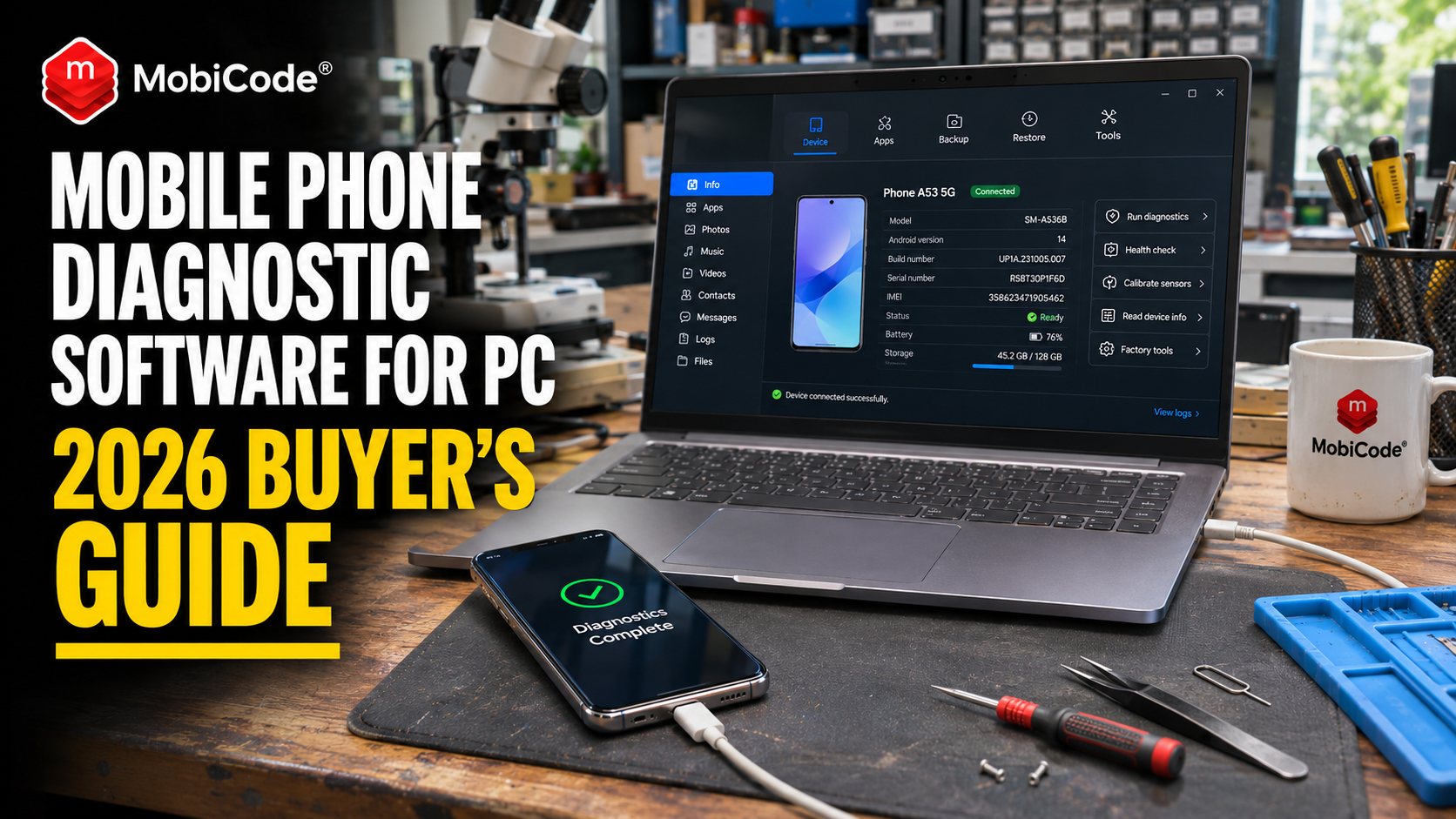
Looking for mobile phone diagnostic software for your PC? If your business buys, repairs or refurbishes used iPhones and Android phones, testing every handset manually can become expensive and inconsistent. But which software should you choose, what features actually matter and how much could a better testing workflow save your business?
The answers depend on the type of devices you handle, your monthly processing volume and what you need to know before buying or reselling a phone.
A small phone shop may need a reliable way to check screens, speakers and charging connections. Meanwhile, a refurbishment warehouse processing hundreds of devices could also require multiple simultaneous connections, barcode labels, IMEI due diligence and detailed management reports.
Not every diagnostic application offers those capabilities.
For example, a free smartphone testing app may help identify a faulty touchscreen, but it may not provide the device-level records, workflow controls or commercial support needed by a professional retailer.
This guide explains how to choose mobile phone diagnostic software in 2026, which features to compare, how leading solutions differ and what to consider before committing to a licence.
We’ll also examine MobiTEST, MobiCode’s PC-based diagnostic platform for professional phone businesses, and explain when its wider MobiONE platform may be more appropriate.
Quick answer: What’s the best mobile phone diagnostic software for PC?
The best software depends on your business’s device volumes, supported models and required checks.
For professional retailers and refurbishers, look for:
- iPhone and Android compatibility.
- Screen, hardware, audio, sensor and connectivity diagnostics.
- Guided, repeatable testing procedures.
- Support for multiple device connections.
- IMEI, blacklist and activation-lock checks where needed.
- Device-level reports and barcode labels.
- Customisable workflow and grading options.
- Transparent licensing and operational costs.
- Technical support and staff training.
For businesses: MobiTEST, Phonecheck and NSYS Diagnostics are examples of professional solutions worth evaluating. MobiONE offers a broader MobiCode workflow that also incorporates secure data erasure. No single product is automatically best for every operation.
What is mobile phone diagnostic software?
Mobile phone diagnostic software is used to assess particular hardware, software or operational functions of a smartphone.
Depending on the product, it may inspect device information, guide technicians through functional tests, identify relevant faults and save diagnostic records.
Professional platforms are particularly useful in the second-hand mobile phone industry.
For example, a retailer buying a used iPhone wants to know whether its touchscreen responds properly, its speakers work and the handset has any obvious problems affecting resale.
A refurbishment company needs similar information but may have to repeat the process across hundreds of devices.
What does mobile phone diagnostic software test?
Available tests vary by provider and handset model.
Common categories include:
- Display: Touchscreen response, screen colours, pixel defects and other visible display issues.
- Audio: Speakers, earpiece, microphones and supported headphone connections.
- Controls: Physical buttons and relevant device inputs.
- Sensors: Accelerometer, gyroscope, proximity and other supported sensors.
- Connectivity: Wi-Fi, Bluetooth and USB connections.
- Battery and power: Available battery information, charging behaviour or related checks, where supported.
- Device identity: Model, serial number and IMEI information.
- Device restrictions: Relevant activation-lock, network-block or other status indicators when the service includes them.
However, no single test proves that a device will remain fault-free indefinitely.
For example, a charging connection might pass a short test while an intermittent fault remains difficult to reproduce.
Automated versus guided diagnostic testing
Some tests can be completed automatically through a software connection.
Others require interaction with the handset.
For example, checking whether a physical button responds may require the operator to press that button.
Likewise, assessing display appearance may involve visual confirmation.
Therefore, the term automated diagnostics does not necessarily mean every function can be tested without human involvement.
A useful professional platform combines suitable automatic checks with clear instructions for tests that still require operator participation.
Free phone diagnostic apps vs professional diagnostic software
People searching for phone diagnostic software often have very different requirements.
One person may want to investigate a problem with their own Samsung Galaxy.
Another may operate a refurbishment business buying 2,000 used smartphones every month.
Those situations do not require the same solution.
When free phone diagnostic tools are enough
Free or manufacturer-provided tools can be useful for individual device checks.
For example, Samsung offers diagnostics through the Samsung Members application on supported Galaxy devices.
Google also documents a Pixel Repair Diagnostics tool for compatible handsets.
These tools can help users investigate specific device functions without purchasing a professional business platform.
See the official Samsung Members diagnostics guide and Google Pixel repair guidance.
Why free apps may not meet business requirements
A phone shop needs more than a result displayed on a single handset.
For example, its manager may need to establish which employee tested a device, when the test occurred and what the results showed.
The business might also want to print a label, repeat selected checks or investigate the handset’s IMEI status.
These are operational requirements rather than simply hardware-testing questions.
Free vs professional mobile phone diagnostic software
| Requirement | Free or built-in diagnostics | Professional business software |
|---|---|---|
| Check one phone | Often suitable | Suitable |
| Hardware tests | Varies by device | Configurable test coverage |
| Multiple simultaneous devices | Often limited or unavailable | Available from some platforms |
| Standardised staff workflows | Usually limited | Available from some platforms |
| Printable business reports | Varies | Common professional feature |
| IMEI and blacklist intelligence | Often requires another service | Available in selected products or integrations |
| Multi-site reporting | Generally not the focus | Available from selected platforms |
If your business buys and sells multiple phones every day, these additional features may justify evaluating professional software.
How to choose mobile phone diagnostic software for your business
Before comparing providers, write down what your organisation needs to achieve.
For example, a shop completing ten trade-ins a week has different requirements from a warehouse processing hundreds of devices per shift.
1. Check iPhone and Android compatibility
Start with the devices your business actually handles.
Does the software support your current iPhone models?
Does it work with the Samsung, Google Pixel, Motorola or other Android models you regularly receive?
Are the required tests supported across those devices?
Do not assume that support for Android automatically means identical features on every manufacturer or software version.
2. Compare diagnostic coverage
The most appropriate test suite depends on the risks your business wants to identify.
For example, a refurbisher might prioritise display, audio, buttons, sensors and connectivity.
A repair centre may also require specific post-repair retesting.
Ask suppliers for a current supported-test list rather than relying only on a headline number of tests.
3. Check how many phones can be connected
Multiple-device support can matter when processing larger batches.
However, connecting several phones does not necessarily mean that all tests are fully automated.
Some activities may still require separate operator interaction.
Therefore, evaluate actual throughput during a demonstration.
4. Look for workflow customisation
A used-device business may have different procedures for incoming trade-ins, repaired phones and completed refurbishment stock.
For example, a failed charging-port check might require further investigation before the handset enters resale inventory.
Software that supports different testing workflows can help businesses apply appropriate rules to each category.
5. Investigate IMEI and activation-lock checks
A phone can work perfectly while remaining unsuitable for ordinary resale.
For example, it may have an unresolved Apple Activation Lock or a relevant network-block report.
These concerns are separate from hardware condition.
Choose software that supports the appropriate status-checking process or integrates with a dedicated IMEI intelligence service.
6. Examine reports and audit records
Professional buyers should ask to see a real example of the software’s test report.
Does it identify the handset?
Does it record which checks passed or failed?
Can the business retrieve the result later?
Are records available across different staff members or locations?
These details are often more commercially valuable than a visually impressive dashboard.
7. Understand the full pricing model
Some providers offer subscriptions, device-based charges or other commercial arrangements.
Pricing can depend on monthly volume, specific modules and additional services.
For example, IMEI checks and secure erasure may have separate costs from ordinary functional diagnostics.
Ask suppliers for a quotation based on your actual volumes and required capabilities.
Mobile phone diagnostic software comparison: MobiTEST, Phonecheck and NSYS
Several established providers supply professional device-testing technology.
They do not all have identical strengths, licensing arrangements or operating requirements.
The following overview is based on the companies’ publicly available product information.
MobiTEST: guided PC-based diagnostics for phone businesses
MobiTEST is developed by MobiCode for professional mobile phone retailers, refurbishers and recyclers.
Its published capabilities include guided hardware testing, customisable workflows, multiple device connections, relevant device-status alerts and reports.
MobiCode also advertises a guided testing workflow that can process a supported handset in under two minutes.
However, actual times depend on the device, selected tests and operator involvement.
MobiTEST is worth evaluating when a business wants consistent diagnostics without necessarily replacing its wider inventory or repair-management systems.
Phonecheck: diagnostics and device certification
Phonecheck offers professional diagnostics, device-history records, secure erasure and certification capabilities.
Its published platform includes extensive hardware checks, blacklist and lock information, processing workflows and Device History Reports.
Phonecheck is particularly relevant to businesses requiring its specific certification and reporting arrangements.
Businesses should confirm which features are included in their proposed licence and which supported device categories are relevant to them.
NSYS Diagnostics: testing for refurbishment and resale
NSYS Diagnostics supports professional testing of used and refurbished devices.
Its published capabilities include configurable workflows, device reports, label printing and multiple-device processing.
NSYS also offers related erasure and broader device-processing services.
For a business comparing platforms, it is worth investigating model compatibility, workflow configuration and reporting requirements.
What about MobiONE?
MobiONE is MobiCode’s wider device-processing platform.
It combines MobiCHECK, MobiTEST and MobiWIPE capabilities within a centralised workflow for device checking, diagnostics, grading and erasure.
For example, a refurbishment centre may need to investigate a handset’s IMEI status, perform hardware testing and complete secure data erasure before resale.
In that situation, MobiONE may be more appropriate than purchasing diagnostics alone.
Professional diagnostic software: comparison at a glance
| Software | Published focus | Relevant buyer |
|---|---|---|
| MobiTEST | Guided diagnostics, configurable tests, device-status alerts and reporting | Phone shops, repair centres and refurbishers needing repeatable tests |
| MobiONE | Integrated checking, testing, grading and erasure | Businesses seeking a broader device-processing workflow |
| Phonecheck | Diagnostics, device-history certification, secure erasure and workflow automation | Processors requiring particular certification and reporting capabilities |
| NSYS Diagnostics | Used-device diagnostics, reporting, custom workflows and multi-device handling | Retailers, wholesalers and refurbishment operations |
Comparison note: This is an overview of published capabilities, not an independent hands-on benchmark. It does not rank the products by accuracy, price or speed. Request current compatibility lists and commercial terms from each supplier.
Why MobiTEST is worth considering for a UK phone business
For many businesses, the most important benefit of professional diagnostics is not discovering one particular fault.
It is having a repeatable procedure that employees can follow across every incoming handset.
MobiTEST is designed around that requirement.
Guided diagnostics instead of inconsistent manual checks
Imagine two employees assessing the same model of phone.
One tests the microphone, speakers, touchscreen and Wi-Fi.
The other checks only the camera and whether the device powers on.
Both may record the phone as working, even though they performed different checks.
MobiTEST supports configurable guided procedures that can help businesses standardise their inspection process.
Screen, audio, hardware and connectivity tests
MobiTEST’s published diagnostic features include:
- Physical button testing.
- LCD, touchscreen, pixel and colour checks.
- Internal and external speaker tests.
- Microphone and headphone tests.
- Pressure, proximity, gyroscope and accelerometer checks where supported.
- USB, Wi-Fi and Bluetooth connectivity tests.
- Custom device-grading information.
However, the actual available tests depend on the connected handset and configuration.
Businesses should verify support for the models they process most frequently.
Device-status and activation-lock alerts
MobiTEST includes relevant activation-lock and blacklist detection features.
Its PC application can also integrate with MobiCHECK to investigate available device-status information.
For example, a trader may need to hold a handset for investigation if the available records indicate a relevant restriction.
Importantly, diagnostic alerts do not guarantee ownership or bypass security restrictions.
Retesting after repairs
Some devices fail an initial inspection and require repair.
Once the work is complete, the business needs to confirm whether the relevant fault has been resolved.
MobiTEST supports full or partial workflow retesting.
For example, a technician may repeat an audio test after replacing a microphone.
This can support a more consistent post-repair quality-control process.
Reports and barcode labels
MobiTEST provides printable reports containing diagnostic results.
It also supports custom barcode labels for individual devices.
These capabilities help businesses connect testing activity with specific stock records.
For example, a retailer investigating a returned handset may want to retrieve the original inspection information.
Multiple simultaneous device connections
MobiTEST supports connecting multiple devices simultaneously or independently.
Its PC-based approach is designed to work with existing computers without requiring an entirely new specialist testing system.
However, businesses should confirm operating-system compatibility, port requirements, cables and practical connection limits before purchasing.
Need professional phone diagnostic software?
MobiTEST helps mobile phone retailers, repair centres and refurbishment businesses standardise handset testing through guided workflows, multi-device connections and device-level reporting.
Rather than comparing software using feature lists alone, ask MobiCode to show you how it would fit your own testing volume and device models.
Discuss: Supported handsets, diagnostic coverage, workstation requirements, pricing, onboarding and reporting.
How much does mobile phone diagnostic software cost?
Professional diagnostic software pricing depends on the provider and the services required.
For example, a small shop performing occasional tests may need a different arrangement from a refurbishment centre processing thousands of devices.
Some providers charge by subscription, licence, device volume or particular processing services.
Therefore, comparing only the advertised headline price can be misleading.
Per-device costs
A device-based model charges according to the number of handsets processed or checks performed.
This may suit businesses with variable processing volumes.
However, the total cost should account for which activities require additional credits or charges.
Subscription or licence costs
Subscription and licence models may provide predictable access to agreed features.
However, businesses should confirm any device limits, workstation allowances, support arrangements and contract commitments.
A low monthly fee may not represent the lowest total cost if important features are charged separately.
What does MobiTEST cost?
MobiCode advertises multiple pricing options intended to suit different business budgets.
However, the public MobiTEST page does not provide a complete price schedule covering every possible usage arrangement.
Therefore, contact MobiCode for a quotation based on your expected testing volumes and required capabilities.
For a useful comparison, request the total estimated cost for processing 100, 500 and 2,000 devices per month.
Can mobile phone diagnostic software save your business money?
Potentially, yes. However, the financial benefit depends on how the software changes actual operations.
For example, faster testing may release technician time.
Better device-status checks may also help buyers investigate restrictions before accepting stock.
Meanwhile, more consistent diagnostic records may make warranty investigations easier.
These benefits should be measured rather than assumed.
Example: saving two minutes per handset
Consider a refurbishment business processing 1,000 smartphones per month.
Suppose its current testing process requires six minutes of active technician time per handset.
After introducing a better workflow, imagine the business reduces that active handling time to four minutes while maintaining appropriate test coverage.
That would save two minutes per handset.
1,000 phones × 2 minutes = 33.3 hours
At an assumed £20 per hour, that represents approximately £667 in monthly labour capacity.
Over 12 months, the illustrative capacity value would be approximately £8,000.
However, this example does not prove that MobiTEST or any particular platform will achieve these savings.
It also excludes software licences, training, implementation and any additional operational costs.
Why time savings do not automatically become cash savings
A workshop may continue employing the same number of technicians after introducing software.
In that case, the benefit could be additional processing capacity rather than a direct reduction in payroll.
For example, staff may be able to inspect more handsets or spend longer investigating complex faults.
Therefore, calculate both financial savings and available capacity when assessing return on investment.
Don’t compromise test coverage to improve speed
Faster is not automatically better.
A short test that misses important problems may lead to additional repairs, customer complaints or returned devices.
Consequently, the objective should be an efficient process that maintains the level of testing required by the business.
How to test diagnostic software before buying: a 50-phone trial
A practical demonstration is one of the best ways to compare professional diagnostic platforms.
Instead of relying exclusively on a supplier’s advertised speed, test the workflow against devices your business already handles.
Step 1: Prepare a representative sample
For example, a refurbishment business could assemble 50 authorised test handsets:
- 10 older supported iPhones.
- 10 recent supported iPhones.
- 10 Samsung Galaxy devices.
- 10 other supported Android phones.
- 10 devices with documented faults or processing restrictions.
Adjust the sample to match your actual stock mix.
For example, a Samsung-focused business should not spend most of its evaluation testing iPhones.
Step 2: Define the required diagnostic checks
Create one consistent list of essential functions.
For example, this might include touchscreen, speakers, microphone, buttons, connectivity and relevant sensors.
Record any device-specific exceptions.
Step 3: Measure active handling time
Record when the technician begins and finishes each relevant stage.
Distinguish active staff time from time the software spends running unattended.
For example, a 90-second software process may still require additional setup or handling.
Step 4: Compare the results with known faults
Where the business has a device with a previously verified defect, investigate whether the diagnostic workflow identifies the relevant issue.
Do not deliberately damage otherwise working handsets to create test cases.
Also record any functions that cannot be assessed.
Step 5: Review reports and staff usability
Ask more than one employee to use the system.
For example, compare whether a new operator can follow the process as reliably as an experienced technician.
Then inspect the resulting device reports, workflow alerts and labels.
Step 6: Calculate the total operating cost
Combine the proposed software charge with practical time, training and equipment costs.
Consider the cost of any separately required IMEI checks or erasure modules.
Finally, compare the results with the business’s current process.
Phone diagnostic software evaluation scorecard
Use the following framework when comparing suppliers.
| Evaluation criterion | Suggested weighting | What to assess |
|---|---|---|
| Supported device coverage | 20% | Models, operating systems and available tests |
| Diagnostic quality | 25% | Relevant fault detection and clear results |
| Operational efficiency | 20% | Active handling time, concurrency and workflow clarity |
| Reporting and traceability | 15% | Device reports, labels and result retrieval |
| Total cost | 15% | Licence charges, add-ons and implementation |
| Support and onboarding | 5% | Training, technical assistance and documentation |
| Total | 100% | Adapt weightings to your business |
These suggested weightings are a practical purchasing framework, not an industry standard.
For example, a repair centre might place greater emphasis on diagnostic accuracy and retesting.
A large warehouse might assign more weight to concurrency, staff training and processing throughput.
Mobile phone diagnostic software for repair shops
Repair businesses often need to test the same handset more than once.
For example, a customer may bring in an iPhone with a broken screen.
Before starting the repair, the technician wants to establish which other functions can be tested.
After replacing the screen, the workshop needs to confirm that the relevant functions operate correctly.
Pre-repair diagnostics
Initial testing helps identify the condition of the device before work begins.
For example, it may reveal an unrelated speaker or microphone problem.
However, damaged or inaccessible devices may prevent complete testing.
Technicians should document those limitations.
Post-repair diagnostics
After completing the repair, the business can repeat relevant checks.
For example, MobiTEST supports retesting all or part of a configured workflow.
These results can support internal quality control and customer communications.
Warranty return investigations
Some customers report problems that are difficult to reproduce.
Consistent diagnostic records can help staff compare the current device condition with previous testing.
However, passing a test does not prove that an intermittent fault never occurred.
For more detail, see our guide to No Fault Found phone returns.
Mobile phone diagnostic software for refurbishers and wholesalers
Refurbishment operations typically need to process devices through several distinct stages.
For example, a batch of used phones may require IMEI checking, functional testing, grading and secure erasure.
The order and requirements depend on the business’s purchasing and data-handling procedures.
Check the device before committing to purchase
Professional buyers should investigate relevant device-status concerns before accepting stock.
MobiTEST includes relevant alerts, while MobiCHECK provides more focused IMEI and device-history due diligence.
For example, a network-block or activation-lock warning may justify further investigation before payment.
Test and grade each handset
Functional testing and cosmetic grading answer different questions.
A phone can have visible scratches but work perfectly.
Alternatively, a cosmetically excellent handset may contain a hardware fault.
Therefore, a professional refurbishment workflow should record both conditions.
Prepare suitable devices for resale
Before a phone reaches another customer, the business should follow appropriate data-erasure procedures.
Where documented secure erasure is required, MobiWIPE provides a dedicated option for supported Apple and Android handsets.
MobiONE combines checking, testing and erasure within a broader platform.
This can be relevant to organisations seeking a more integrated device-processing workflow.
MobiTEST vs MobiONE: which should your business choose?
The answer depends on how much of the device lifecycle you need to manage.
Choose MobiTEST for focused diagnostics
MobiTEST is worth evaluating if your main requirements are guided device tests, consistent staff workflows, retesting and reports.
For example, a high-street repair shop may primarily want a better way to test handsets before and after repairs.
Choose MobiONE for wider processing
MobiONE is designed for businesses that need to combine several activities.
For example, a wholesaler or refurbisher may need device-status checks, diagnostics, grading and secure erasure as part of the same workflow.
MobiONE brings those capabilities together.
Ask about integration with your existing systems
Some businesses already have warehouse, point-of-sale or repair-management software.
Therefore, they may prefer to introduce diagnostic testing without replacing their existing platforms.
Discuss your current systems and required integrations with MobiCode before choosing a product.
Questions to ask before buying phone diagnostic software
Before signing a contract or purchasing credits, ask the supplier:
- Which iPhone and Android models are currently supported?
- Which tests are available on our most common devices?
- What computer operating systems and hardware are required?
- How many phones can be connected and actively processed?
- Which checks require manual interaction?
- Can our team configure different workflows?
- How are failed or incomplete tests recorded?
- Can we retrieve results using an IMEI or device reference?
- Can the system print test reports or barcode labels?
- Are blacklist and activation-lock checks included or separately charged?
- Does secure data erasure require an additional product?
- What are the costs at our expected monthly volumes?
- What support is provided during onboarding?
- How are new phone models and software versions supported?
- Can we evaluate the product using representative devices?
These questions help businesses compare products based on operational requirements rather than promotional claims alone.
Final verdict: choose software that fits your actual workflow
Professional mobile phone diagnostic software can help retailers, repair centres and refurbishers apply more consistent testing procedures.
However, the right solution depends on the devices you handle and what the business needs to achieve.
For occasional individual checks, manufacturer diagnostics may be sufficient.
For commercial operations, guided workflows, multiple-device connections, device-level reporting and relevant IMEI intelligence can become much more important.
MobiTEST provides a PC-based approach to these requirements, with configurable testing, relevant status alerts, barcode labels and diagnostic reports.
Meanwhile, MobiONE combines additional device-processing capabilities, including secure erasure, for businesses that need a broader solution.
Before deciding, test the relevant software on a realistic sample of your own devices, compare the results and calculate the full commercial cost.
The best purchasing decision is the one that improves your actual operation without sacrificing the quality of your device checks.
Looking for professional mobile phone diagnostic software?
MobiCode helps phone retailers, repair centres, refurbishers and wholesalers process used devices through professional checking and testing workflows.
Whether you need focused diagnostics or a wider processing platform, the team can discuss your business requirements.
Explore the right solution
- MobiTEST: Guided diagnostics, hardware and connectivity tests, custom workflows, retesting, multi-device connections and reporting.
- MobiONE: A connected workflow for device checks, diagnostics, grading and secure data erasure.
- MobiCHECK: Professional IMEI and device-status due diligence for businesses buying or processing used handsets.
- MobiWIPE: Documented data erasure for supported Apple and Android smartphones.
Ask about model compatibility, test coverage, workstation requirements and pricing at your expected monthly volumes.
Standardise your checks. Process devices consistently. Make better-informed purchasing and repair decisions.
Frequently asked questions about mobile phone diagnostic software
Choosing professional phone diagnostics
What is the best mobile phone diagnostic software?
The best solution depends on your devices, volumes and testing requirements. MobiTEST, Phonecheck and NSYS Diagnostics are professional options to evaluate. Compare supported models, diagnostic coverage, reports, workflows, operating costs and practical performance before purchasing.
Can you run mobile phone diagnostic software on a PC?
Yes. Professional platforms such as MobiTEST use a PC-based application to guide and manage device testing. However, the exact computer operating-system requirements and supported phone models should be confirmed with the software provider.
Is there free diagnostic software for iPhone and Android?
Manufacturer-provided diagnostics are available for certain devices. For example, Samsung Members and Google’s Pixel Repair Diagnostics can help test supported phone functions. However, those tools do not necessarily provide the multi-device processing, reporting and business workflow features found in professional software.
Bulk testing and software costs
Can mobile phone diagnostic software test multiple devices at once?
Some professional platforms support multiple simultaneous device connections. MobiTEST, for example, advertises simultaneous or independent device processing. Actual throughput depends on device compatibility, the tests selected and operator involvement.
How much does professional phone diagnostic software cost?
Pricing varies by supplier, device volume, licensing arrangement and required features. Businesses should ask about subscriptions, per-device charges, additional IMEI checks and erasure modules. Contact MobiCode for current MobiTEST pricing based on your requirements.
Can diagnostic software reduce phone testing time?
A well-designed guided workflow may reduce handling time and improve consistency. MobiCode advertises under-two-minute guided testing for supported MobiTEST workflows. However, actual times depend on the handset, test configuration and operator activity. Measure performance using your own devices.
MobiTEST and other MobiCode products
What does MobiTEST check?
MobiTEST supports guided hardware, screen, audio, sensor and connectivity diagnostics. Its published capabilities include button testing, LCD and touchscreen checks, speakers, microphones, proximity and motion sensors, USB, Wi-Fi and Bluetooth. Actual availability depends on the supported device.
Does MobiTEST check IMEI and activation-lock status?
MobiTEST includes relevant activation-lock and blocklist detection features and integrates with MobiCHECK for available IMEI status information. Businesses should confirm the specific datasets, device coverage and any additional charges applicable to their workflow.
What is the difference between MobiTEST and MobiONE?
MobiTEST focuses on guided diagnostic testing, grading support, workflow customisation and reports. MobiONE provides a wider PC-based processing platform combining checking, diagnostics, grading and secure data-erasure capabilities. The appropriate product depends on which stages your business needs to manage.
Does MobiTEST work with existing computers?
MobiCode advertises MobiTEST as a PC-based application that works with existing PCs without requiring expensive additional specialist hardware. Confirm operating-system support, available ports and recommended workstation specifications before purchasing.
Sources and further reading
Professional diagnostic software
Official product information for PC-based guided diagnostics, multiple connections, hardware tests, workflow controls, barcode labels and reporting.
Official information about integrated device checking, testing, grading and erasure workflows.
Phonecheck — Professional Diagnostics and Device Certification
Product information about device testing, status checks, certification, erasure and workflow automation.
Professional diagnostic testing, configurable workflows, reporting and multi-device processing.
Free manufacturer diagnostic tools
Samsung — How to Use Samsung Members Diagnostics
Official guidance for running available diagnostic tests on supported Samsung devices.
Google Pixel — Repair and Diagnostics Guidance
Official instructions for the Pixel Repair Diagnostics tool.
Related MobiCode guides
How to Test a Used Phone Before Buying
A practical guide to checking smartphone functionality and identifying common problems.
No Fault Found Phone Returns: Retailer Guide
How repair centres and retailers can investigate difficult-to-reproduce faults.
Phone Shop Software Guide: Essential Tools
Broader guidance on software requirements for mobile phone retail businesses.
Used Phone Processing Workflow
Device checks, diagnostics, grading and erasure in professional refurbishment operations.
Business enquiries about MobiTEST, MobiONE, supported devices, licensing and product demonstrations.